1
42
Software
•
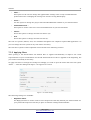
Input Filter
The input filter is used to improve the incoming data with better contrast and to remove noisy
background signals. Therefor two values can be adjusted:
◦
Signal Amplification
Enter a value from 0 to 1 to amplify the incoming signals by 0% to 100%.
◦
Noise Suppression
Enter a value from 0 to 1 to reduce the background by 0% to 100%.
•
Envelope Filter
The envelope filter takes a high-frequency signal as input and provides an output which is the
envelope of the original signal. Therefor two values can be adjusted:
◦
Raise Time
Enter a value from 0 to 1 to set the increasing speed of the envelope.
◦
Falloff Time
Enter a value from 0 to 1 to set the decreasing speed of the envelope.
•
Interpolation
The interpolation collects nearby data to form groups of potential structures. Therefor two
values can be adjusted:
◦
Iterations
Enter a value from 1 to 7 to define how often the interpolation process should be executed
over the measurement. The more cycles you run the smoother the result but you may lose
small single objects.
◦
Range
Enter a value from 1 to 19 to set the range or distance of neighbour values that should be
part of the interpolation process.
Depending on the selected checkmarks more or less filters can be applied to your measurement.
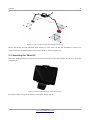
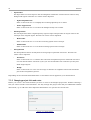
7.2.3 Changing project title and notes
Before you create a new measurement you have to enter a meaningful project title. Without entering a
title you cannot conduct a measurement. You may change this project title and your additional remarks
afterwards, e.g. to add some more important information or to precise the current title.
OKM GmbH
www.okmmetaldetectors.com
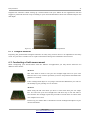
Figure 7.11: Notes dialog