1
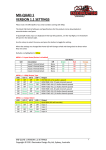
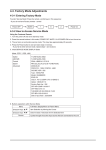
Setup: (Has SUB-‐MENUs) Load Defaults Group 1 ßMain Menu <== ßSub Menu ßParameter Window When highlighted in the Main Menu, press the ENTER button to enter this sub-‐menu. Press the < and > buttons to move left or right respectively through the 1 menus below and press the BACK button to go back to the Main Menu when finished. The current value for each Sub Menu is shown in the Parameter Window. 1. SETUP / LOAD DEFAULTS (Action) When highlighted in the Menu Window, press the ENTER button to load the default settings. The device will be reset to the Main Menu Input Status. 2. Control / LCD OFF TIME (Parameter) This is time taken for the LCD light to turn off after the last button press. When the sub menu is highlighted, press ENTER to toggle through the following times: 1.) 5 seconds 2.) 15 seconds 3.) 30 seconds 4.) 1 minute 5.) 5 minutes 6.) 10 minutes 7.) 30 minutes 8.) Never 3. Control / BACK2STATUS TIME (Parameter) This is time before the main menu is returned to Input Status after the last button press. When the sub menu is highlighted, press ENTER to toggle through the following times: 1.) 5 seconds 2.) 15 seconds 3.) 30 seconds 4.) 1 minute 5.) 5 minutes 6.) 10 minutes 7.) 30 minutes 8.) Never MD-‐HX OPERATING MANUAL VERSION 1.0 Copyright © 2014 Decimator Design Pty Ltd, Sydney, Australia 10