1
CME Account Manager®
Account Audit Trails
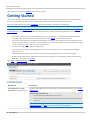
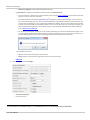
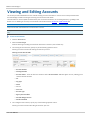
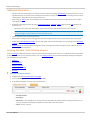
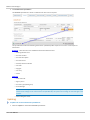
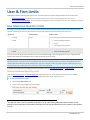
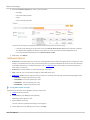
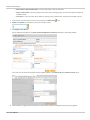
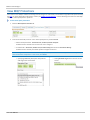
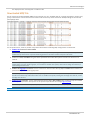
CME Account Manager tracks all user activity, allowing users to view and filter search results from the Audit Trails tab. Users
can search and view Account or User and Firm Limit activity including accounts pending activation and the user that made
changes to specific accounts.
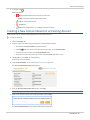
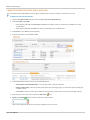
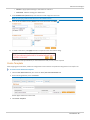
To search account activity:
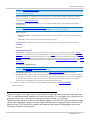
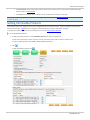
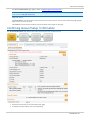
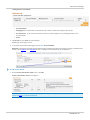
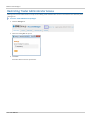
1. Click the Audit Trails tab.
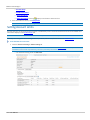
2. Select the Account or User & Firm Limits tab.
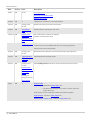
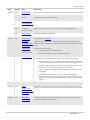
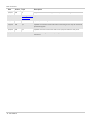
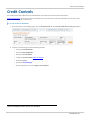
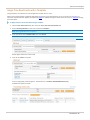
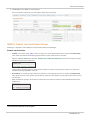
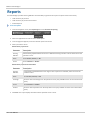
3. Filter the available list of activity by selecting from the following search criteria:
*Available for User & Firm Limits tab only.
l
Limit Type*
l
Clearing Member
l
Control Entity Name (User) *
l
Start Date/End Date of CME Account Manager activity.
l
Modifier1.
l
Account Number
l
Type
l
Account
l
Credit Control
l
Market Type Permissioning
l
Firm Rights
l
Alias
l
Threshold
l
User Max Qty Limits Account *
l
User Max Qty Limits *
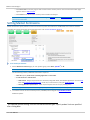
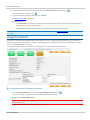
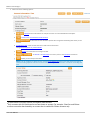
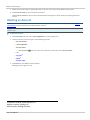
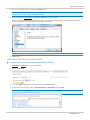
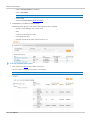
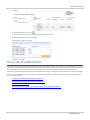
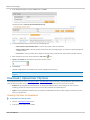
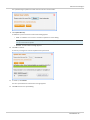
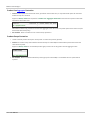
4. Click Search or press Enter (on the keyboard).
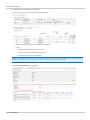
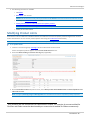
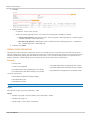
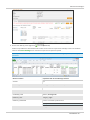
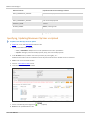
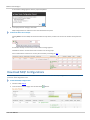
5. In the Account Number or User column, click the blue highlighted link.
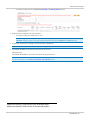
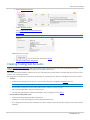
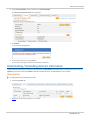
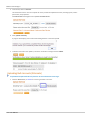
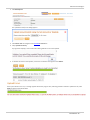
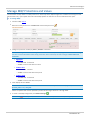
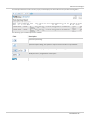
6. If desired, use the Filter features to refine results further:
l
Start Date
l
End Date
l
Modifier
l
Type
1The user that made the change.
- 53 - User Manual