1
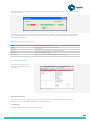
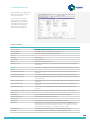
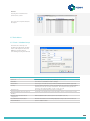
2.3.5 Site Details Tab
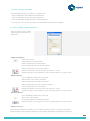
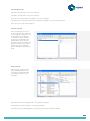
Lift Location Details
Account No:
An automatically generated reference number
Lift Reference:
Free format lift reference
Site Name:
The name of the site where the Memcom is installed
Address, City, County, Postcode and Country:
The address where the Memcom is installed
Show Map...:
Displays the map using “Google Maps” (Postcode required)
Directions:
Free format text of how to find the site
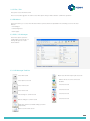
Contact Details
Name:
The name of the contact
Tel No:
The contact telephone number
Fax No:
The contact fax number
Email:
The contact email address. Send an email by using the
button
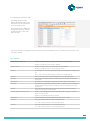
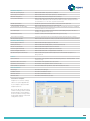
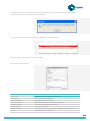
Equipment Details
ID Number:
The unique lift ID number (maximum 9 digits)
Network ID:
This should be set to 0 if only one lift alarm is connected to the telephone line. If
multiple Memcoms (maximum of 8) are connected to the same telephone line each
unit should be given a unique Network ID, e.g. Memcom 1 = 1, Memcom 2 = 2 etc
Tel No:
The telephone number of the Memcom
Model:
The lift alarm model type
Password:
The password used to access the Memcom (maximum 8 digits)
Service Details
Serviced By:
The Service Group responsible for the maintenance of the lift
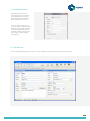
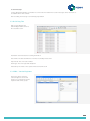
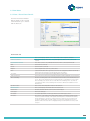
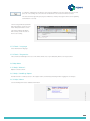
2.3.6 Notes Tab
The Notes tab displays the notes
for the selected account and
shows the date the account was
created.
10