1
Biometrics
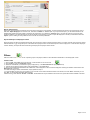
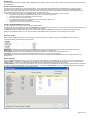
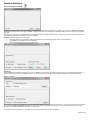
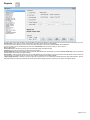
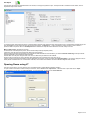
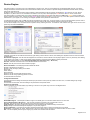
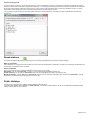
The best way to enroll an employee’s fingerprints is to ensure that their fingers are clean and dry, then ask the employee to add some facial oil onto their
finger. This can be done by wiping their finger anywhere on their face (the forehead also works well). This makes the print bolder for the enrollment
process. Now click on the circle above the desired finger to scan. Depending on enrollment configuration, the employee may have to present his or her
finger several times. With Morpho readers, the enrollment must be done on two fingers. It is recommend to use the index, middle or ring finger as the
small finger has less surface area for the system to read, but if need be it can still work. Now select at least two of the enrolled fingers to be the
“clocking” fingers by clicking in the small check box. These will be the two fingerprint templates that are downloaded to the device/s. The circle will be
green for an enrolled finger, white for no enrollment and red for the two clocking fingers. The fingerprints can be re-captured if need be, without affecting
the existing details. Hover over the circles to see the enrolled date and quality. Any of the two enrolled fingers can be used on the fingerprint readers to
clock. If you have Mifare card readers on Morpho (Sagem) devices, you may select ‘Use Card’ and JT will use the card as opposed to fingerprints for
that particular employee.
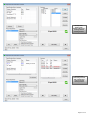
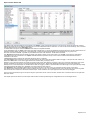
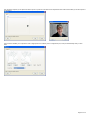
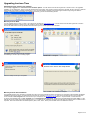
‘Show Enrolment Reader’
not selected in system config
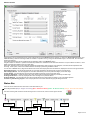
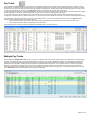
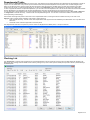
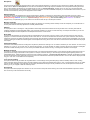
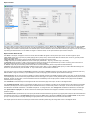
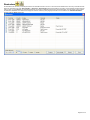
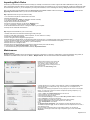
If you have more than one type/brand of biometric clocking device, click on the blue label in the bottom right-hand side of the enrollment frame to switch
between the two types of enrollment necessary. The brand name will change accordingly. Some biometric devices can cater for a tag and/or pin with a
‘Type’ of enrollment too. If such options are available on the devices/s Jarrison Time will allow you to allocate a pin and/or tag to the employee.
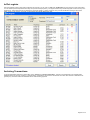
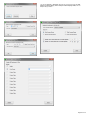
‘Show Enrolment Reader’
selected in system config
Page 8 of 40