1
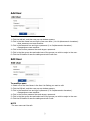
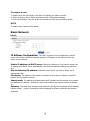
To remove a user:
1. Select one of the User Name in the User List Setting you want to remove.
2. Click the Remove tab. A dialog box appears with confirmation message.
3. Click the OK button. The user profile is removed from the User List Setting profile.
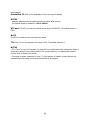
NOTE
The admin user name can’t be edited.
Basic-Network
IP Address Configuration:
The DHCP (Dynamic Host Configuration Protocol)
server has a feature that automatically assigns an IP address to the device if there is a
device on the network.
Obtain IP address via DHCP server: Select the choice box if you want to assign the
IP address from DHCP server automatically, and then the remaining setting are read-only
text.
Use the following IP address: Select the choice box if you want to assign the IP
address manually.
IP address: The address of the camera connected to the network. Specify a unique IP
address for this network camera.
Subnet mask: The address that determines the IP network that the camera is connected
to (relative to its address). Specify the mask for the subnet the network camera is located
on.
Gateway: The router that accesses other networks. Specify the IP address of the Gateway
(default router) used for connecting devices attached to different networks and network
segments.