1
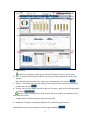
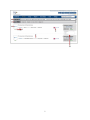
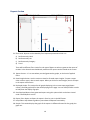
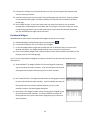
10. Review Page- is where you will find the actual reviews (for you and your competitors) that are
scored and used to populate the dashboard.
11. Settings and Alerts Page - Clicking here will route you to a page where you can save your
credentials that allow you to respond to reviews and set up email alerts and change your
password for IQA.
12. Date Filter - Is a filter criterion to populate the dashboard for the selected date range.
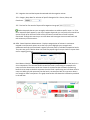
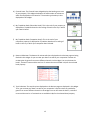
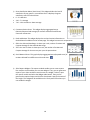
13. Guest Satisfaction Meter - Shows you the cumulative Guest Satisfaction Score for the selected
date range (SDR).
Monitor this for a day to day snapshot and overtime to measure improvement
This may change with every new commentary. Frequent monitoring will be most helpful.
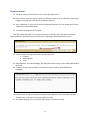
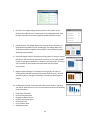
14. Consumer Review Score Graph - This graph displays your guest satisfaction viz-a-viz your
competitors according to consumer
review websites like Trip Advisor, Expedia, and Travel post for the selected date range.
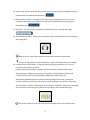
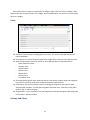
14A-Comp view is a display of you and your competitor’s performance according to the
Consumer Review sites for the selected date range (from the Date filter) (12).
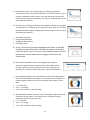
14B-Category dropdown gives you option of selecting categories like rooms, cleanliness,
services, and view you and your competitor’s scores according to the consumer review sites
14C-Trend view is a week on week display of you and your competitors’ performance according
to the consumer review sites for the weeks that are falling in the selected date range.
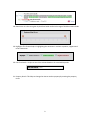
Click or select Numeric Score, Key word Score and Average Score icons for better focus
4