1
CT-5322F/CT-5642F Fixed Thermal Analytic Camera QIG
List of Figures
Figure 1: System Installation ........................................................... 5
Figure 2: Package Contents ............................................................ 6
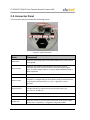
Figure 3: Connector Panel .............................................................. 8
Figure 4: Recommended Tools ..................................................... 11
Figure 5: Attaching the Base Mount .............................................. 11
Figure 6: Cordgrip Parts ................................................................ 12
Figure 7: Cables Inserted Through Locking Nut ........................... 12
Figure 8: Rubber Grommet ........................................................... 13
Figure 9: Wires Inserted through Grommet .................................. 13
Figure 10: Rubber Grommet Inserted into Cordgrip ..................... 13
Figure 11: Assembling Sealing Nut ............................................... 14
Figure 12: Tightening the Locking Nut .......................................... 14
Figure 14: Power Wires with Ferrite .............................................. 15
Figure 16: Camera with Ferrites Installed for Power Supply......... 15
Figure 15: Back Cover and White Desiccant ................................ 16
Figure 16: Covering the Connector Panel ..................................... 17
Figure 17: Solar Shroud and Stem Bumpers ................................ 17
Figure 18: Fully Assembled Camera ............................................. 18
Figure 19: ActiveX Plug-in Message ............................................. 20
Figure 20: Render.cab Plug-in Dialog Box .................................... 20
Figure 21: Windows Restart Dialog Box ....................................... 21
Figure 22: View Screen ................................................................. 21
Figure 23: Depth Screen ............................................................... 24
Figure 24: Rules Screen ............................................................... 25
iv