1
Camera Browser
Interface
System overview | en
13
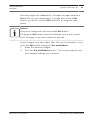
Not every page has a Set button. Changes to pages without a
Set button are set immediately. If a page does show a Set
button, you must click the Set button for a change to take
effect.
Notice!
Save each change with the associated Set button.
Clicking the Set button saves the settings only in the current
field. Changes in any other fields are ignored.
Some changes only take effect after the unit is rebooted. In this
case, the Set button changes to Set and Reboot.
1.
Make the desired changes.
2.
Click the Set and Reboot button. The camera reboots and
the changed settings are activated.
Bosch Security Systems
2015.06 | v1.610 | AM18-Q0691