1
Function Operation
6 iPod Function Operation
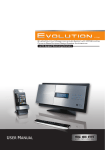
When the host unit is connected with an external iPod player, the audio and video files
stored in iPod player can be played by the host unit.
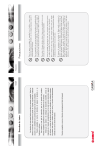
1
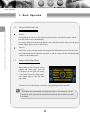
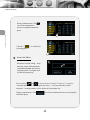
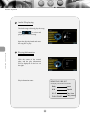
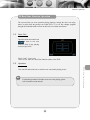
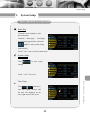
Enter/Exit
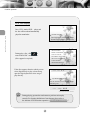
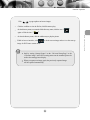
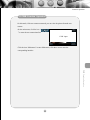
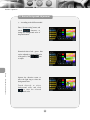
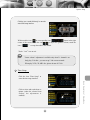
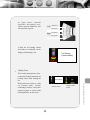
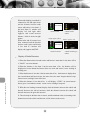
Touch the “ Home page ”icon slightly
to enter home page interface,
PLAYING
and touch
******
***
PLAY
slightly to enter
02:17
002/017
PLAYING 002/017
PLAY
******
***
02:17
ipod main interface.
Ipod Function Operation
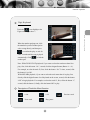
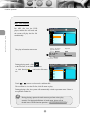
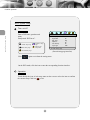
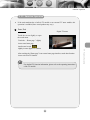
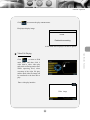
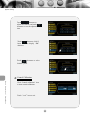
Touch the “ Home page ” icon to enter to the home page interface,and touch other
function icon to exit.
Note
2
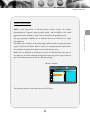
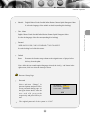
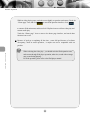
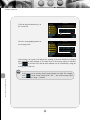
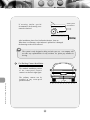
If the iPod player is connected when the host unit is on, the iPod player
can be detected after restarting the host unit.
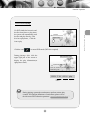
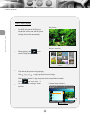
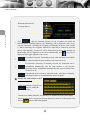
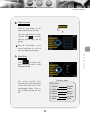
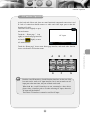
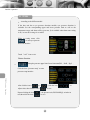
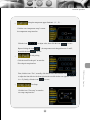
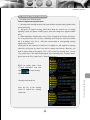
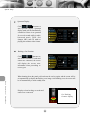
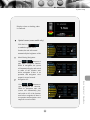
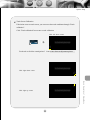
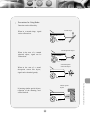
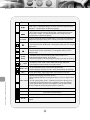
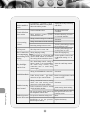
Description of Touch Button
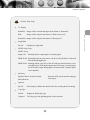
Pop up/hide the number pad
Repeat the current played song
return to
upper menu
Previous
track
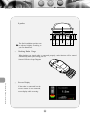
Scan and play songs in the
current folder. The next
song will be played after
the current song has been
finished for 10 seconds.
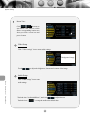
Display playing
information
Play songs in the current
folder at random.
Turn a page up
Next track
Play/pause
Turn a page down
31