1
VixwinPlat.book Page 3 Tuesday, August 17, 2010 2:39 PM
Operation
2. Wait a few seconds until VixWin Platinum opens and the patient name
appears in the title bar.
VxLink Module – Separate Software
NOTE: If VxLink is installed, Bridge mode must be selected to enable VxLink to
communicate with the Practice Management software.
To start your VxLink software when VixWin is configured in Bridge mode:
1. Select the patient chart in your Practice Management software (Dentrix,
Easy Dental, Eaglesoft, PracticeWorks, Softdent, or Julie).
NOTE: When using the VxLink interface module, VixWin will automatically update
to a new patient when a new patient is selected in the Practice Management
software.
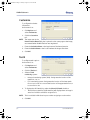
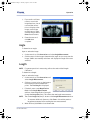
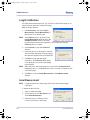
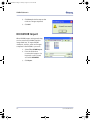
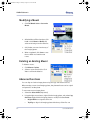
2. Double-click the Vx button present in
the system tray. VixWin will launch
and display the patient name on the
title bar and any images previously
stored (if any).
Exit VixWin
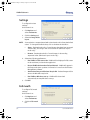
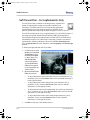
To close the VixWin Platinum software, click the Exit icon in the top
right.
Accessing and Creating a New Patient
To start a VixWin session, you must create a new patient or select an existing
patient before acquiring images.
NOTE: You can click the Patient Folder button to access the Patient
Folder window.
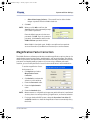
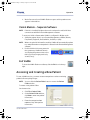
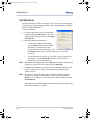
To create a new patient folder:
On the menu bar:
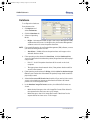
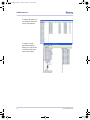
1. Click File > Patient Folder.
2. On the Patient Folder window,
click New to enter new patient
information.
3. Enter the new patient Last
name and any other patient
information.
032-0214-EN Rev 7
5-3