1
ANCOT Corporation
<
User=s Manual
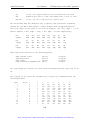
SCSI Bus Analyzer Ultra-2000: Appendix G
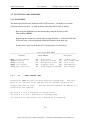
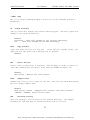
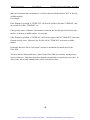
PROTOCOL OPTIONS
EDITOR OPTIONS
SAVE SETUP OPTIONS
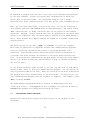
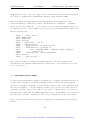
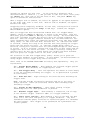
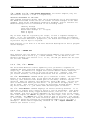
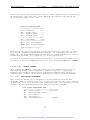
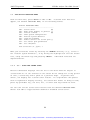
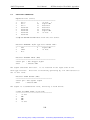
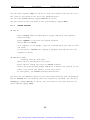
You need to edit only the few selections marked by '<' above.
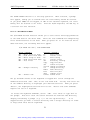
A.
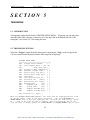
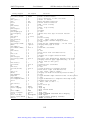
TERMINAL OPTIONS:
A
B
C
D
E
F
G
H
I
J
K
L
M
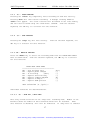
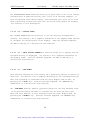
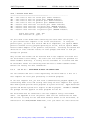
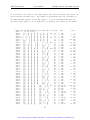
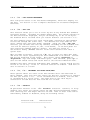
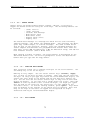
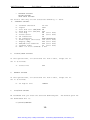
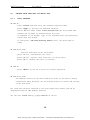
B.
-
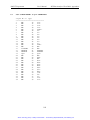
Terminal emulation
Duplex
Soft flow ctrl (XON/XOFF)
Hard flow ctrl (RTS/CTS)
Line wrap
Screen scroll
CR translation
BS translation
Break length (millisecs)
Enquiry (ENQ)
EGA/VGA true underline
Terminal width
ANSI 7 or 8 bit commands
VT-100
FULL
ON
OFF
ON (Don't Care)
ON (Don't Care)
CR
NON-DESTRUCTIVE
350 (Don't Care)
OFF (Don't Care)
OFF (Don't Care)
80 (Don't Care)
8 BIT
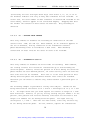
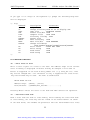
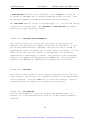
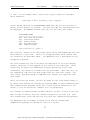
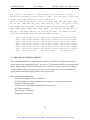
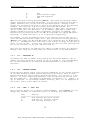
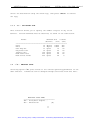
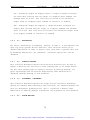
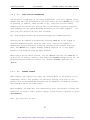
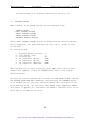
DISPLAY/SOUND OPTIONS
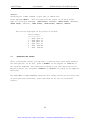
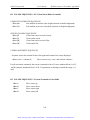
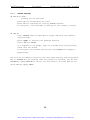
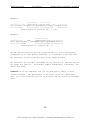
In this options menu, all selections are "Don't Care", except the 'F'.
Set it as follows:
F - Status line
C.
OFF
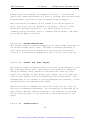
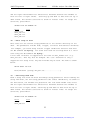
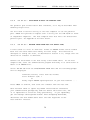
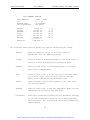
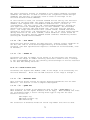
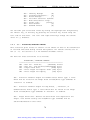
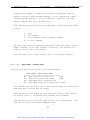
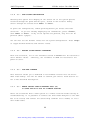
GENERAL OPTIONS
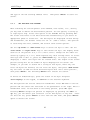
In this options menu, all selections are "Don't Care", except the 'B'.
Set it as follows:
B - CD high at exit
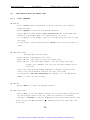
D.
IGNORE
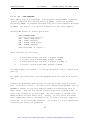
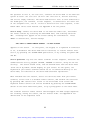
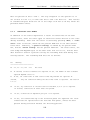
FILE/PATH OPTIONS
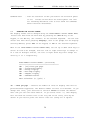
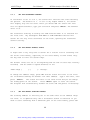
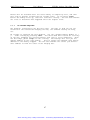
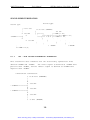
We recommend that you check the selected download path.
The default path for
the downloaded file is:
C:\PCPLUS\DOWNLOAD
120
Artisan Technology Group - Quality Instrumentation ... Guaranteed | (888) 88-SOURCE | www.artisantg.com