1
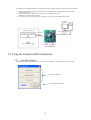
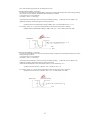
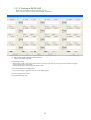
Once this message appears, touch each electrode.
You may touch the electrodes in any order. However, it is
recommended to change the electrode touch order as follows to
differentiate one touch from another.
Ch0 → Ch1 → Ch2 → Ch3 → Ch0 ↑ Ch1 → …
[Notes]
1. The touch time is limited. (For teaching measurement time, see “Teaching Measurement Count” in 5.3.2
“Preparation for Teaching.”
When you don’t touch each electrode three times or more, a teaching error is assumed and the teaching parameter
update does not take place for all channels.
2. When the touch count exceeds the upper limit (number of channels for measurement × 4), further measurement
does not take place and teaching terminates. Namely, when all channels are used in B6TS-04LT [for 4ch],
teaching terminates when the touch count reaches 16. Similarly, when all channels are used in B6TS-08NF [for
8ch], teaching terminates when the teaching count reaches 32.
3. When there is a channel for which “No measurement” has been set on the Setup Parameter window, no touch
measurement takes place for the channel. Accordingly, teaching cannot be performed for these channels.
Even in this case, when the touch count exceeds the upper limit (number of channels for measurement × 4),
further measurement does not take place and teaching terminates. For example, assume that “No measurement”
has been set for a channel in B6TS-04LT [for 4ch]. In this case, teaching terminates when the touch count
reaches 12 (3 × 4 =12) because the number of channels for measurement is 3. This is true for B6TS-08NF [for
8ch].
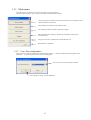
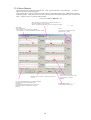
When you touch each electrode three times or more and the
teaching measurement time is over, the message shown in the right
figure appears to indicate the completion of teaching.
* When the set teaching measurement time is long (i.e., the
teaching measurement count (TCAL) value is large), you may
touch each electrode four times to terminate teaching.
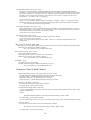
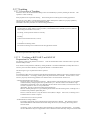
When teaching does not terminate normally because you didn’t
touch any electrode within the given teaching measurement time,
the message shown in the right figure appears.
- When you cannot touch any electrode within the given teaching
measurement time, specify a larger teaching measurement count
(TCAL) value on the Setup Parameter Definition window and
attempt teaching again.
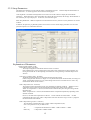
- If this message appears even when you’ve touched each electrode
normally, check whether or not the values for On determination
change (THRx) and hysteresis (HYSx) are properly set for actual
measurement.
21