1
DMR - 504
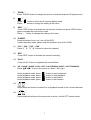
Press “ PLAY ” button, the DVR will display the last recording video.
1)
FAST FORWARD (F.F. ) & FAST REWIND (REW):
You can increase speed for fast forward and rewind on the DVR.
In the playback mode,
* Press “
“ once to get 4X speed forward and press twice to get 8X speed,
… and the maximum speed can reach 32X.
* Press “
“ once to get 4X speed rewind and press twice to get 8X speed,
… and the maximum speed can reach 32X.
* The type of recording image size (Frame or CIF )will also shown on the screen.
2)
PAUSE / IMAGE JOG:
Press “
“ button to pause the current image displayed on the screen.
In the Pause mode,
* Press “
“ once to get forward by frame change.
* Press “
“ once to get rewind by frame change.
3)
STOP:
Press “
4)
“ button under all circumstance, it will return DVR to live monitoring mode.
CHANNEL SHIFT:
* Display mode:
Press MODE “
” button to 4 channels display.
* Full Screen Switch:
Press “+” or “-” button to show the full screen channels.
* Channel display switch:
Press “SET” to change channel display position.
Press “▲▼◄►“ to select the channel which you like to change,
Press “+” or “-” select the channel which You would like show.
Press “ENTER” button to confirm.
5)
SLOW PLAYBACK:
Press “SLOW” button to get 1/4X speed playback and press twice to get 1/8X.
6)
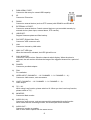
AUDIO:
Press “
” to select live or playback sounds of the 4 audio channels.
* AUDIO 1 (L) ; AUDIO 1 (P)
* AUDIO 2 (L) ; AUDIO 2 (P)
* AUDIO 3 (L) ; AUDIO 3 (P)
* AUDIO 4 (L) ; AUDIO 4 (P)
13