1
Cable Master
Voice, Data & Video Tester
User Manual
Table of Contents
About this Manual...................................................................3
Symbols and Icons..............................................................3
Terms and Descriptions......................................................4
Safety Information..............................................................5
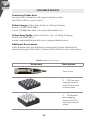
Accessories..................................................................6
Design Features.......................................................................7
CableMaster Description......................................................... 8
Jacks and Connectors.........................................................8
Remote Tester.....................................................................8
LCD Display Screen..........................................................9
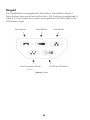
Keypad.......................................................................13
Operations.....................................................................15
Turning the Unit On/Off...................................................15
Automatic Power Down...................................................15
Cable Testing General Guidelines....................................16
Testing Voice Cables.........................................................17
Testing Video Cables.........................................................19
Testing Data Cables.........................................................20
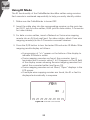
Using ID Mode..................................................................22
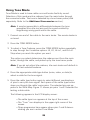
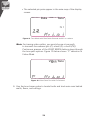
Using Tone Mode.............................................................23
Maintenance. ................................................................25
Battery Replacement........................................................25
Cleaning.......................................................................25
Storage....................................................................25
Customer Service...................................................................26
Contacting Psiber Data..................................................26
Additional Accessories.....................................................26
Warranty Information.......................................................27
Registration...............................................................27
Disposal......................................................................27
Returns........................................................................27
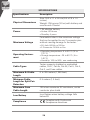
Specifications....................................................................28
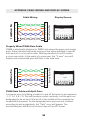
Appendix: Cable Wiring and Display Screen.........................29
2