1
Table of Contents
Introduction
What’s New in Catalyst V4 Software ...................................................................... 1
Expanded Capabilities ....................................................................................... 1
New Features .................................................................................................. 1
Catalyst Software Versions ................................................................................... 1
Contacting High End Systems ............................................................................... 2
Upgrading to Catalyst Version 4.0 Software
Check Your Hardware .................................................................................... 3
Contact High End Systems for a New Dongle Code ............................................ 3
Upgrading the Catalyst Application ........................................................................ 3
Download Catalyst V4 Software ......................................................................... 3
Upgrade the Catalyst Dongle Version 4 ............................................................... 3
Update Content Files: ....................................................................................... 4
Navigating Catalyst Version 4.0 Interface
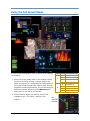
Using the Full Screen Mode .................................................................................. 6
HUD (Heads Up Display) Buttons ....................................................................... 7
Updated Layer Editing ...................................................................................... 7
Expanded Preset Capability ................................................................................ 10
Using the Cue List Feature ................................................................................. 12
Placing Presets in a Cue List: ........................................................................... 12
Setting Timing ............................................................................................... 13
Other Cue List Management Functions .............................................................. 13
Show Cue .................................................................................................. 13
Cue Lists Options ........................................................................................ 13
Play Next ................................................................................................... 14
Reordering a Cue List ..................................................................................... 14
Deleting a Cue from the Cue List ...................................................................... 14
Saving a Cue List ........................................................................................... 14
Loading a Show ............................................................................................. 14
Deleting Cuelist ............................................................................................. 14
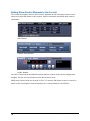
Adding Show Control Elements to the Cue List ................................................... 15
Configuring and Mapping Output to LED Devices ................................................... 17
Expanded Effects .............................................................................................. 18
New Visual Effects .......................................................................................... 18
Editable Gamma Color Effects ......................................................................... 18
Accessing a Remote Catalyst Media Server ........................................................... 19
Using the Web Server Feature ......................................................................... 19
Info Tab ....................................................................................................... 20
Status Tab .................................................................................................... 20
Layers Tab .................................................................................................... 21
Presets Tab ................................................................................................... 21
File Tab ........................................................................................................ 22
Colour FX and Visual FX Tabs .......................................................................... 22
Appendix A: PixelMAD Manual ............................................................... 23