1
LEDs
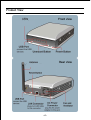
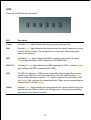
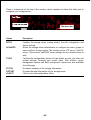
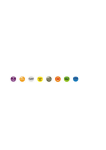
There are six LEDs on the front panel:
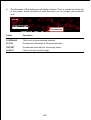
LED
Description
Power
A steady Green light indicates the storage server is powered on.
LAN
A steady Green light indicates the storage server has a good connection to your
network. When it blinks, the storage server is receiving/ transmitting data
from/to the network.
HDD
A blinking Green light indicates the HDD is reading/ writing data. A steady
Orange light indicates no HDD connected or the HDD failed.
HDD Full
A blinking Orange light indicates the HDD is getting full (95%). A steady Orange
light indicates the HDD is complete full (100%).
USB
The LED off indicates no USB devices connected to the storage. When you are
connecting a USB device to the storage server, the LED starts blinking Green
first, and then becomes a steady Green light to indicate the connection is OK;
the Orange light indicates the connection failed. When you are unmounting the
storage server, it blinks Orange.
WLAN
A steady Green light indicates the storage server has a good connection to your
wireless network. When it blinks, the storage server is receiving/transmitting
data from/to the wireless network.
-7-