1
Quick Start
Introduction
This quick start guide provides you with the basic information required to
start up your SMC Dialog Plus™ controller. Factory default settings and
information regarding installing, programming, and calibrating the
controller are described here.
The information provided in this Quick Start Guide does not replace the User
Manual, which can be ordered or downloaded by visiting www.ab.com/literature.
The Quick Start guide assumes the installer is a qualified person with previous
experience and basic understanding of electrical terminology, configuration
procedures, required equipment, and safety precautions.
For safety of maintenance personnel as well as others who might be exposed to
electrical hazards associated with maintenance activities, follow all local safety
related work practices (e.g., the NFPA 70E, Part II in the United States).
Maintenance personnel must be trained in the safety practices, procedures, and
requirements that pertain to their respective job assignments.
For detailed SMC-Dialog Plus information including setup, programming,
precautions, and application considerations, refer to the following:
Cautions and Warnings
For Documentation
SMC-Dialog Plus User Manual
150-5.3
www.ab.com/literature
For Technical Support
E-mail Support
[email protected]
Telephone Support
440-646-5800, option 2, option 4
or use direct dial code 804
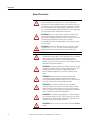
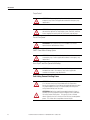
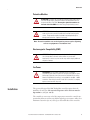
The following cautions and warnings must be observed while installing and using
the SMC Dialog Plus controller.
Rockwell Automation Publication 150-QS002B-EN-P - October 2011
3