1
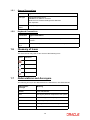
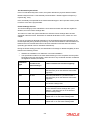
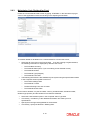
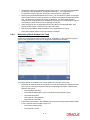
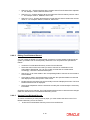
Reference Number
16 Characters Maximum; Alphanumeric; Mandatory
Specify a unique identifier for the mock processing record that you are setting up in this
screen. You can execute the mock processing, obtain projection reports and perform all
subsequent operations based on the reference number.
Old Reference Number
16 Characters Maximum; Alphanumeric; Mandatory
In the case of reversal of accumulation, specify the reference number of the accumulation that
was mock processed, for which you wish to perform the mock reversal.
Project Amendment
Check this box to indicate that you are maintaining the specifications for mock processing of
a dividend that has already been processed. You must specify the payment number of the
dividend, in the FCIS Payment Number field.
2.17 Maintaining G1-G2 Conversion Details
A fund typically consists of units which have received some benefit (income or dividend
benefits) and units which have not received any so far. The former are termed G1 units and
the latter G2 units. The G1 units could consist of units for which dividend has been declared
at least once. The G2 units could be as a result of switch-in, reinvestment or subscription
transactions.
Since the dividend distribution rates for G1 and G2 are different, the system will determine the
number of units for each group in the fund as on the ‘Freeze Holding Date/ Effective Date’ and
pay out the dividend accordingly. Additionally, where dividend equalization is applicable, the
system will pay out an equalization amount only for the G2 units.
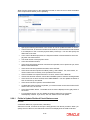
If you wish to enter additional adjustments for the number of G1 and G2 units that a Unitholder
holds in a fund, you can do so in the ‘Dividend Equalization Adjustment’ screen. The system
will factor the conversions maintained here while computing the total G1 and G2 units for the
Unitholder. You can invoke the ‘Dividend Equalization Adjustment’ screen by typing
2-48