1
recognise and store SysEx strings.
I1/2> Ovdup/Fad> O(1)(2)
• For all three of the above sections in this
menu, the OK LED blinks.
− By pressing OK, the cursor is able to be reset
to the beginning of the string, so that in Learn
mode only the required data is recorded –
and it's not, e.g., added to the end of another
string.
• Overdub Mode: This mode also needs to be
set in the Special Funct. menu.
• Until this mode is cancelled, the output on
this fader is taken over by the MIDI input
assigned to it.
− As soon as the relevant fader is used to
generate an event, it takes back control of
what is sent to the MIDI output, and MIDI In
data is ignored until this mode is reset.
9.4.5 Key On Edit
• This is a sub-set of functions virtually identical
to the ‘Fader Edit’ menu, except that these
are related solely to Key On events.
The following modes are accessed by
pressing the Fader Parameter button.
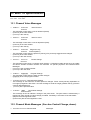
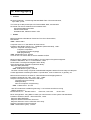
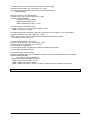
MIDI channel:
Master/Slave- Mode:
MIDI Event: (n.b. not Meta Events)
• Slider = Master: self-explanatory: this fader is
working as a master fader.
First MIDI data byte
• Slave/Master: fader no. X works as a slave
to master fader no. X.
Second MIDI date byte
− The Master/Slave system
works by
multiplication. If the master value is 100%,
the slave value is as it stands. If the master
value is less than 100%, the value of the
slave reduces proportionally.
String:
• When a Key On event occurs, a switch signal
is sent, which, depending on the setting in the
Key Parameter menu, can either be
momentary, or toggled (i.e. it stays in that
state until the next switch).
− The condition of the LED for each button will
act as a reliable indicator of the status of the
button in all modes when there is a...
• Key On- Event: Before the button-press the
LED is on, and after the button-press it's off,
showing that the control is now in mute mode
– that is, not sending any fader events at all.
Learn - Mode:
• The process of fader editing for each fader
can be undertaken not just by hand, but also
by MIDI events, chains or strings input at the
relevant MIDI in socket. This is called Learn
Mode.
− What happens is that MIDI data (events or
strings) are simply stored in the relevant
memory.
− Learn Mode has to be explicitly switched on
and off.
9.4.6 Key Off Edit
• In principal identical to the Key On functions,
except that the momentary switching
produces a 'release' function, and the
function of the toggle switching is reversed.
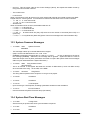
Event:
MIDI channel:
Only the first MIDI event received is stored in the
relevant memory location.
MIDI Event: (n.b. not Meta Events)
First MIDI data byte
Ev>Str:
A succession of MIDI events is stored in the
relevant memory location, until it's full (currently
a maximum of about 30 bytes).
Second MIDI data byte
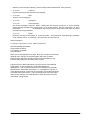
String:
• When a Key Off (i.e. Note Off) event occurs,
a switch signal is sent, which, depending on
Sx>Str:
The same as Ev>Str, except that it will only
q
Doepfer Musikelektronik GmbH
o
r
p
User manual V1.0
REGELWERK V1.2