1
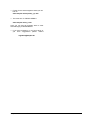
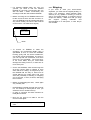
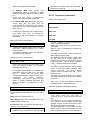
• The eight buttons with LEDs, for
global real-time control (from left to
right):
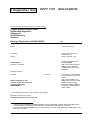
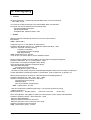
(13)Preset / Pattern Tools
Get Preset / Pattern
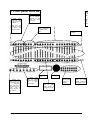
See chapter 5, Front Panel Controls
diagram, page 14,
to the lower left,
underneath the REGELWERK name.
Store Preset / Pattern
SysEx Preset / Pattern
Init Preset <OK>
−
Init Pattern <OK>
Preset / pattern management page
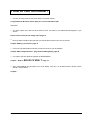
(17) START button
(no LCD readout):
for starting REGELWERK from zero on the
chosen track, and simultaneously sending a
MIDI START realtime message – and, if
programmed, a START string (StringEdit:
Start).
− (18) STOP button (no LCD readout):
− For
stopping
REGELWERK,
and
simultaneously sending a MIDI STOP
realtime message – and, if programmed, a
STOP string (StringEdit Stop).
− (14) Sequencer Sync
SYNC – INTERN / EXT.
MIDI / Sync synchronisation
− On the first button-push, the STOP button
LED blinks. This shows a sort of 'pause'
mode, which can then be turned into STOP or
CONTINUE by pushing the relevant button.
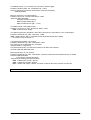
− (15) Sequencer Parameters
− On the second push, the STOP button LED
stops flashing, and stays on. Simultaneously,
the REGELWERK's internal buffer is cleared,
and an All Notes Off message is sent on all
16 channels to MIDI OUT.
Midi Channel
Note Number
Step Time
Gate Time
−
(19)Cont. (continue) button
−
(20) Tempo button
−
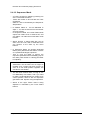
(21) REWIND (no LCD readout):
End Step
Track parameters, global for each of the eight
tracks.
− (16) Sequencer Mode
(no LCD
readout): for starting REGELWERK from the
current
position
in
a
sequence,
simultaneously sending out a MIDI realtime
CONTINUE message, and, if programmed,
sending out a CONT string (StringEdit: Cont).
(with LCD readout):
for setting the internal tempo of the
REGELWERK in bpm (50 - 255 bpm). (The
tempo value is stored with the pattern).
NoteNr (StepNr)
for sending, if programmed, a REW string.
(StringEdit: Rew.)
Veloc. (StepNr)
Note number / velocity for each of the 16 steps
in a track, which can be programmed with the
alpha-dial (with selection via Gate On / Off
buttons) and / or directly via the sequence faders
9-24 (16 steps in total).
−
(22) FORWARD (no LCD readout):
for sending, if programmed, a Forw. string
(StringEdit: Forw.)
−
(23) Snapshot
function: for taking a
'snapshot' of current settings:
− Sending out a full MIDI dump with all current
settings. When the button is pressed, the
LED blinks, to indicate that the snapshot is
ready to be saved to your chosen location
(using StoreSnap from the Snap Tools
menu).
[
Doepfer Musikelektronik GmbH
Z
]
\
User manual V1.0
REGELWERK V1.2