1
AutoMark
The AutoMark feature is a system default setting and can be turned on or off at a global level. The
system default for this setting is off. To change the default settings see Show Settings, page 95.
When AutoMark is enabled, non-intensity parameter transitions will occur in the cue immediately
preceding the cue in which the changes are stored, if intensity in that cue is moved from zero to any
active level. Therefore, the preceding cue “executes” the AutoMark.
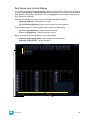
AutoMark information is displayed for cues or cue parts. It is not a channel instruction. AutoMarked
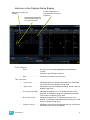
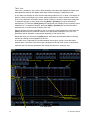
cues are indicated by an “M” in the M column of the playback status display.
AutoMarks will execute using the time of the cue in which the moves occur (the cue indicated by
“M”). The exception to this is if discrete timing is stored with the move instruction, in which case the
discrete time will be used.
C o n d i t i on s T r i gg e r i n g a n A u t o M a r k
The following rules determine which channels AutoMark is applied to and how it is deployed:
• The marked cue must have a move instruction for intensity of moving lights above zero or null.
• The marked cue must have a move instruction for non-intensity parameters of those channels.
• AutoMark will not occur if the channel is receiving an intensity instruction from another source
(such as a submaster or HTP fader).
• AutoMark must be enabled for an AutoMark to occur. AutoMark is based on the current setting
of the default during playback. It does not matter what the setting is at the point of record.
• On a “per channel” basis, an AutoMark does not occur until:
• Any parameter delay time has elapsed and
• The intensity has reached zero and the parameter has completed any previous
movement.
Allowing a Live Move
When AutoMark is “On” it is possible to override it on a per cue (or cue part) basis. The override will
be available through a softkey, “AutoMark Off”. This softkey is not visible when AutoMark is
disabled in default settings.
AutoMark can be disabled on cues or cue parts.
When enabled, the cue that executes the mark will have an “M” in the flags field. If AutoMark is
disabled, allowing a live move, a “D” is displayed in the flags field of the cue or cue part where the
data is stored.
By using AutoMark with multipart cues, it is possible to have some parameters mark and others
move live.
AutoMark and Timing
An AutoMark will happen in the time of the cue in which is moving (the “M” cue), unless the channel
has discrete timing. In which case, the discrete timing will apply to the moves. Discrete timing is
applied in the cue where the move instruction is stored.
176
Ion Operations Manual