1
2. Administration
2.1
Introduction
The Fund Manager component is equipped to manage administrative activities, which include
the purging of data, maintenance of extraction information for extraction of data from the FIC
application. This chapter explains these functions.
This chapter also explains the Query Builder, which can be used to construct user defined
query statements to obtain information from the database.
2.2
Purge Frequency Maintenance
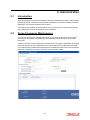
You can use this screen to maintain the frequency of purging for the tables in the system.
According to the frequency specified here, the tables are purged during the End of Day
processes.
Invoke the ‘Purge Frequency Maintenance Detail’ screen by typing ‘UTDPURGS’ in the field
at the top right corner of the Application tool bar and clicking on the adjoining arrow button.
The ‘Purge Frequency Maintenance Detail’ screen is displayed. Select ‘New’ from the Actions
menu in the Application tool bar or click new icon to enter the details.
2-1