1
PROGRAMMING NOTES
SECTION 16
Linker
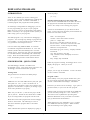
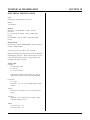
The linker , L D, can oper ate using a com mand file
(.C MD extension) or comm and line. Com mand file is
good for linking a num ber of files. The com mand line is
good for short programs and for the 'MAKE' program.
The comm and line format is used primarily in the
CMO N400 directory.
really only a few compiler and linker options you may
want to consider. D ebugging is covered in SECTION
17, DEBUGGING PROGRAMS.
The ' MA KE' progr am is used for a few example s. T his
is useful if you break up your program into many
smaller modules. You can read the manual, included
with the development system, or use the template in the
' CMO N400' directory.
Look at a command file (all of them are RPC400.CMD)
to view the general structure. It consists of an output
form at, inp ut files and m emor y structur e. A ll
RPC400. CMD files are similar. Differ ences are in the
linked files and output format. HINT uses a S record
output. Look at the comm and file in the COMM 21
director y for a . SR output.
Compiler and linker options are discussed below. The
major difference is how you intend to do your
debugging. If you use the GDB debugger, you set
certain switches. If not, you can ignore them.
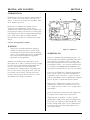
Using comments
You cannot nest comments. The comm ent terminator
' */' cancels out all previous '/ *' .
GDB uses something with a .X output. Look at the
comm and file in the A IN1 dir ectory fo r GD B output.
Compiler
Compiling takes the following command line form:
To add a file for linking, simply input it as part of the
list.
gcc -c -g -O fname.c
FLOATING POINT
The compiler has a few command lines to consider.
Refer to the Using GNU CC manual for more
information.
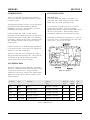
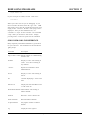
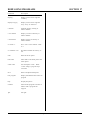
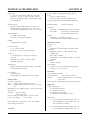
-c
The GNU C compiler does support 32- and 64- bit IEEE
single- and double-precision form floating point. The
compiler does have a problem w ith floating point
constants, however.
Com pile or asse mble but do not link. Since all
examp les use the linker , this sw itch is
necessary.
-g
Prod uce debug ging inform ation. Neede d with
gdb. Pr oduces line number info with -S option.
-O
Optimize code by tying to reduce code size and
execution time. Additional options 0 - 2
perfor m differ ent optimiza tion. R efer to
manual for mor e info.
-S
Stop, do not assem ble. Output is in assem bly
and goes to a file with a . S extension. This is
useful if you w ant to see wh at the CP U is
doing. Use w ith the -g option to get line
numbers in the assembly code.
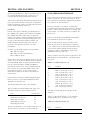
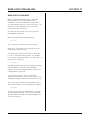
This is solved by simply "creating" a constant. Integers
(and longs) are 32 bits wide, which makes num bers of
±2 billion possible. Simply castin g an integer into
floating point num ber is suffic ient.
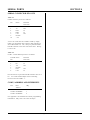
float
int
int
fl;
i = 12207;
j = 10000000;
fl = (float) i / (float) j;
The above example puts the number 0. 0012207 into the
variable fl.
The GNU CC manual is for a number of different types
of CPU ' s. Refer ences to other type should be ignored.
Just pay attention to Hitachi SH-1. Generally, it does
not have a lot of options.
Page 16-3