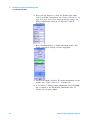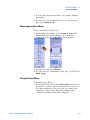
1
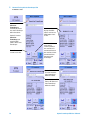
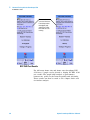
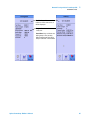
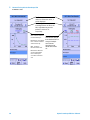
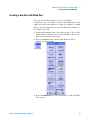
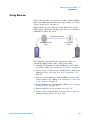
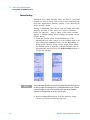
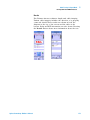
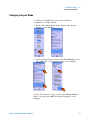
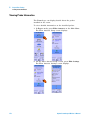
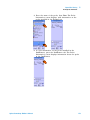
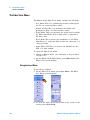
Agilent N2610A
FrameScope 350
Network Performance
Analyzer
User’s Manual
Version 3.1
Agilent Technologies
Notices
© 2002-2004 Agilent Technologies, Inc.
Manual Part Number
No part of this manual may be reproduced
in any form or by any means (including
electronic storage and retrieval or translation into a foreign language) without prior
agreement and written consent from Agilent Technologies, Inc. as governed by
United States and international copyright
laws.
5971-4377
Edition
Second Edition, March 2004 (Version 3.1)
First Edition, July 2002 (Version 3.0)
Agilent Technologies, Inc.
1 Yishun Avenue 7
Singapore 768923
Warranty
The material contained in this document is provided “as is,” and is subject to being changed without notice
in future editions. Further, to the maximum extent permitted by applicable
law, Agilent Technologies disclaims
all warranties of merchantability and
fitness for a particular purpose. Agilent Technologies shall not be liable
for errors or for incidental or consequential damages in connection with
the furnishing, use, or performance of
this document or of any of the products to which it pertains. Should Agilent Technologies have a written
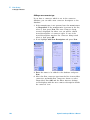
contract with the user and should any
of the contract terms conflict with
these terms the contract terms shall
control.
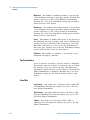
Technology Licenses
The hardware and/or software described in
this document are furnished under a
license and may be used or copied only in
accordance with the terms of such license.
Restricted Rights Legend
If Software is for use in the performance of
a U.S. Government prime contract or subcontract, Software is delivered and
licensed as “Commercial computer software” as defined in DFAR 252.227-7014
(June 1995), or as a “commercial item” as
defined in FAR 2.101(a) or as “Restricted
computer software” as defined in FAR
52.227-19 (June 1987) or any equivalent
agency regulation or contract clause. Use,
duplication or disclosure of Software is
subject to Agilent Technologies’ standard
commercial license terms, and non-DOD
Departments and Agencies of the U.S. Government will receive no greater than
Restricted Rights as defined in FAR
52.227-19(c)(1-2) (June 1987). U.S. Government users will receive no greater than
Limited Rights as defined in FAR 52.227-14
(June 1987) or DFAR 252.227-7015 (b)(2)
(November 1995), as applicable in any
technical data.
Safety Notices
CAUTION
A CAUTION notice denotes a hazard. It calls attention to an operating procedure, practice, or the like
that, if not correctly performed or
adhered to, could result in damage
to the product or loss of important
data. Do not proceed beyond a
CAUTION notice until the indicated
conditions are fully understood and
met.
WA R NING
A WARNING notice denotes a
hazard. It calls attention to an
operating procedure, practice, or
the like that, if not correctly performed or adhered to, could result
in personal injury or death. Do not
proceed beyond a WARNING
notice until the indicated conditions are fully understood and met.
In This Guide…
This user’s guide contains information for using your
FrameScope 350 handheld network performance analyzer
using software version 3.1.
Note that some systems running earlier software may not
provide all of the features described in this manual; systems
running later versions of software may operate differently
than described in this manual. Be sure to refer to any user’s
manual supplements or release notes that came with the
unit or call 800- 452- 4844.
Agilent FrameScope 350 User’s Manual
3
4
Agilent FrameScope 350 User’s Manual
Contents
1
Introducing the FrameScope 350
The FrameScope 350 at a Glance
10
The DualRemote 350 at a Glance
14
The Main Menu at a Glance
15
FrameScope 350 Product Kit
18
Getting Started
2
19
Network Testing with the FrameScope 350
Network Testing Overview
Examining the Network
Running an Autotest
26
27
29
Changing the Autotest Metrics
Using the Stations List
34
Performing a Ping Test
38
Performing a Trace Route
41
Performing SNMP Queries
Viewing Statistics
33
44
47
Generating Network Traffic
Performance Tests
50
53
Locating a Hub Port with Blink Port
Viewing the Error Log
69
Using the Test Database
71
Using the Network Database
Locating Switch Ports
3
67
73
76
Cable Testing with the FrameScope 350
Cable Testing Overview
Calibrating the Tester
Setting Up an Autotest
Running an Autotest
Saving Test Results
Viewing Result Details
Agilent FrameScope 350 User’s Manual
81
85
86
103
104
107
5
Using Talksets
112
Using CompactFlash™ Cards
Printing Labels
113
115
WireMap Adapter Testing
4
Fiber Testing
Fiber Testing Overview
122
Calibrating the Tester
124
Setting Up an Autotest
129
Running an Autotest
5
117
142
Cable Testing in Expert Mode
Testing Overview
145
Changing to Expert Mode
146
The Expert Autotest Setup
The Expert Tools Menu
147
163
Running COAX and TWINAX Autotests
6
Expert Fiber Testing
About Fiber Expert Mode
176
Changing to Expert Mode
177
Viewing Probe Information
The Fiber Tools Menu
7
178
180
System Operations
The Status Display Area
The System Menu
186
187
System Information
Storage Setup
189
Battery Status
190
188
Time and Date Setup
191
User Interface Setup
192
Operator Setup
193
Touchscreen Calibration
Serial Baud Rate Setup
6
170
194
195
Agilent FrameScope 350 User’s Manual
Restore Default Settings
196
Calibration Information
Printer Setup
199
Network Settings
200
Remote Control
203
RFC 2544 Test
204
SNMP Settings
Demo Mode
8
198
205
206
Network Performance Analyzer Reference
Network Connection
Network Database
209
211
Network Performance Autotest
Statistics
233
Network Tools
236
Remote Control
240
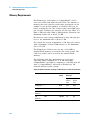
Memory Requirements
9
Calibration
244
248
Memory Requirements
252
Specifications
Physical
258
Environmental
Electrical
Ports
Display
259
260
261
262
Fiber SmartProbe+
12
250
DualRemote 350 Reference
The DualRemote 350
11
242
Cable Tester Reference
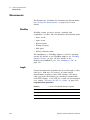
Measurements
10
214
263
Glossary
Glossary
Agilent FrameScope 350 User’s Manual
266
7
8
Agilent FrameScope 350 User’s Manual
Agilent N2610A FrameScope 350 Network Performance Analyzer
User’s Manual
1
Introducing the FrameScope 350
The FrameScope 350 at a Glance 10
Front View 10
Side Views 11
Controls 12
Ports 12
The DualRemote 350 at a Glance 14
The Main Menu at a Glance 15
The Network Tab 16
The Cable Tab 17
FrameScope 350 Product Kit 18
Getting Started 19
Switching the FrameScope On and Off 19
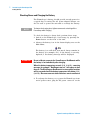
Checking Power and Charging the Battery 20
Connecting to the Network 22
Using the FrameScope 350 23
Running a Test 23
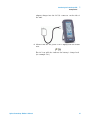
The Agilent FrameScope 350 Network Performance Analyzer
is a powerful handheld instrument that measures the
performance of your key network resources and verifies the
cabling and active network equipment. The FrameScope 350
integrates network performance analyzer features such as
auto discovery, performance autotesting, and fault finding;
with versatile cable certification testing for Category 6 (Class
E) and category 5E (Class D).
Agilent Technologies
9
1
Introducing the FrameScope 350
The FrameScope 350 at a Glance
The FrameScope 350 at a Glance
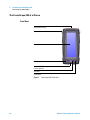
Front View
SmartProbe port (top)
Strap cleat
Color touch screen
Power button
CompactFlash™ memory
card slot (bottom)
OK button
Scroll button
Figure 1
10
FrameScope 350 Front View
Agilent FrameScope 350 User’s Manual
Introducing the FrameScope 350
1
The FrameScope 350 at a Glance
Side Views
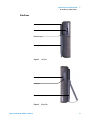
Stylus clip
USB ports
DC Power input
Battery pack (back)
Figure 2
Left Side
Headset port
Serial port
Flip-out stand (back)
Figure 3
Agilent FrameScope 350 User’s Manual
Right Side
11
1
Introducing the FrameScope 350
The FrameScope 350 at a Glance
Controls
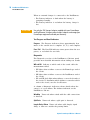
Color Touch Screen The FrameScope 350’s touch screen is
the main user interface. Test controls and results are shown
here. Simply press the screen with your finger or a stylus to
navigate through the menus and test controls.
Power Button Press the Power button briefly to switch the
unit on. To switch the unit off, do one of the following:
• Press Power twice.
• Press Power once, wait 5 seconds and the unit powers
off.
• Press Power once and hit the Off button on the screen.
OK Button Press the OK button to activate the currently
selected item on the display. Use the OK button to confirm
edits, enter values, and execute selected features.
Scroll Button The scroll rocker button moves the highlight
cursor on the screen. Use this button to scroll through
selected items on the display.
Ports
SmartProbe Port The SmartProbe test port on the top of the
FrameScope provides the network test interface. This port
accepts any of the Agilent SmartProbes such as:
• Channel SmartProbe for testing twisted pair using patch
cords.
• Link SmartProbe for testing twisted pair at network
outlets.
• Fiber SmartProbe for testing optical fiber.
CompactFlash™ Slot This port on the bottom of the unit
accepts standard CompactFlash™ cards for data storage.
USB Ports The FrameScope provides a universal serial bus
(USB) interface port to connect with PCs and peripherals.
The unit provides a USB Type B (Hub) port.
Serial Port The Serial port provides an 8- pin RS- 232
interface for connecting a PC. See “Serial port” on page 261.
12
Agilent FrameScope 350 User’s Manual
Introducing the FrameScope 350
1
The FrameScope 350 at a Glance
Talkset Port This port allows you to connect Agilent’s
FrameScope talkset (N2605A- 137) for two- way voice
communication between the FrameScope and DualRemote
over copper cabling.
DC Power Input The DC power input accepts the Agilent
12 Vdc power adapter/chargers that comes together with
your FrameScope.
CAUTION
Agilent FrameScope 350 User’s Manual
Use only the 12 Vdc adapter/charger supplied with your
FrameScope 350. Using an incompatible adapter/charger can
damage your FrameScope equipment.
13
1
Introducing the FrameScope 350
The DualRemote 350 at a Glance
The DualRemote 350 at a Glance
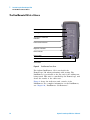
Pair status indicators
Warning indicators
Test progress and Result
indicators
Fault location indicators
Diagnostic indicators
Power indicator
Power button
OK button
Scroll button
Figure 4
DualRemote Front View
The Agilent DualRemote 350 is used with the
FrameScope 350 when performing cable testing. The
DualRemote is positioned at the far end of the cabling run
being tested. This unit is controlled by the FrameScope, and
shows the results of the cable tests.
Figure 4 shows the indicators and controls of the
DualRemote. For complete information on the DualRemote,
see Chapter 10, “DualRemote 350 Reference”.
14
Agilent FrameScope 350 User’s Manual
Introducing the FrameScope 350
1
The Main Menu at a Glance
The Main Menu at a Glance
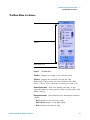
Title bar
Tab area
Status display area
Navigation buttons
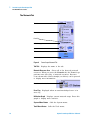
Figure 5
The Main Menu
Title Bar
Displays the name of the current screen.
Tab Area Display the currently selected tab. The
FrameScope 350 provides two tabs: Network and Cable.
Select a tab to choose the type of testing you want to do.
Status Display Area This area displays the time of day,
network connection status, battery status, storage status, and
talkset activity.
Navigation Buttons These buttons move through the interface
screens:
• Back returns to the previous screen.
• Main Menu returns to the Main Menu.
• Help launches the built- in help.
Agilent FrameScope 350 User’s Manual
15
1
Introducing the FrameScope 350
The Main Menu at a Glance
The Network Tab
Tab title
Network resources area
Error Flag
Utilization graph
System menu button
Tools menu button
Autotest button
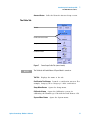
Figure 6
FrameScope Network Tab
Tab Title
Displays the name of the tab.
Network Resource Area Shows all of the detected network
resources. When you press the Network tab, the FrameScope
performs auto discovery of network resources. Resource
icons shown with a black triangle (see below) can be pressed
to display more information.
Press icon to view details
Error Flag
error log
Displayed when an unacknowledged error is in
Utilization Graph Displays current network usage. Press this
graph to display more statistics.
System Menu Button
Tools Menu Button
16
Calls the System menu.
Calls the Tools menu.
Agilent FrameScope 350 User’s Manual
1
Introducing the FrameScope 350
The Main Menu at a Glance
Autotest Button
Calls the Network Autotest Setup screen.
The Cable Tab
Tab title
Certification test buttons
Setup menu button
Calibration button
System menu button
Figure 7
NOTE
FrameScope Cable Tab (normal mode)
The Cable tab will look different if Expert Mode is turned on.
Tab Title
Displays the name of the tab.
Certification Test Buttons Launch a certification autotest. For
example, Category 5E or Category 6 cable certification.
Setup Menu Button
Opens the Setup menu.
Calibration Button Opens the Calibration screen for
calibrating the FrameScope 350 with the Dual Remote 350.
System Menu Button
Agilent FrameScope 350 User’s Manual
Opens the System menu.
17
1
Introducing the FrameScope 350
FrameScope 350 Product Kit
FrameScope 350 Product Kit
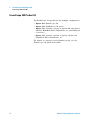
The FrameScope 350 product kit has multiple configurations:
• Option 001: FrameScope 350
• Option 100: DualRemote 350 option
• Option 130: Contains contents of Option 001 and Option
100 kits, MultiMode Fiber SmartProbe+ set, and additional
accessories
• Option 150: Contains contents of Option 130 kit and
SingleMode Fiber SmartProbe+ set
For details on contents of each FrameScope kit, see the
FrameScope 350 Quick Start Guide.
18
Agilent FrameScope 350 User’s Manual
1
Introducing the FrameScope 350
Getting Started
Getting Started
Switching the FrameScope On and Off
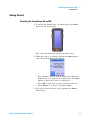
1 To switch the FrameScope on, briefly press the Power
button on the front panel.
The screen will light and a brief tone will sound.
2 While the unit is on, briefly pressing the Power button
will call the Sleep/Shutdown window.
• Press Sleep to put the unit in sleep mode. When the
FrameScope is in sleep mode, briefly press the Power
button or press the screen to reactivate it.
• Press Off or wait five seconds to turn the unit off.
• Press Cancel to go back to the Main Menu.
3 You can also turn the unit off by pressing the Power
button twice.
Agilent FrameScope 350 User’s Manual
19
1
Introducing the FrameScope 350
Getting Started
Checking Power and Charging the Battery
The FrameScope’s battery should provide enough power for
a typical day of testing. The AC power adapter/charger can
also be used to power the unit and to recharge the battery.
NOTE
To shorten the charging time, Agilent recommends switching off the
FrameScope while charging.
To check the battery’s charge level, perform these steps:
1 Switch on the FrameScope, if necessary, by pressing the
Power button on the front of the unit.
2 Observe the battery icon in the Status display area on the
Main Menu.
The battery icon will show how much charge remains in
the battery (for example, 45%). If the battery is severely
depleted, a low- battery message will be displayed.
WA R N I N G
Do not calibrate or operate the FrameScope or DualRemote while
the battery is hot immediately after charging.
When the battery temperature exceeds 55°C (131°F), a warning
message, for example, “DualRemote too hot”, will appear to alert
the user. The WireScope or DualRemote’s measurement functions
will be suspended until the battery temperature falls below 55°C
(131°F). Non-measurement related functions remain unaffected.
3 To recharge the battery or to power the FrameScope from
an AC power source, plug the DC power connector on the
20
Agilent FrameScope 350 User’s Manual
Introducing the FrameScope 350
1
Getting Started
adapter/charger into the 12 Vdc connector on the side of
the unit.
4 Observe that the AC power icon is displayed in the Status
area.
The AC icon will also indicate the battery’s charge level
(for example 72%).
Agilent FrameScope 350 User’s Manual
21
1
Introducing the FrameScope 350
Getting Started
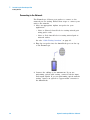
Connecting to the Network
The FrameScope 350 uses test probes to connect to the
network you are testing. Follow these steps to connect your
unit to the network:
1 Select an appropriate Agilent test probe for your
application:
• Select a Channel SmartProbe for testing twisted pair
using patch cords.
• Select a Link SmartProbe for testing twisted pair at
network outlets.
See also “Cable Testing Overview” on page 81.
2 Plug the test probe into the SmartProbe port on the top
of the FrameScope.
3 Connect the cabling to the SmartProbe. If you are
performing optical cable testing, connect both the input
and output signals. If you are performing optical network
testing, connect an optical- to- copper media converter to
the SmartProbe.
22
Agilent FrameScope 350 User’s Manual
1
Introducing the FrameScope 350
Getting Started
Using the FrameScope 350
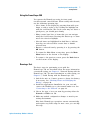
You operate the FrameScope using its front panel
touchscreen and control buttons. When testing with the unit,
use the following operating tips:
• Select items on the display by pressing them with your
finger or with a stylus or by scrolling the highlight bar
with the scroll button. The touch screen may not detect a
quick press; you should press firmly.
• Many screens have lists of items that you can navigate
using the Scroll button. Pressing this button up or down
moves the selection highlight.
• Selected items are highlighted in dark blue to indicate
that they are selected. Most screens have a default
selected item.
• Execute a selected item by pressing it or by pressing the
OK button.
• To return the Main Menu at any time, press the Main
Menu button on the bottom of the display.
• To return to the previous screen, press the Back button
on the bottom of the display.
Running a Test
The basic steps for performing a test with the
FrameScope 350 are described below. For more information
on network testing, see Chapter 2, “Network Testing with the
FrameScope 350”. For more information on cable testing, see
Chapter 3, “Cable Testing with the FrameScope 350”.
1 Switch the unit on. Connect power to charge the battery
if necessary. See “Checking Power and Charging the
Battery” on page 20.
2 Install the appropriate SmartProbe for your test and
connect the FrameScope to the network under test. See
“Connecting to the Network” on page 22.
3 Choose the type of test you want by pressing either the
Network or Cable test tab.
4 Make any needed configuration changes to match your
testing environment.
Most basic FrameScope operations execute automatically
and require very little setup. In most cases you can skip
this step.
Agilent FrameScope 350 User’s Manual
23
1
Introducing the FrameScope 350
Getting Started
5 Press the Autotest button or Start Test button to begin
the test.
See “Viewing Details and Statistics” on page 36 for
information on reviewing network test results. See “Viewing
Result Details” on page 107 for information on reviewing
cable test results.
24
Agilent FrameScope 350 User’s Manual
Agilent N2610A FrameScope 350 Network Performance Analyzer
User’s Manual
2
Network Testing with the
FrameScope 350
Network Testing Overview 26
Examining the Network 27
Network Overview 27
Detailed List 28
Running an Autotest 29
Changing the Autotest Metrics 33
Using the Stations List 34
Viewing Details and Statistics 36
Performing a Ping Test 38
Performing a Trace Route 41
Performing SNMP Queries 44
Viewing Statistics 47
Generating Network Traffic 50
Performance Tests 53
Performing a MAC or IP Loopback 54
Performing RFC 2544 Throughput or Latency Test 57
RFC 2544 Test Results 64
Locating a Hub Port with Blink Port 67
Viewing the Error Log 69
Using the Test Database 71
Using the Network Database 73
Locating Switch Ports 76
This chapter describes how to use your Agilent
FrameScope 350 as a network performance analyzer.
The FrameScope network testing features allow you to create
a list of key network resources and evaluate their
performance. Active discovery and detailed metrics allow you
to troubleshoot problems and pinpoint network bottlenecks.
Agilent Technologies
25
2
Network Testing with the FrameScope 350
Network Testing Overview
Network Testing Overview
The following steps describe the general procedure for
performing network analysis testing using the
FrameScope 350.
1 Power the unit on. See “Switching the FrameScope On
and Off” on page 19.
2 Press the Network tab on the Main Menu to begin.
3 Connect to the network under test. See “Connecting to
the Network” on page 22.
The FrameScope automatically begins to poll the network
and locate devices. See “Examining the Network” on
page 27.
4 View details about the detected network resources. See
“Detailed List” on page 28.
5 Perform an Autotest on any or all desired resources. See
“Running an Autotest” on page 29.
6 Select any devices on the network and perform additional
testing, such as:
• Ping test; see page 38.
• Trace Route test; see page 41.
• SNMP Queries; see page 44.
7 Save results as desired, perform other tests or functions.
26
Agilent FrameScope 350 User’s Manual
Network Testing with the FrameScope 350
2
Examining the Network
Examining the Network
Network Overview
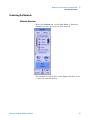
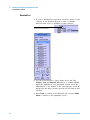
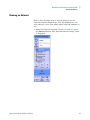
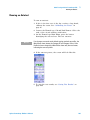
• Press the Network tab on the Main Menu to begin the
FrameScope auto discovery on your network.
The Network resources area of the display will show a list
of detected network devices.
Agilent FrameScope 350 User’s Manual
27
2
Network Testing with the FrameScope 350
Examining the Network
Detailed List
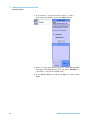
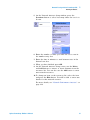
1 To view a detailed list of network resources, press on any
category in the Network Resources area. A triangle
indicates that a list is available for that category.
Press icon to view details
2 Use the Scroll button to select items in the list. The
Collapse List and Expand List button is renamed View
when the highlight is on a particular station. Press the
View button to see details of the selected item. A red ‘X’
means that the device wasn’t present the last time it was
checked.
3 Press Back to return to the Network tab, or press Main
Menu to return to the beginning screen.
28
Agilent FrameScope 350 User’s Manual
2
Network Testing with the FrameScope 350
Running an Autotest
Running an Autotest
This section describes how to run an Autotest on the
network using the FrameScope 350. The FrameScope can
store Autotest suites that define which network elements to
test.
1 From the Network Overview screen (see page 27) press
the Autotest button. The Network Autotest Setup screen
is displayed.
Agilent FrameScope 350 User’s Manual
29
2
Network Testing with the FrameScope 350
Running an Autotest
2 If you want to save this Autotest suite, or load a
previously- stored suite, press the Suite button.
3 Select a stored suite from the list or select Create New,
then press the Next button. You can select <Default> if
you want to reload the default suite.
4 If you Create New, you will be prompted to enter a new
name.
30
Agilent FrameScope 350 User’s Manual
2
Network Testing with the FrameScope 350
Running an Autotest
5 On the Network Autotest Setup window, press the
Iterations button to select how many times the test is to
be run.
6 Enter the number of times you want the test to run in
the number entry box.
7 Enter the time in minutes to wait between tests in the
Interval text box.
8 When you have finished press OK.
9 On the Network Autotest Setup screen, use the Delete
and Add buttons to remove or insert elements from the
resources list. You can also use the Add button to enter
new network resources.
10 To change an item on the resources list, select the item
and press the Edit button. You will be able to enter new
details for that network resource.
For more details, see “Network Performance Autotest” on
page 214.
Agilent FrameScope 350 User’s Manual
31
2
Network Testing with the FrameScope 350
Running an Autotest
11 When you have finished setting up the test, press the
Start Test button (or press OK) on the Network Autotest
Setup screen. The test will begin.
12 To stop the test at any time press the Stop Test button.
13 To view information about a network element’s results,
select the element from the list and press the Details
button.
14 Press the Save Results button to store the test data on
the CompactFlash™ card.
The rating numbers will range from 5 to 1, where 5 is best
and 1 is worst. A red ‘X’ will be displayed if an error
occurred during the test. See the next section for how to
change the metrics used to derive the ratings.
32
Agilent FrameScope 350 User’s Manual
Network Testing with the FrameScope 350
2
Changing the Autotest Metrics
Changing the Autotest Metrics
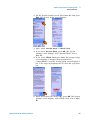
The FrameScope 350 provides a measure of service speed
and efficiency by emulating a client device in the network.
By making a request for service to a key device, and
comparing the results to reasonable expectations, it provides
a rating of the service. However, the default numbers used to
determine the rating may not apply to the network under
test.
For example, you may know that the connection to the
available domain name server is over a slow link and this
link cannot be upgraded. Consequently, it may be more
important to have a test that is less sensitive but provides
meaningful results that can be compared over time. The
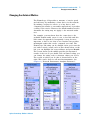
FrameScope 350 rating can be changed. After you’ve run the
test and received a result, such as that shown below on the
left, you can highlight the server address and press Details.
The screen shown in the middle provides the measured
results of the test. If you double click on Name Lookup, you
can change the rating scale to whatever values you choose.
The screen on which you do that is shown below on the
right. This can be done for all rated measurements. See
Chapter 8, “Network Performance Analyzer Reference”..
Agilent FrameScope 350 User’s Manual
33
2
Network Testing with the FrameScope 350
Using the Stations List
Using the Stations List
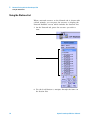
When a network resource on the Network tab is shown with
a black triangle, you can press the resource to display the
Network Database screen, which includes the Stations List.
1 On the Network tab, press the resource you wish to
view.
Press here to view details
Stations List
2 Use the Scroll button to navigate through the items on
the Station List.
34
Agilent FrameScope 350 User’s Manual
Network Testing with the FrameScope 350
2
Using the Stations List
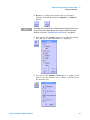
3 Expand or collapse the Station List by selecting a
category and then pressing the Expand (or Collapse)
button.
NOTE
The Collapse List, Expand List, and View buttons all appear in the same
place on the screen, depending on the currently selected item in the
Station List. See also “Viewing Details and Statistics” on page 36.
4 You can use the Settings button to reorder the Station
List and select what information is displayed.
5 You can use the Database Tools button to update, erase,
load or save the Stations List or delete a resource from
the Stations List.
Agilent FrameScope 350 User’s Manual
35
2
Network Testing with the FrameScope 350
Using the Stations List
Viewing Details and Statistics
1 Select a station on the Station List and then press the
View button.
2 Press the Statistics button to view statistics about the
station.
3 On the Station Detail screen, press Tools to see a list of
test tools that can be used on the selected station. These
tools are describe in more detail in the following sections.
36
Agilent FrameScope 350 User’s Manual
Network Testing with the FrameScope 350
2
Using the Stations List
NOTE
Agilent FrameScope 350 User’s Manual
The tools that are displayed on the Station Tools list will vary depending on
what type of station you are viewing. Not all tools are available for every
type of station.
37
2
Network Testing with the FrameScope 350
Performing a Ping Test
Performing a Ping Test
The Ping test allows you to check if communications can be
established with a particular remote node. The FrameScope
“pings” a remote node by sending it a request message. If
the remote device is active and reachable it will respond.
Follow these steps to run a Ping test.
1 From the main Network tab or from a device’s display on
the Station List, press the Tools button to display a menu
of available network testing tools.
38
Agilent FrameScope 350 User’s Manual
Network Testing with the FrameScope 350
2
Performing a Ping Test
2 Press the Ping button to call the Ping screen.
3 Enter the device you want to ping in the Target box. You
can enter the device name or address.
4 Select the ping options you want, selecting IP or IPX,
length of the ping, and the number of iterations.
5 Enter the Time To Live and whether you want
fragmentation in the IP Options area. Or if you selected
IPX above, select the IPX request type: Diagnostic or
PING.
6 Press the Start button to begin the ping test.
The Ping Results screen will be displayed.
Agilent FrameScope 350 User’s Manual
39
2
Network Testing with the FrameScope 350
Performing a Ping Test
7 Observe the results of the Ping test.
The screen will show the frame length you selected, the
number of requests (pings) sent and the number of
replies received. Data on the response times are also
displayed.
8 To run the test again press the Start button.
40
Agilent FrameScope 350 User’s Manual
Network Testing with the FrameScope 350
2
Performing a Trace Route
Performing a Trace Route
The Trace Route test allows you to determine the path
through the network to a particular device. The FrameScope
sends data packets over the network and returns the routers
on the path and the time it took for each hop.
The following procedure describes how to run a Trace Route
test.
1 From the main Network tab or from a device’s display on
the Station List, press the Tools button to display a menu
of available network testing tools.
Agilent FrameScope 350 User’s Manual
41
2
Network Testing with the FrameScope 350
Performing a Trace Route
2 Press the TraceRoute button to call the TraceRoute
screen.
3 Enter the device to which you want to trace in the Target
box. You can enter the device name or address.
4 Select the maximum number of hops to be reported.
5 Press the Start button to begin the TraceRoute test.
The TraceRoute Results screen will be displayed.
42
Agilent FrameScope 350 User’s Manual
Network Testing with the FrameScope 350
2
Performing a Trace Route
6 Observe the results of the TraceRoute test.
The screen will show the number and address of each
hop. In addition the delay (in seconds) to each hop is
shown. The delay is cumulative, but since each
termination is measured individually, an anomaly may
exist where an intermediate time is greater than a
subsequent time due to network performance.
7 To run the test again press the Start button.
Agilent FrameScope 350 User’s Manual
43
2
Network Testing with the FrameScope 350
Performing SNMP Queries
Performing SNMP Queries
The simple network management protocol (SNMP) query tool
allows you to send a query to the management information
database (MIB) and retrieve the available information for
that host.
The following procedure describes how to run an SNMP
Query using the FrameScope 350.
1 From the main Network tab or from a device’s display on
the Station List, press the Tools button to display a menu
of available network testing tools.
44
Agilent FrameScope 350 User’s Manual
2
Network Testing with the FrameScope 350
Performing SNMP Queries
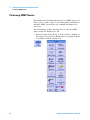
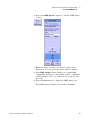
2 Press the SNMP Queries button to call the SNMP Query
screen.
3 Enter the device to which you want to query in the
Target box. You can enter the device name or address.
4 The SNMP Settings button allows you to add SNMP
communities and ports to the default “public” community
and default port 161 or to change those set up for auto
discovery.
5 Press the Start button to begin the SNMP Query test.
The SNMP Queries Results screen will be displayed.
Agilent FrameScope 350 User’s Manual
45
2
Network Testing with the FrameScope 350
Performing SNMP Queries
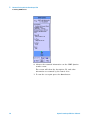
6 Observe the returned information on the SNMP Queries
results screen.
The screen will show the description, ID, and other
information as returned by the remote host.
7 To run the test again press the Start button.
46
Agilent FrameScope 350 User’s Manual
2
Network Testing with the FrameScope 350
Viewing Statistics
Viewing Statistics
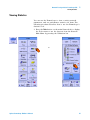
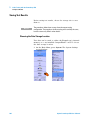
You can use the FrameScope to view a variety network
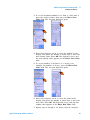
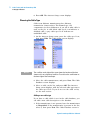
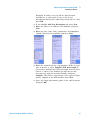
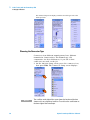
parameters, and see performance statistics for them. The
following procedure describes how to use the FrameScope’s
Statistics tool.
1 Press the Tools button on the main Network tab to display
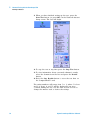
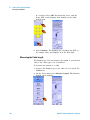
the Tools menu or use the shortcut from the Network
Main Menu by pressing the Utilization bar
or
Agilent FrameScope 350 User’s Manual
47
2
Network Testing with the FrameScope 350
Viewing Statistics
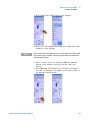
2 Press the Statistics button to call the Statistics screen.
Press this to view or
change the
Statistics settings.
Press this to view
the list of saved data
or to delete saved
data.
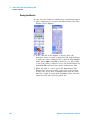
The screen shows network utilization and other traffic
data such as frame counters, and protocol counters.
3 To view additional details, press any item shown with a
black triangle.
• Press Unicasts, Broadcasts, or Multicasts to view the top
talkers for that frame type.
• Press Errors to view a breakdown of the types of errors
detected on the network.
4 Press the Settings button on the Statistics screen to switch
between counts and percentages, protocols and frames.
48
Agilent FrameScope 350 User’s Manual
Network Testing with the FrameScope 350
2
Viewing Statistics
Set the Interval
between 2 to 1080
seconds. The graphs
display statistics of
data captured within
this time interval and
refreshes every
interval time.
5 Press Utilization on the Statistics screen to view the top
talkers (most active devices) on the network.
Press here to
view details
Agilent FrameScope 350 User’s Manual
49
2
Network Testing with the FrameScope 350
Generating Network Traffic
Generating Network Traffic
You can use the FrameScope’s Traffic Generator to create
network traffic to stress the network and observe how is
reacts under different loads.
The following procedure describes how to use the Traffic
Generator.
1 Press the Tools button on the main Network tab to
display the Tools menu.
2 Press the Traffic Generator button. The Traffic Generator
screen will be displayed. To add security to the use of the
traffic generator, since it may disrupt your network, you
may configure a password to prevent someone without
the password from using the traffic generator.
50
Agilent FrameScope 350 User’s Manual
2
Network Testing with the FrameScope 350
Generating Network Traffic
3 On the Parameters tab, configure the traffic
characteristics as you desire. Press each parameter
(Frame Length, Frame Rate, and so on) and enter the
value you want in the on- screen keypad. See “Traffic
Generation” on page 238.
4 To inject errors in the generated traffic, press the check
box for the type of error you want (CRC, short frame, or
long frame). See “Traffic Generation” on page 238.
5 To configure the frame characteristics of the traffic, press
the Frame tab.
Agilent FrameScope 350 User’s Manual
51
2
Network Testing with the FrameScope 350
Generating Network Traffic
6 Press the box buttons to enter the Frame Type, MAC
source, and MAC Destination. See “Traffic Generation” on
page 238. Note that if you select an IP type frame, you
will get additional selections for IP Source and IP
Destination.
7 Press the Start button to begin generating traffic. The
Traffic Generator activity screen is displayed.
8 Observe the traffic statistics. For more information on the
results, see “Traffic Generation” on page 238.
9 If you want to change traffic parameters press the Back
key to return to the Parameters and Frame tabs. To
restart the test press Start.
52
Agilent FrameScope 350 User’s Manual
2
Network Testing with the FrameScope 350
Performance Tests
Performance Tests
Performance tests comprise of RFC 2544 tests and IP or
MAC Loopback tests. These tests are used to verify the
performance of network between two network points. Using
this performance tests tool, you can perform the following:
• MAC or IP Loopback Test — go to “Performing a MAC or
IP Loopback” on page 54.
• RFC 2544 Throughput Test — go to “RFC 2544 Throughput
Test” on page 57.
• RFC 2544 Round- trip Latency Test — go to “RFC 2544
Round- trip Latency Test” on page 57.
NOTE
All performance tests require two FrameScope 350s; one at each end of
the network circuit to be tested.
General settings for the master FrameScope
To start off any performance test, follow the steps below:
1 Connect two FrameScopes to the network. Connect one at
each end of the network circuit you want to test. See
“Connecting to the Network” on page 22.
2 On the master FrameScope, press the Tools button on the
main Network tab.
3 Press Performance Tests button on the Tools menu.
Agilent FrameScope 350 User’s Manual
53
2
Network Testing with the FrameScope 350
Performance Tests
Performing a MAC or IP Loopback
The master or target FrameScope sends periodic MAC- level
or IP- level messages to the slave framescope with
user- defined periodic interval. The slave FrameScope echoes
back each of these messages. The FrameScopes will record
the number of transmitted, received and error frames, the
current, average, minimum and maximum delays of frames.
To perform the tests, see the following steps:
54
Agilent FrameScope 350 User’s Manual
Network Testing with the FrameScope 350
2
Performance Tests
1 From the Performance Tests menu, select MAC Loopback or
IP Loopback
2 There are two options to search for the slave FrameScope:
Option 1: If you do not know the MAC or IP
address/name of the slave FrameScope, select Search for
FrameScope.
Option 2: For MAC Loopback, unselect the Search for
FrameScope checkbox and enter the MAC address of the
slave FrameScope. For IP Loopback, enter the IP address
or name of the slave FrameScope.
3 In the MAC or IP Loopback menu, press Start or press the
OK button to begin the test.
The FrameScope will search the other FrameScope on the
network and then report back the link results.
Agilent FrameScope 350 User’s Manual
55
2
Network Testing with the FrameScope 350
Performance Tests
Option 1: Select
Search for
FrameScope to
automatically locate
the slave FrameScope
within the subnet.
Option 2: Unselect
Search for
FrameScope and
enter the MAC
address of the slave
FrameScope.
Press Save to save
current test results.
Search results
displays the MAC
address and current
MAC loopback test
results.
Press Interval to
enter time (in
seconds) between
the start time of a
transmitted frame to
the start time of next
transmitted frame
from the master
FrameScope.
Option 1: Use auto
search to locate the
slave FrameScope
within the subnet.
Option 2: Key in the IP
name or IP address of
slave FrameScope
within the subnet.
56
Agilent FrameScope 350 User’s Manual
Network Testing with the FrameScope 350
2
Performance Tests
4 Press Stop to cancel the test or to review the transmission
information on the MAC Loopback or IP Loopback screen.
Performing RFC 2544 Throughput or Latency Test
RFC 2544 tests comprise of round- trip latency test and
point- to- point throughput test. In throughput tests, you can
obtain the range of measured frame rate, frame size, and
theoretical limit of media for every frame size. In latency
tests, you can obtain the range of round- trip delay for every
frame size.
NOTE
For RFC 2544 tests, if the slave FrameScope unit is in use, for example,
running a Ping test, an auto-search from the master FrameScope unit will
result in Search Failed. A specific search (keying in the IP address) on a
FrameScope unit under test will result in Remote Busy.
RFC 2544 Throughput Test
This test is designed to determine the maximum throughput
rate in frames per second for different frame sizes between
two network points. The test sends frames for a specified
number of seconds at a constant frame rate in a single
direction. If the transmitted frame count does not match the
number of frames received by the other side, the transmit
level is reduced. A binary search is conducted to determine
the maximum frame rate that can be forwarded by the
network with no loss. This procedure is repeated for a
number of legal frame sizes to produce a table of maximum
throughput versus frame size.
RFC 2544 Round-trip Latency Test
This test measures the latency experienced by a frame
passing and looping back through the network. A specially
tagged frame is sent and the time that this frame exits and
loopbacks to the FrameScope is recorded. Round trip latency
is the difference between the entrance and exit times of the
tagged frame. The reported latency is an average of at least
20 trials. The test is conducted over a range of frame sizes.
Agilent FrameScope 350 User’s Manual
57
2
Network Testing with the FrameScope 350
Performance Tests
Setting the master FrameScope for RFC 2544 Tests
To perform a RFC 2544 test, you will need two
FrameScopes, one as master and the other as slave. For
initial settings on the master unit, see “General settings for
the master FrameScope” on page 53 and then continue with
the steps below:
1 Ensure that the slave FrameScope is ready for RFC 2544
test. For slave FrameScope settings, go to “Setting the
slave FrameScope for RFC 2544 Tests” on page 62.
2 From the Performance Tests menu, select RFC 2544 Test.
3 In the RFC 2544 Test menu, there are two options to
search for the slave FrameScope:
Option 1: If you do not know the IP address/name of the
slave FrameScope, select Search for FrameScope.
Option 2: If you know the IP address/name, enter the
corresponding IP address/name.
58
Agilent FrameScope 350 User’s Manual
Network Testing with the FrameScope 350
2
Performance Tests
4 Select Throughput and/or Latency RFC 2544 test options.
Press Suite to load or
create new test suite.
Select RFC 2544 test
options.
To set specific
Throughput or Latency
test parameters, press
Settings.
Press Slave Password
button to enter the
password set by the
slave FrameScope.
Agilent FrameScope 350 User’s Manual
59
2
Network Testing with the FrameScope 350
Performance Tests
5 Optional: If you want to save this RFC 2544 Test suite, or
retrieve a previously stored suite, press the Suite button.
Create New option: Select
this if you want to save a new
test suite. You will be
prompted to enter a new
name.
Load Selected option: Select
a stored suite from the list.
You can select <Default> if
you want to reload the default
suite.
6 For specific throughput and latency test settings, press
Settings. For details on its parameters, go to “The
Throughput Settings screen.” on page 61 or “The Latency
Settings screen.” on page 61 respectively.
60
Agilent FrameScope 350 User’s Manual
Network Testing with the FrameScope 350
2
Performance Tests
The Throughput Settings
screen.
Select to measure all frame rates
or specify the upstream and
downstream rates.
Select the frame directions to
measure.
Max Data Rate is used for initial
frame speed and performance
calculation. Enter the maximum
data rate of the network under
test. If not known, the link speed
will be used.
Network connection speed
Specify the frame length (minimum
of 64 bytes to maximum of 1518
bytes) or select full range to collect
all frames of lengths 64, 128, 256,
512, 768, 1024, 1280, and 1518).
Duration is the time taken (in
seconds) to transmit frames
that could be of different sizes,
at different rates.
The Latency Settings
screen.
Specify the frame length or
select full range to collect all
frames.
Specify the number of
round-trips for the test.
7 If a password is preset in the slave FrameScope, press the
Slave Password button on the master FrameScope to enter
the password. You will get a warning, “Permission
Denied”, if a password is set in the slave FrameScope and
not entered correctly in the master FrameScope.
8 Press Start to begin test.
Agilent FrameScope 350 User’s Manual
61
2
Network Testing with the FrameScope 350
Performance Tests
After pressing the Start button, the master FrameScope
starts the activation and synchronization procedures with
the slave FrameScope by doing the following actions:
1 Search (if enabled) and check status of the slave
FrameScope
2 Activate the slave FrameScope if in idle mode
3 Authenticate the master FrameScope if the password is
enabled
4 Set up the slave FrameScope parameters by synchronizing
the master and slave FrameScopes for the test
5 Start test
6 Query test results at end of test
7 Stop test
Setting the slave FrameScope for RFC 2544 Tests
1 From the Network main menu, press System.
2 From the System Settings Network menu, press RFC 2544
Test.
3 Select the Enable RFC 2544 Test option. You may set a
password in the slave FrameScope to enable the master
FrameScope login. Press OK.
The slave FrameScope is now ready to perform RFC 2544
tests. Do not run other tests on the slave FrameScope
while RFC 2544 tests are in progress.
62
Agilent FrameScope 350 User’s Manual
Network Testing with the FrameScope 350
2
Performance Tests
Agilent FrameScope 350 User’s Manual
63
2
Network Testing with the FrameScope 350
Performance Tests
.
These are the
screens of the slave
FrameScope when
throughput (left)
and latency (right)
RFC 2544 tests are
running.
RFC 2544 Test Results
For full range frame size and frame rate throughput RFC
2544 tests, a graph can be plotted to display the RFC 2544
test results. The graph helps analysis of performance
between two points in the network quickly and efficiently.
These results can then be saved to the compact flash card
for further analysis.
64
Agilent FrameScope 350 User’s Manual
Network Testing with the FrameScope 350
2
Performance Tests
The IP address of the network
under test. If the name exists, it
will be displayed.
Program Rate is the frame rate
set by user.
Actual Rate is the real frame rate
during the test. The rate may
differ from Program Rate due to
delay or collisions in the network.
Agilent FrameScope 350 User’s Manual
65
2
Network Testing with the FrameScope 350
Performance Tests
The IP address of the network
under test. If the name exists, it
will be displayed.
The throughput/ latency test set,
according to frame size. Press the
left or right button to go to the
previous or next test set
respectively.
Upstream - throughput
rates of frames sent from
master FrameScope.
The minimum, average
and maximum delay of
Downstream - throughput frame obtained from an
rates of frames sent from average of multiple
measurements
slave FrameScope.
depending on the
Max - maximum
number of iterations
theoretical frame rate.
set.
Below frame directions
are frame throughput
rates in frames per
second for each frame
size.
66
Agilent FrameScope 350 User’s Manual
2
Network Testing with the FrameScope 350
Locating a Hub Port with Blink Port
Locating a Hub Port with Blink Port
You can use the FrameScope to locate a network
connection’s port on a hub or switch. The FrameScope will
toggle the port’s link indicator on and off causing it to blink.
This section describes how to use the Blink Port feature of
the FrameScope 350.
1 Connect the FrameScope to the remote end of the circuit
whose hub you want to locate. For example, connect the
unit at the network wall circuit.
2 Press the Tools button on the main Network tab to
display the Tools menu.
3 Press the Blink Port on the tools menu to call the Blink
Port screen.
Agilent FrameScope 350 User’s Manual
67
2
Network Testing with the FrameScope 350
Locating a Hub Port with Blink Port
4 To begin blinking the port, press the Start button.
5 Observe the hub or switch and note which port’s link
indicator is blinking. That will be the port for the tested
circuit.
6 To stop the blink, press the Stop button on the Blink Port
screen.
68
Agilent FrameScope 350 User’s Manual
Network Testing with the FrameScope 350
2
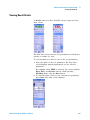
Viewing the Error Log
Viewing the Error Log
This section describes how to view the FrameScope’s error
log. The error log tracks and displays any network problems
that detected by the FrameScope 350.
1 From the main Network tab, press the Tools button to
display the Tools menu.
Agilent FrameScope 350 User’s Manual
69
2
Network Testing with the FrameScope 350
Viewing the Error Log
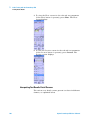
2 Press the Error Log button to call the Error Log
screen.
3 Observe the errors listed in the log.
4 Press the Show All button to expand the error list and
view all errors that were previously acknowledged by
using the Ack button.
5 Press the Ack button to acknowledge the errors without
clearing the log.
6 Press the Reset button to clear the log.
70
Agilent FrameScope 350 User’s Manual
Network Testing with the FrameScope 350
2
Using the Test Database
Using the Test Database
The FrameScope 350 allows you to store (you must have a
CompactFlash™ card installed) Autotest and Performance
Test results for later review and downloading. See page 32
for saving Autotest results, page 56 for saving loopback test
results and page 60 for RFC 2544 test results. You can recall
previously stored test data using the Tests Database tool.
This section describes how to recall and delete stored tests.
1 Press the Tools button to call the Tools menu.
2 On the Tools menu, press the Tests Database button.
Three folders appear in the Network Test Database screen.
Network Autotest results are stored in the Network Autotest
folder. RFC 2544 throughput and latency test results are
stored in the RFC 2544 Test folder. IP and MAC loopback
test results are stored in the Loopback Tools Results folder.
The number before the folder names indicates the number
of stored files in the folder.
Agilent FrameScope 350 User’s Manual
71
2
Network Testing with the FrameScope 350
Using the Test Database
3 Select the folder and press the + sign, or the Expand List
button.
4 Select the test results file, then press the View button to
display the detailed test results.
5 To delete a stored test, select the test results file and
press the Delete button.
72
Agilent FrameScope 350 User’s Manual
2
Network Testing with the FrameScope 350
Using the Network Database
Using the Network Database
The FrameScope 350 allows you to store (only on a
CompactFlash™) network topologies for later review and
downloading (see “Using the Stations List” on page 34). You
can recall previously stored network data using the Network
Database tool. This section describes how to recall and
delete stored network data.
1 Press the Tools button on the Network Main Menu to call
the Tools menu.
2 On the Tools menu, press the Network Database button
to call the Network Database screen.
3 Network resources are displayed in a list. Use the Scroll
button or a stylus to select the resource you want.
4 Use the Expand and Collapse buttons to show the items
under the selected resource type.
5 When a network resource is selected, press the View
NOTE
Agilent FrameScope 350 User’s Manual
button to view detailed information about it.
The Expand, Collapse, and View buttons occupy the same spot on the
screen. The button changes depending on what you have selected in the
network list.
73
2
Network Testing with the FrameScope 350
Using the Network Database
6 To access the Database Tools menu press the Database
Tools button.
7 To save the current network, or to load previously stored
network data, press the Load/Save Station List button.
74
Agilent FrameScope 350 User’s Manual
Network Testing with the FrameScope 350
2
Using the Network Database
8 Use the buttons on the Station List name screen to store
the current network data, load stored data, or delete
stored data. If you are storing data, you will be prompted
to enter a name for the data file.
Agilent FrameScope 350 User’s Manual
75
2
Network Testing with the FrameScope 350
Locating Switch Ports
Locating Switch Ports
The FrameScope 350 allows you to identify the switch ports
being accessed by the FrameScope or any address on the
network.
This section describes how to create a list of switch ports
being used.
1 Press the Tools button to call the Tools menu.
2 On the Tools menu, press the Locate Switch Port button
to call the Locate Switch Port screen.
3 Select the target, either this FrameScope or enter the
name or address of the device you want to locate.
76
Agilent FrameScope 350 User’s Manual
Network Testing with the FrameScope 350
2
Locating Switch Ports
4 The SNMP Settings button allows you to add SNMP
communities and ports to the default “public” community
and default port 161 or to change those set up for auto
discovery.
5 Press Start to see the results of the Locate Switch Port.
6 Use the Scroll button to scroll through the list if
necessary.
NOTE
Agilent FrameScope 350 User’s Manual
The order of the information presented is not useful and should not be
used in interpreting the list.
77
2
Network Testing with the FrameScope 350
Locating Switch Ports
78
Agilent FrameScope 350 User’s Manual
Agilent N2610A FrameScope 350 Network Performance Analyzer
User’s Manual
3
Cable Testing with the FrameScope 350
Cable Testing Overview 81
Cable Testing Background 81
Choosing Your Test Configuration 81
Cable Testing Procedure 83
Calibrating the Tester 85
Setting Up an Autotest 86
Opening the Setup Menu 86
Choosing the Profile 86
Choosing the Standard 87
Entering the Site Name 87
Choosing the Labeling Format 89
Choosing the Cable Type 96
Choosing the Connector Type 98
Choosing the Cable Pairing Convention 100
Entering the Operator Names 100
Running an Autotest 103
Saving Test Results 104
Choosing the Data Storage Location 104
Saving the Results 106
Viewing Result Details 107
Interpreting Test Results Detail Screens 108
Using Talksets 112
Talkset Controls 112
Using CompactFlash™ Cards 113
Installing CompactFlash™ Cards 113
Configuring CompactFlash™ Cards 113
Printing Labels 115
Printing Labels On Site 115
Printing Labels from a PC 116
WireMap Adapter Testing 117
WireMap Adapter Operation 117
Procedure for WireMap Testing 118
Agilent Technologies
79
3
Cable Testing with the FrameScope 350
This chapter describes how to perform cable analysis and
troubleshooting using the Agilent FrameScope 350.
The cable test features of the FrameScope 350 allow you to
easily certify new network installations for compliance with
industry cable standards.
NOTE
80
This chapter describes the standard FrameScope 350 cable test features.
For information on using Expert Mode, see Chapter 5, “Cable Testing in
Expert Mode”.
Agilent FrameScope 350 User’s Manual
3
Cable Testing with the FrameScope 350
Cable Testing Overview
Cable Testing Overview
Cable Testing Background
Industry standards for structured twisted- pair cabling
require that both ends of each cabling run be tested to find
the worst- case performance conditions. Therefore,
certification testing requires a two- part test solution
comprising a main unit and a remote unit with similar test
capabilities. One test unit tests the cabling run from the
telecommunications closet end of the cable, and the other
test unit tests from the outlet end at the user location.
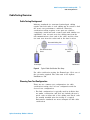
Structured Cabling Link
Telecommunications
Closet
FrameScope
Figure 8
User Location
Outlet
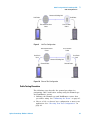
DualRemote
Typical Cable Certification Test Setup
For cable certification testing, the FrameScope 350 is one of
the test units required. The other unit is the Agilent
DualRemote 350.
Choosing Your Test Configuration
There are two common test configurations for cable
certification testing: the link test configuration and the
channel test configuration:
• The link configuration is typically used in facilities that
are under construction, and does not include the user’s
patch cords at either end of the cabling run. Patch cords
are usually installed after the facility is occupied.
Performance standards are more stringent for link cable
certification.
Agilent FrameScope 350 User’s Manual
81
3
Cable Testing with the FrameScope 350
Cable Testing Overview
• The channel configuration provides a full end- to- end
performance certification, including the cable run as well
as the user’s patch cords at each end. The pass/fail limits
for channel performance testing are less stringent than for
link configurations to accommodate the performance
degradation inherent in the two additional modular
connections.
The FrameScope and DualRemote use different test probes
for link and channel tests. The link probes incorporate a
short test cord that connects to the outlets in the
telecommunications closet and user location. Channel probes
feature a socket into which you connect one end of the user
patch cord. The other end of the patch cord is connected to
the outlet in the telecommunications closet or user location.
Figure 9 and Figure 10 on page 83 show the link and
channel test connections.
82
Agilent FrameScope 350 User’s Manual
3
Cable Testing with the FrameScope 350
Cable Testing Overview
Structured Cabling Link
Link Probe
Link Probe
Telecommunications
Closet
User Location
Outlet
FrameScope
Figure 9
DualRemote
Link Test Configuration
Telecommunications
Closet
User Location
Outlet
User Patch
Cord
User Patch
Cord
Structured Cabling Link
Channel Probe
FrameScope
Channel Probe
DualRemote
Figure 10 Channel Test Configuration
Cable Testing Procedure
The following steps describe the general procedure for
performing cable certification testing using the FrameScope
and DualRemote testers.
1 Calibrate the FrameScope and DualRemote testers that
you will be using. See “Calibrating the Tester” on page 85.
2 Choose a link or channel test configuration to meet your
application. See “Choosing Your Test Configuration” on
page 81.
Agilent FrameScope 350 User’s Manual
83
3
Cable Testing with the FrameScope 350
Cable Testing Overview
3 Switch on the FrameScope and DualRemote testers and
connect them to the cabling to be tested. See “Connecting
to the Network” on page 22.
4 Press the Cable tab on the FrameScope’s Main Menu
screen and then press a test button to begin the test.
You can run a preprogrammed autotest or configure your
own test parameter values before running the test.
• See “Choosing the Profile” on page 86.
• See “Opening the Setup Menu” on page 86.
5 View the results of the test and store test results as
desired. See “Saving Test Results” on page 104.
84
Agilent FrameScope 350 User’s Manual
3
Cable Testing with the FrameScope 350
Calibrating the Tester
Calibrating the Tester
Before you begin a test,
pair must be calibrated.
to compensate for slight
hardware or that of the
the FrameScope and DualRemote
Calibration allows the FrameScope
anomalies in its measurement
companion DualRemote unit.
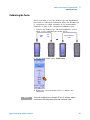
1 Connect the FrameScope 350 and DualRemote 350 in
either of the configurations shown below.
Channel
Probe
Link
Probe
Precision Calibration
Cable
OR
2 On the main menu, press Calibration.
3 Follow the onscreen instructions to complete the
calibration.
NOTE
Agilent FrameScope 350 User’s Manual
To test link configurations to Category 6, Class E, or higher, Agilent
recommends calibrating with the precision calibration cable.
85
3
Cable Testing with the FrameScope 350
Setting Up an Autotest
Setting Up an Autotest
The tester must be configured for testing at each site by
completing the following procedures.
Opening the Setup Menu
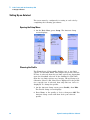
1 On the Main Menu, press Setup. The Autotest Setup
screen displays.
Choosing the Profile
The FrameScope 350 normally displays one or two limit
options on the Main Menu, based upon the profile selected.
If None is selected, then the two limit options are dependent
upon the Standard selected. If the Standard is TIA- 568B,
then the two limit options are Category 5E and Category 6.
Otherwise Class D and Class E are displayed. If the profile
for a specific test is selected, then only that test choice is
displayed. To change the profile:
1 On the Autotest Setup screen, press Profile, then Edit.
The Profile Setup screen displays.
2 Press None, or the profile of choice, then press OK. The
Autotest Setup screen will then show your selected
profile.
86
Agilent FrameScope 350 User’s Manual
Cable Testing with the FrameScope 350
3
Setting Up an Autotest
Choosing the Standard
The FrameScope 350 normally tests to the TIA- 568B
standard. For detailed information about test standards,
please visit the website at:
http://FrameScope.comms.agilent.com/
NOTE
The Profile must be set to None in order to change the Standard.
To test to a different standard, follow these steps:
1 On the Autotest Setup screen, press Standard, then Edit.
The Standard Setup screen displays.
2 Select the desired standard, then press OK. The Autotest
Setup screen will then show the selected standard. The
selected standard is applied to all subsequent tests.
Entering the Site Name
The site name identifies the group of settings used on a job,
and can be applied to test records for that site.
To enter the site name:
Agilent FrameScope 350 User’s Manual
87
3
Cable Testing with the FrameScope 350
Setting Up an Autotest
1 On the Autotest Setup screen, press Site, then press Edit.
The Site Setup screen displays.
2 Select Create a New Site Name, then press Next. (The
OK button changes to a Next button when you select
Create a New Site Name.) The screen changes, to allow
naming the site.
NOTE
To change the name or labeling format for an existing site, press the site
name on the list, then select Edit/View and press Next.
3 Press the icon under Enter New Site Name. The onscreen
keyboard opens.
4 Press the keyboard keys to enter the site name, then
press OK. The keyboard closes.
88
Agilent FrameScope 350 User’s Manual
3
Cable Testing with the FrameScope 350
Setting Up an Autotest
Choosing the Labeling Format
The labeling format specifies the scheme used to label test
records for that site. This format is applied to the test
report and to labels printed for the job. There are three
label format options:
• Simple has only one field, such as “cable number”. See
“Simple Label Format” on page 90 for the Simple format
configuration procedure.
• TIA- 606- A complies with the TIA- 606- A standard. See
“TIA- 606- A Label Format” on page 91 for the TIA- 606- A
format configuration procedure.
• Hierarchical has multiple fields, for designations such as
Building, Floor, Wall Plate, and Jack Number. See
“Hierarchical Label Format” on page 94 for the
Hierarchical format configuration procedure.
1 On the Site Setup screen, press the preferred labeling
format, then press Next.
Agilent FrameScope 350 User’s Manual
89
3
Cable Testing with the FrameScope 350
Setting Up an Autotest
Simple Label Format
When you choose the Simple labeling format, the following
screen displays:
To configure the simple labeling format:
1 If you want the numbers on the labels to increase
automatically with each new label and test, press Enable
Auto- Increment so that a checkmark appears, as in the
figure above.
2 To set the beginning number to other than 1, press the
Enter Start Value field. The onscreen keyboard opens.
3 Press the backspace arrow to erase the number in the
display, then press the number keys to enter the new
starting number. Press OK. The keyboard closes, and the
new starting number appears in the Enter Start Value
field.
90
Agilent FrameScope 350 User’s Manual
3
Cable Testing with the FrameScope 350
Setting Up an Autotest
4 To set the number of cable runs to label and test, press
the Enter End Value field. The onscreen keyboard opens.
5 Press the backspace arrow to erase the number in the
display, if any, then press the number keys to enter the
new number. Press OK. The keyboard closes, and the new
ending number appears in the Enter End Value field.
6 Press OK. The Autotest Setup screen displays.
TIA-606-A Label Format
When you choose the TIA- 606- A labeling format and press
Next, the following screen displays:
There are three formatting options within the TIA- 606- A
standard:
• Class 1 and Class 2 have fields for Floor, Telecom Room,
Panel, and Position.
Agilent FrameScope 350 User’s Manual
91
3
Cable Testing with the FrameScope 350
Setting Up an Autotest
• Class 3 has fields for Building, Floor, Telecom Room,
Panel, and Position.
The default Auto- Increment and number settings can be
used, or the settings can be changed using the following
procedures.
To configure the TIA- 606- A labeling format:
1 Press Class 1 or Class 2 if there is only one building on
the site. Press Class 3 if the site includes more than one
building. Press Next. The Site Setup screen changes to
show the fields in the label, the Auto- Increment settings
for the field highlighted, and the start and end values for
the field highlighted.
2 If you want the numbers for any field to increase
automatically with each new label and test, highlight that
field, then press Enable Auto- Increment so that a
checkmark appears, as in the figure above.
92
Agilent FrameScope 350 User’s Manual
3
Cable Testing with the FrameScope 350
Setting Up an Autotest
3 To set the beginning number for a field to other than 1,
highlight the category name, then press the Enter Start
Value field. The onscreen keyboard opens.
4 Press the backspace arrow to erase the number in the
display, then press the number or letter keys to enter the
new starting value. Press OK. The keyboard closes, and
the new starting value appears in the Enter Start Value
field.
5 To set the number of instances of a category (for
example, the number of floors), press the Enter End
Value field. The onscreen keyboard opens.
6 Press the backspace arrow to erase the value in the
display, then press the number or letter keys to enter the
new value. Press OK. The keyboard closes, and the new
ending value appears in the Enter End Value field.
7 Repeat steps 2 through 6 for all the selected categories.
8 Press OK. The Autotest Setup screen displays.
Agilent FrameScope 350 User’s Manual
93
3
Cable Testing with the FrameScope 350
Setting Up an Autotest
Hierarchical Label Format
When you choose the Hierarchical labeling format, the
following screen displays:
Checkmarks indicate fields that appear in the labels. Yellow
tags next to the categories indicate that automatic number
incrementing is enabled for that field.
To configure the hierarchical labeling format:
1 Press a category to check it for inclusion in the label, or
to uncheck it so it does not appear. When all the desired
categories are checked, press Next. The Site Setup screen
changes to show the selected categories.
2 If you want the numbers for any field to increase
automatically with each new label and test, press the
category, then press Enable Auto- Increment so that a
checkmark appears, as in the figure above.
94
Agilent FrameScope 350 User’s Manual
3
Cable Testing with the FrameScope 350
Setting Up an Autotest
3 To set the beginning number for a field to other than 1,
press the category name, then press the Enter Start
Value field. The onscreen keyboard opens.
4 Press the backspace arrow to erase the number in the
display, then press the number or letter keys to enter the
new starting value. Press OK. The keyboard closes, and
the new starting value appears in the Enter Start Value
field.
5 To set the number of instances of a category (for
example, the number of floors), press the Enter End
Value field. The onscreen keyboard opens.
6 Press the backspace arrow to erase the value in the
display, then press the number or letter keys to enter the
new value. Press OK. The keyboard closes, and the new
ending value appears in the Enter End Value field.
7 Repeat steps 2 through 6 for all the selected categories.
Agilent FrameScope 350 User’s Manual
95
3
Cable Testing with the FrameScope 350
Setting Up an Autotest
8 Press OK. The Autotest Setup screen displays.
Choosing the Cable Type
Cable from different manufacturers has different
transmission characteristics. The FrameScope 350
compensates for those differences if you tell it what cable is
used on the job. A solid black cable spool icon indicates a
shielded cable, a grey cable spool icon indicates an
unshielded cable.
1 On the Autotest Setup screen, press the cable spool icon,
then press Edit. The Cable Setup screen displays.
NOTE
The scroll bar on the right of the screen shows the location of the data
shown and is not a functional scroll bar. To scroll use the scroll button at
the lower right of the FrameScope.
2 Select the cable manufacturer, and press Next. The Cable
Database screen displays.
3 Select a cable on the list, and press OK. The Autotest
Setup screen displays, with the selected cable type next to
the cable spool icon. If you do not see the cable on list,
see the next section.
Adding a new cable type
If you have a cable which is not in the cable database, you
can add a new cable description to the database.
1 If the manufacturer is not present, leave the manufacturer
as Unspecified. If the manufacturer is present in the list,
select it, then press Next. The Cable Database screen is
96
Agilent FrameScope 350 User’s Manual
3
Cable Testing with the FrameScope 350
Setting Up an Autotest
displayed. In either case you will be offered stored
descriptions of cable types. If one of the stored
descriptions matches the cable being tested select it, then
press OK.
2 If not highlight Add New Description and press Next.
3 Enter the name to be added to the database and press
Next.
4 Enter the pair count, cable construction, and impedance
(default selections are available) and press Next.
5 Enter the nominal velocity of propagation (NVP) for each
pair, if known, or select Calculate NVP from length. If
you need to calculate the NVP from length, attach at least
50 feet of cable to the FrameScope with the far end
disconnected, enter the measured length, and press
Calculate. The NVP as a percentage of the speed of light
will be supplied in the NVP window. Press Next.
6 Select the target performance grade of the cable if known
and press OK.
Agilent FrameScope 350 User’s Manual
97
3
Cable Testing with the FrameScope 350
Setting Up an Autotest
The Autotest Setup screen displays, with the new cable type next to the
cable spool icon.
Choosing the Connector Type
Connectors from different manufacturers have different
transmission characteristics. The FrameScope 350
compensates for those differences, if you tell it what
connectors are used on the job.
1 On the Autotest Setup screen, press the connector icon,
then press Edit. The Connector Setup screen displays.
NOTE
98
The scroll bar on the right of the screen shows the location of the data
shown and is not a functional scroll bar. To scroll use the scroll button at
the lower right of the FrameScope.
Agilent FrameScope 350 User’s Manual
3
Cable Testing with the FrameScope 350
Setting Up an Autotest
2 Select the manufacturer of the connector, then Next. A
list of that manufacturer’s connectors displays.
3 Select the name of the connector, then press OK. The
Autotest Setup screen displays, with the selected
connector type next to the connector icon. If you do not
see the connector on list, see the next section.
Adding a new connector type
If you have a connector which is not in the connector
database, you can add a new connector description to the
database.
1 If the manufacturer is not present, leave the manufacturer
as Unspecified. If the manufacturer is present in the list,
select it, then press Next. The next Connector Setup
screen is displayed. In either case you will be offered
stored descriptions of connector types. If one of the
stored descriptions matches the connector being tested
select it, then press OK.
2 If not highlight Add New Description and press Next.
3 Enter the name to be added to the database and press
Next.
4 Select whether the connector is shielded or not and press
Next.
5 Select the performance grade of the connector if known
and press OK. The Autotest Setup screen displays, with the new
connector type next to the connector icon.
Agilent FrameScope 350 User’s Manual
99
3
Cable Testing with the FrameScope 350
Setting Up an Autotest
Choosing the Cable Pairing Convention
To identify the correct pair in the test results, the
FrameScope must be told what cable pairing convention is
used. For example, if the 3,6 pair fails a test, it would be
“Pair 2” if using T568A pairing, but it would be “Pair 3” if
using T568B pairing.
1 On the Autotest Setup screen, press Cable Pairing, then
press Edit. The Cable Pairing Setup screen displays.
2 Press the cable pairing convention used on the job, then
press OK. The Autotest Setup screen displays, with the
cable pairing convention named.
Entering the Operator Names
The names of the technicians performing the tests can be
entered, and will appear on the test report.
To enter the test technicians’ names:
100
Agilent FrameScope 350 User’s Manual
3
Cable Testing with the FrameScope 350
Setting Up an Autotest
1 On the Main Menu, press System. The System Settings
screen displays.
2 Press Operators, then press Edit. The Operator Setup
screen displays.
3 Choose the FrameScope unit’s testing location, either
Telecom Room, Outlet, or Other.
4 Press the FrameScope Operator field. The onscreen
keyboard opens, with “FrameScope Operator” at the top
or a list of previously entered names will appear with the
keyboard and keypad buttons available.
5 Pick a name from the list or press the keyboard keys to
enter the name of the technician using the FrameScope,
then press OK. The keyboard closes, and the technician’s
name appears in the FrameScope Operator field of the
Operator Setup screen.
Agilent FrameScope 350 User’s Manual
101
3
Cable Testing with the FrameScope 350
Setting Up an Autotest
6 Choose the DualRemote unit’s testing location, either
Telecom Room, Outlet, or Other.
7 Press the DualRemote Operator field. The onscreen
keyboard opens, with “DualRemote Operator” at the top
or a list of previously entered names will appear with the
keyboard and keypad buttons available.
8 Pick a name from the list or press the keyboard keys to
enter the name of the technician using the DualRemote,
then press OK. The keyboard closes, and the technician’s
name appears in the DualRemote Operator field of the
Operator Setup screen.
9 Press OK. The System Settings screen displays.
102
Agilent FrameScope 350 User’s Manual
3
Cable Testing with the FrameScope 350
Running an Autotest
Running an Autotest
To run an autotest:
1 If this is the first test of the day or after a long break,
calibrate the tester. See “Calibrating the Tester” on
page 85.
2 Connect the FrameScope 350 and Dual Remote 350 to the
ends of the circuit needing certification.
3 On the FrameScope Main Menu, press the button
identifying the selected test. The test executes.
NOTE
If no changes were made to the default testing standards or profiles, the
Main Menu shows buttons for Category 5E and Category 6 tests. If the
Profile has been changed, the Main Menu shows only one test button,
indicating the new test profile.
4 If the autotest passes, the screen will look like this:
5 To save the test results, see “Saving Test Results” on
page 104.
Agilent FrameScope 350 User’s Manual
103
3
Cable Testing with the FrameScope 350
Saving Test Results
Saving Test Results
Before saving test results, choose the storage site to save
them to.
NOTE
The procedures below show screens from the copper testing
configuration. The procedures for fiber testing are essentially the same,
but the screens may differ in minor details.
Choosing the Data Storage Location
Test data can be saved to either the FrameScope’s internal
memory or to an installed CompactFlash™ card. To choose
the data storage location:
1 On the Main Menu, press System. The System Settings
screen displays.
104
Agilent FrameScope 350 User’s Manual
Cable Testing with the FrameScope 350
3
Saving Test Results
2 On the System Settings screen, press Save To, then press
Edit. The Storage Setup screen displays.
3 Select either Internal Flash or CFlash Card.
4 If you chose Internal Flash, press OK. The System
Settings screen displays, with “Internal Flash” next to
Save To.
5 If you chose CFlash Card, press Next. The Storage Setup
screen displays a message about preparing the
CompactFlash™ card. The Storage Setup screen displays a
list of the steps in preparing the CF card, and a progress
bar.
6 When the progress bar shows 100%, press OK. The System
Settings screen displays, with “CFlash Card” next to Save
To.
Agilent FrameScope 350 User’s Manual
105
3
Cable Testing with the FrameScope 350
Saving Test Results
Saving the Results
To save the test results for inclusion in certification reports:
1 After completing a test, press the Save button. The Save
Results screen displays.
2 If the cable ID in the display is wrong, press the
backspace arrow to erase it, and press the keyboard keys
to enter the correct cable ID. For a cable ID with multiple
fields, press Shift, then Tab to back up to a prior field,
or use your stylus or finger to get to the desired field. An
unshifted Tab will move the cursor forward one field.
3 When the label is correct, press the Save button. The
FrameScope saves the results of the test to the chosen
storage site. If you have a multiple- field cable ID, there
must be a value in every field, including before the first
yellow dot and after the last yellow dot.
106
Agilent FrameScope 350 User’s Manual
3
Cable Testing with the FrameScope 350
Viewing Result Details
Viewing Result Details
A Details button on Pass and Fail screens opens the Test
Data screen.
The Test Data screen lists the test parameters and indicates
passing or failure for each.
To view detailed test data for one of the test parameters:
1 Press the name of the test parameter. The Test Data
screen displays buttons appropriate for the selected
parameter.
For example, when NEXT is selected, the screen includes
Data, Plots, and Locator buttons, while pressing
WireMap shows only the Data button.
2 To view the Data screen for the selected test parameter,
press Data. The Data screen displays.
Agilent FrameScope 350 User’s Manual
107
3
Cable Testing with the FrameScope 350
Viewing Result Details
3 To view the Plots screen for the selected test parameter
(if the Plots button is present), press Plots. The Plots
screen displays.
4 To view the Locator screen for the selected test parameter
(if the Locator button is present), press Locator. The
Locator screen displays.
Interpreting Test Results Detail Screens
The various test detail screens present test data in different
formats, as explained below.
108
Agilent FrameScope 350 User’s Manual
Cable Testing with the FrameScope 350
3
Viewing Result Details
Data Screens
The Data screen shows detail of the selected test parameter
results. The examples above show data of a passing test, at
left, and a failing one, at right. The data included depends
on which parameter is selected. (See steps 2, 3, and 4 of the
“Viewing Result Details” on page 107.)
The Data screens shown above include a table that displays
details of the test results for two twisted pairs of copper
cable. To view the results for a different set of twisted pairs,
press it on the list.
Plots Screens
Plots screens display test results as plots on a graph. The
examples above show plots of a passing test, at left, and a
failing one, at right. A smooth red line on the plot indicates
the limit boundary between passing and failure. The Worst
Margin button places a vertical line on the plot at the
Agilent FrameScope 350 User’s Manual
109
3
Cable Testing with the FrameScope 350
Viewing Result Details
frequency where the test results come closest to the pass/fail
boundary on passing test plots. On failing test plots, the
Worst Margin button places the line at the frequency where
the results exceed the acceptable limits the most. You can
move the cursor around the plot screen by pressing the area
you want to see and then using the scroll rocker to fine tune
the location. The frequency of the cursor is displayed and
the values in the table correspond to the cursor location.
A chart below the plot shows detail results of the current
location of the cursor at the FrameScope and DualRemote,
and the limits for the test parameter, as follows:
Data This is the worst case of the test results at the cursor
location.
Limit The limit of passing results, set when the test
standard is chosen at the cursor location.
Margin The difference between the Data value and the
Limit value at the cursor location.
The plots are color coded for different wire pairs. The plot
lines displayed can be changed by pressing Settings and
selecting All Plots, All Local Plots, All Remote Plots, Worst
Case Plot, or Select Single Plot. You can also choose to show
plots to 100 MHz, 250 MHz, or 350 MHz ,as long as the test
was run to the frequency selected. For example, if the test
was run to 250 MHz, you could not see plots to 350 MHz.
See “Setting the Maximum Frequency” on page 161.
110
Agilent FrameScope 350 User’s Manual
Cable Testing with the FrameScope 350
3
Viewing Result Details
Locator Screens
Locator screens aid in finding faults on the tested cable. The
examples above show Locator screens for a passing test, at
left, and a failing one, at right. Note the difference in the
plots, where the failing result shows a peak where the
failure occurs. The tape measure provides a reading of
where the failure occurs. It will be placed on the right- hand
side of the screen if showing the distance from the
DualRemote. If there are more than one peak, you can press
the plot area near the peak and fine tune the location using
the scroll button to find the exact distance to that peak. By
default, the distance shown is how far away the worst test
result is from the closer of the FrameScope or DualRemote.
To see the locator results for the different sets of twisted
pair cables, press them on the list.
NOTE
Agilent FrameScope 350 User’s Manual
Failures very near the ends of a cable run are usually because of
termination errors such as a bad crimp. Failures far from the ends of a
cable run are usually a fault with the cable itself.
111
3
Cable Testing with the FrameScope 350
Using Talksets
Using Talksets
The 2- Way Talkset Kit (N2605A- 137) allows operators at
opposite ends of a copper cable run to coordinate their
efforts.
NOTE
The talksets do not work with optical fiber cabling.
To use talksets for communicating between the ends of a
cable run:
1 Insert a talkset’s plug into the talkset jack on the
FrameScope, and the plug of another talkset into the jack
of the DualRemote. See “Talkset Port” on page 13, for the
jack’s location.
2 Connect the FrameScope’s and DualRemote’s SmartProbes
to the ends of a cable run.
3 Speak and listen as with any telephone headset.
NOTE
When a test is running, talkset communication is disabled. Wait until the
test is finishes before speaking.
Talkset Controls
The FrameScope talksets have two controls:
Earphone volume
Microphone mute switch
• The thumbwheel in the inside curve of the control
housing controls the earphone volume.
• The switch on the outside curve of the control housing
switches the microphone off.
112
Agilent FrameScope 350 User’s Manual
3
Cable Testing with the FrameScope 350
Using CompactFlash™ Cards
Using CompactFlash™ Cards
The FrameScope 350 can use CompactFlash™ cards for
storing large amounts of test data, for transfering data to a
PC, and for installing new software.
NOTE
Use only Type I CompactFlash™ cards, with storage capacity of 8MB or
higher.
Installing CompactFlash™ Cards
To install a CompactFlash™ card:
1 Find the CompactFlash™ card slot in the bottom of the
FrameScope 350. See “CompactFlash™ Slot” on page 12,
for the location of the slot.
2 Insert the CompactFlash™ card into the slot. If the card
does not go in easily, make sure it is oriented correctly
with the lip on the bottom.
3 The FrameScope detects the card, and asks if you want to
configure the card.
Configuring CompactFlash™ Cards
When a CompactFlash™ card is inserted in the FrameScope
350, the tester detects it and displays a window asking if
you want to configure the card.
NOTE
If the compact flash card gets corrupted and cannot be read by the
FrameScope, you must reformat it using the compact flash reader attached
to the PC.
To configure an installed CompactFlash™ card:
1 Insert the card in the slot at the bottom of the
FrameScope. The Storage window opens.
Agilent FrameScope 350 User’s Manual
113
3
Cable Testing with the FrameScope 350
Using CompactFlash™ Cards
2 On the Storage dialog box, press Yes. The Storage Setup
screen displays.
3 A screen describing the configuration procedure displays.
The configuration executes in steps.
4 When the progress bar shows 100%, press OK. The
FrameScope 350 will automatically change the Save to:
setting on the System Settings to CFlash Card.
114
Agilent FrameScope 350 User’s Manual
Cable Testing with the FrameScope 350
3
Printing Labels
Printing Labels
Printing Labels On Site
The FrameScope 350 can print labels directly to a Brady
TLS2200 label printer. The labeling parameters are set using
the procedure “Choosing the Labeling Format” on page 89.
When the FrameScope is configured as described in the
following procedure, a label for the tested cable will be
printed after saving a test result.
To configure the FrameScope 350 to print to the Brady label
printer:
1 On the Cable Main Menu, press System. The System
Settings screen displays.
2 On the System Settings screen, press Autoprint, then
Edit. The Printer Setup screen displays.
Agilent FrameScope 350 User’s Manual
115
3
Cable Testing with the FrameScope 350
Printing Labels
3 Press Autoprint to enable the Autoprint function. A
checkmark shows that the function is enabled. Press OK
4 Connect the N2605A- 050 interface cable to the serial
ports of the FrameScope 350 and Brady TLS2200.
5 Turn the Brady printer on.
6 Press the Func and Exit keys on the printer
simultaneously. This sets the printer to Peripheral mode.
Printing Labels from a PC
Refer to the ScopeData Pro User’s Guide for instructions on
printing labels using a PC.
116
Agilent FrameScope 350 User’s Manual
3
Cable Testing with the FrameScope 350
WireMap Adapter Testing
WireMap Adapter Testing
WireMap testing checks for proper continuity and
termination of cables. Without a DualRemote, you can use
the WireMap Adapter for wiremap testing.
WireMap Adapter
Four indicator LEDs. The LED will light up when
the associated twisted pair is connected
correctly.
The wiremap adapter is connected at the far end of a link
or channel to display and identify point- to- point four
twisted pairs connection.
The test identifies the following faults:
• Short circuit
• Open circuit
• Reversed pairs
• Transposed pairs
• Shield continuity faults
WireMap Adapter Operation
When the wiremap adapter is connected to the FrameScope,
the FrameScope sends a sequence of DC, TTL level signals
through the wire pairs in order of a few 100 milliseconds.
For each step of this sequence of signalling, the DC voltage
Agilent FrameScope 350 User’s Manual
117
3
Cable Testing with the FrameScope 350
WireMap Adapter Testing
is measured by the receiver of the FrameScope. The
FrameScope software identifies wiremap information based
on the readings.
LED Indicators
The wiremap adapter has four LEDs, each connected to a
wire pair. After completion of a test, if all pairs are correctly
connected, all four LEDs will light up. The LED
corresponding to a pair that is not properly connected will
remain off (not lighted). These LED indicators can assist in
testing such that the person located at the remote end can
get a quick idea of the results.
Procedure for WireMap Testing
1 Connect the FrameScope and cable under test to the
WireMap Adapter.
2 From the Network Main Menu, press Tools, then press
WireMap.
3 Click Start Test.
118
Agilent FrameScope 350 User’s Manual
Cable Testing with the FrameScope 350
3
WireMap Adapter Testing
The test will run for a few seconds before displaying the
results. If all tests pass, the results screen will display
“Pass”, similar to the screen below.
Pair number
Wire numbers
Otherwise, results will show “Fail” with details of error in
red.
Agilent FrameScope 350 User’s Manual
119
3
Cable Testing with the FrameScope 350
WireMap Adapter Testing
120
Agilent FrameScope 350 User’s Manual
Agilent N2610A FrameScope 350 Network Performance Analyzer
User’s Manual
4
Fiber Testing
Fiber Testing Overview 122
Calibrating the Tester 124
Calibrating for Double-Ended Testing 124
Calibrating for Single-Ended Testing 127
Setting Up an Autotest 129
Opening the Settings Menu 129
Choosing the Test Configuration 129
Setting the Loss Limit 130
Setting the Length Limit 133
Choosing the Network Limit 134
Entering the Site Name 134
Choosing the Labeling Format 135
Choosing the Cable Type 136
Setting the Modal Bandwidth 138
Choosing the Connector Type 139
Entering the Operator Names 141
Running an Autotest 142
Agilent Technologies
121
4
Fiber Testing
Fiber Testing Overview
Fiber Testing Overview
This chapter describes how to certify optical fiber cabling.
The procedures in the chapter are sufficient for most fiber
certification jobs. If the requirements of the job are not
addressed here, refer to Chapter 6, “Expert Fiber Testing”.
Three connection configurations are available for optical
fiber certification testing.
Double-Ended, Single Fiber
Double- ended single fiber configuration tests one fiber, using
two Fiber SmartProbes. For single fiber testing the fiber
must go from the transmitter/laser source on the
DualRemote to the detector on the FrameScope. When the
850nm multimode probe is in the DualRemote, the units can
be as much as 4 km apart. When the 1300nm multimode
probe is in the DualRemote, the units can be as much as
10 km apart. When singlemode probes are used, the
FrameScope and DualRemote can be as much as 50 km
apart. All maximum lengths are barring excessive loss.
Double-Ended, Fiber Pair
Double- ended fiber pair configuration tests two fibers, using
two Fiber SmartProbes. When multimode probes are used,
the FrameScope and DualRemote can be as much as 4 km
122
Agilent FrameScope 350 User’s Manual
Fiber Testing
4
Fiber Testing Overview
apart. When singlemode probes are used, the FrameScope
and DualRemote can be as much as 50 km apart. All
maximum lengths are barring excessive loss.
Single-Ended, Fiber Pair (Loopback)
Fiber test
jumper
Single- ended loopback configuration tests two fibers, using
one Fiber SmartProbe and a fiber test jumper. When an
850nm multimode probe is used, the FrameScope and the
fiber test jumper can be as much as 2 km apart or 4 km
overall fiber length. When an 1300nm multimode probe is
used, the FrameScope and the fiber test jumper can be as
much as 5 km apart or 10 km overall fiber length.When
singlemode probes are used, the FrameScope and fiber test
jumper can be as much as 25 km apart or 50 km overall. All
maximum lengths are barring excessive loss.
NOTE
Agilent FrameScope 350 User’s Manual
Singlemode Fiber SmartProbes use a laser light source that requires
warming up before use. Before calibrating or testing with singlemode fiber
probes, always connect the probes, turn on the FrameScope (and
DualRemote, if used), and wait five minutes for most accurate readings.
123
4
Fiber Testing
Calibrating the Tester
Calibrating the Tester
Before you begin a test,
pair must be calibrated.
to compensate for slight
hardware or that of the
the FrameScope and DualRemote
Calibration allows the FrameScope
anomalies in its measurement
companion DualRemote unit.
Calibrating for Double-Ended Testing
Method A
This method is commonly called method A or the 2- jumper
method and is usually recommended for singlemode fiber.
NOTE
Use the same calibration method whether you are testing two fibers or just
one fiber. Singlemode Fiber SmartProbes use a laser light source that
requires warming up before use. Before calibrating or testing with
singlemode fiber probes, always connect the probes, turn on the
FrameScope (and DualRemote, if used), and wait five minutes for most
accurate readings.
1 Insert a Fiber SmartProbe+ in the FrameScope, and a
Fiber SmartProbe+ in the DualRemote. They should both
be either multimode or singlemode.
2 Connect test jumpers to the two Fiber SmartProbes.
3 Connect the test jumpers to each other, using two
couplers. Connect the FrameScope transmitter to the
DualRemote detector, and vice versa.
4 Turn on the FrameScope and DualRemote.
5 The FrameScope detects a Fiber SmartProbe+, and
displays the following window:
124
Agilent FrameScope 350 User’s Manual
4
Fiber Testing
Calibrating the Tester
6 On the Fiber Main Menu, press Calibration. The Fiber
Calibration screen displays.
7 Choose Double Ended, and press Next. The Fiber
Detection screen displays.
8 When the message below the diagram reads, “Ready to
Calibrate,” press OK. The Calibration window opens.
9 When the window reads, “Calibration Successful,” press
OK in the window. The Fiber Main Menu displays.
Remove the couplers and use the coupler ends of the
jumpers when changing connections. Leave the cable
connections to the FiberProbes intact
Method B
Method B or the 1- jumper method is usually recommended
for multimode fiber.
Agilent FrameScope 350 User’s Manual
125
4
Fiber Testing
Calibrating the Tester
1 Insert a Fiber SmartProbe+ in the FrameScope, and a
Fiber SmartProbe+ in the DualRemote. They should both
be multimode.
2 Connect a single fiber of each of two duplex test jumpers
to the two Fiber SmartProbes with the transmitter of each
connected to the detector of the other with no coupler.
3 Turn on the FrameScope and DualRemote, if necessary.
4 On the Fiber Main Menu, press Calibration. The Fiber
Calibration screen displays as above.
5 Choose Double Ended, and press Next. The Fiber
Detection screen displays as above.
6 When the message below the diagram reads, “Ready to
Calibrate,” press OK. The Calibration window opens.
7 When the window reads, “Calibration Successful,” press OK in the
window. The Fiber Main Menu displays. Leave the transmitter
connection to the fiber probe intact. Remove both detector
connections and replace with the previously unused fiber
of the duplex test jumper on each probe.
Method C
Method C is recommended for multi- fiber and small form
factor (SFF) connectors. Because the multi- fiber/SFF
connectors are polarized connecters, ensure that you have
selected the proper connector type in the Autotest Setup
screen, see “Choosing the Connector Type” on page 139.
1 Insert a Fiber SmartProbe+ in the FrameScope, and a
Fiber SmartProbe+ in the DualRemote. They should both
be either multimode or singlemode.
NOTE
Singlemode Fiber SmartProbes use a laser light source that requires
warming up before use. Before calibrating or testing with singlemode fiber
probes, always connect the probes, turn on the FrameScope (and
DualRemote, if used), and wait five minutes for most accurate readings.
2 Connect special ST or SC to multi- fiber/SFF test jumpers
to the two Fiber SmartProbes. These special transition
jumpers are available from the connector manufacturers.
3 Connect the test jumpers to each other, using a special
reference jumper which mates with the multi- fiber/SFF
connector. Special reference jumpers are manufacturer
specific. Contact the connector manufacturer for details.
Connect the FrameScope transmitter to the DualRemote
detector, and vice versa.
126
Agilent FrameScope 350 User’s Manual
4
Fiber Testing
Calibrating the Tester
4 Turn on the FrameScope and DualRemote, if necessary.
5 On the Fiber Main Menu, press Calibration. The Fiber
Calibration screen displays as above.
6 Choose Double Ended, and press Next. The Fiber
Detection screen displays as above.
7 When the message below the diagram reads, “Ready to
Calibrate,” press OK. The Calibration window opens.
8 When the window reads, “Calibration Successful,” press
OK in the window. The Fiber Main Menu displays.
Remove the reference jumper to start testing.
Calibrating for Single-Ended Testing
1 Insert a Fiber SmartProbe+ in the FrameScope.
NOTE
Singlemode Fiber SmartProbes use a laser light source that requires
warming up before use. Before calibrating or testing with singlemode fiber
probes, always connect the probes, turn on the FrameScope (and
DualRemote, if used), and wait five minutes.
• Connect a test jumper to the Fiber SmartProbe+.
• Connect the two ends of the test jumper to each other,
using a coupler.
• Turn on the FrameScope.
The FrameScope detects a Fiber SmartProbe+, and
displays the following window:
Agilent FrameScope 350 User’s Manual
127
4
Fiber Testing
Calibrating the Tester
2 On the Fiber Main Menu, press Calibration. The Fiber
Calibration screen displays.
3 Choose Single Ended, and press Next. The Fiber
Detection screen displays.
4 When the message below the diagram reads, “Ready to
Calibrate,” press OK. The Calibration window opens.
5 When the window reads, “Calibration Successful,” press
OK in the window. The Fiber Main Menu displays.
128
Agilent FrameScope 350 User’s Manual
Fiber Testing
4
Setting Up an Autotest
Setting Up an Autotest
The tester must be configured for testing at each site by
completing the following procedures.
Opening the Settings Menu
1 On the Main Menu, press Fiber Autotest. The Fiber
Autotest Setup screen displays.
2 Press Edit Settings. The Fiber Autotest Settings screen
displays.
Choosing the Test Configuration
To choose either single- ended or double- ended testing:
Agilent FrameScope 350 User’s Manual
129
4
Fiber Testing
Setting Up an Autotest
1 On the Fiber Autotest Settings screen, press Setup, then
press Edit. The test Configuration Setup screen displays.
2 Press either Double Ended or Single Ended, then press
OK. The Fiber Autotest Settings screen displays, with the
selected configuration next to Setup.
Setting the Loss Limit
To set the loss limit for fiber testing:
1 On the Fiber Autotest Settings screen, press Loss Limit,
then Edit. The Loss Limit Setup screen displays.
2 Select either Overall Budget Method or Loss/Length
Method, then press Next. Continue by completing the
steps in the matching section that follows.
130
Agilent FrameScope 350 User’s Manual
4
Fiber Testing
Setting Up an Autotest
Overall Budget Method
Overall Budget Method configures a fixed loss limit value for
each applicable wavelength. If a multimode SmartProbe is
installed, you are asked to specify overall loss budgets for
850 nm and 1300 nm wavelengths. If a singlemode
SmartProbe is installed, you are asked to specify overall loss
budgets for 1310 nm and 1550 nm wavelengths.
When you select Overall Budget Method and press Next on
the Loss Limit Setup screen, the screen changes to the
following:
1 To set the loss limit for a listed wavelength, press the
wavelength field. The numeric keypad opens.
2 Press the backspace arrow to erase the displayed value,
then enter the new limit value. Press OK. The keypad
closes.
3 Press OK. The Fiber Autotest Settings screen displays.
Agilent FrameScope 350 User’s Manual
131
4
Fiber Testing
Setting Up an Autotest
Loss/Length Method
When Loss/Length Method is selected, the FrameScope 350
calculates the limit based on the length of the cable tested.
You can set values for connectors, loss per connector,
splices, and loss per splice. The connector and splice losses
are added to the loss that is calculated by multiplying the
length of the fiber by the loss/Km specification of the
selected cable, which is shown at the bottom of the Setup
screen.
When you select Loss/Length Method and press Next on
the Loss Limit Setup screen, the screen changes to the
following:
1 To set any of the variable values, press the variable. The
numeric keypad opens.
2 Press the backspace arrow to erase the displayed value,
then enter the new variable value. Press OK. The keypad
closes.
3 Press OK. The Fiber Autotest Settings screen displays.
132
Agilent FrameScope 350 User’s Manual
4
Fiber Testing
Setting Up an Autotest
Setting the Length Limit
To set the length limit for fiber testing:
1 On the Fiber Autotest Settings screen, press Length
Limit, then press Edit. The Length Limit Setup screen
displays.
2 Press the Fiber Length field. The numeric keypad opens.
3 Press the backspace arrow to erase the displayed value,
then enter the new limit value. Press OK. The keypad
closes.
4 Press OK. The Fiber Autotest Settings screen displays.
Agilent FrameScope 350 User’s Manual
133
4
Fiber Testing
Setting Up an Autotest
Choosing the Network Limit
The FrameScope 350 can certify cabling for compliance with
the physical medium dependent (PMD) requirements of
popular network interface technologies such as Ethernet or
ATM. Network certification can be performed in addition to
certifying to cabling limits.
A pass result for a particular networking technology
indicates that the tested cable run meets the loss and length
requirements necessary to successfully support
communications between devices of that type.
To choose the network limit:
1 On the Fiber Autotest Settings screen, press Network
Limits, then press Edit. The Networks Setup screen
displays.
2 Press a limit to choose it. When you have placed check
marks next to all types of networks you wish to certify,
press OK. The Fiber Autotest Settings screen displays.
Entering the Site Name
The site name identifies the group of settings used on a job.
134
Agilent FrameScope 350 User’s Manual
4
Fiber Testing
Setting Up an Autotest
1 On the Fiber Autotest Settings screen, press Site, then
press Edit. The Site Setup screen displays.
2 Select Create a New Site Name, then press Next. (The
OK button changes to a Next button when you select
Create a New Site Name.) The screen changes, to allow
naming the site.
3 Press the Enter New Site Name field. The onscreen
keyboard opens.
4 Press the keyboard keys to enter the site name, then
press OK. The keyboard closes.
Choosing the Labeling Format
The labeling format for fiber is the same as that for copper.
See “Choosing the Labeling Format” on page 89 for more
information.
Agilent FrameScope 350 User’s Manual
135
4
Fiber Testing
Setting Up an Autotest
Choosing the Cable Type
Cable from different manufacturers has different
transmission characteristics. The FrameScope 350
compensates for those differences if you tell it what cable is
used on the job. The color of the cable spool icon indicates
multimode (orange) or singlemode (yellow) fiber.
1 On the Fiber Autotest Settings screen, press the spool
icon, then press Edit. The Cable Setup screen displays.
2 Select the cable manufacturer, and press Next. The Cable
Database screen displays.
3 Select a cable on the list, and press OK. The Fiber
Autotest Setup screen displays, with the selected cable
type next to the spool icon. If you do not see the cable on
list, see the next section.
Adding a new cable type
If you have a cable which is not in the cable database, you
can add a new cable description to the database.
1 If the manufacturer is not present, leave the manufacturer
as Unspecified. If the manufacturer is present in the list,
select it, then press Next. The Cable Database screen is
displayed. In either case you will be offered stored
descriptions of cable types. If one of the stored
descriptions matches the cable being tested select it, then
press OK.
2 If not highlight Add New Description and press Next.
3 Enter the name to be added to the database and press
Next.
136
Agilent FrameScope 350 User’s Manual
Fiber Testing
4
Setting Up an Autotest
4 Select the fiber construction that is appropriate and press
Next.
5 Enter either the nominal velocity of propagation (NVP) of
the fiber cable, OR the fiber cable’s refractive index
(default values are presented) and press Next. If you do
not know either value, but have a known length of cable,
select Calculate NVP from length and select the Test
Configuration and press Next.
6 If you are calculating NVP from length, enter the fiber
length. You may have to calibrate the tester in the test
configuration you have specified, using appropriate test
jumpers. There is a Quick Setup button for specifying the
test configuration and fiber construction for the NVP
measurement. When the proper connection has been
made, a Measure button will appear. Press Measure and
the NVP as a percentage of the speed of light will be
entered in to NVP window. When completed, press Next.
Agilent FrameScope 350 User’s Manual
137
4
Fiber Testing
Setting Up an Autotest
7 Enter the nominal specifications of the fiber. Default
values are presented. Press OK and the Fiber Autotest
Settings screen will display with the new cable
description entered beside the cable spool icon.
Setting the Modal Bandwidth
NOTE
Modal bandwidth is a selection only available with multimode fiber. If a
single mode fiber cable is selected above, this selection field is not
present.
With multimode fiber, the signal can be transmitted in
different “modes.” The modal bandwidth is a measurement of
the ability of the fiber cable to pass the signal without
adding additional attenuation. Modal bandwidth is a rating
given to the fiber. The fiber manufacturer should be able to
tell what the modal bandwidth of their fiber is. You should
then select the proper Modal Bandwidth in the FrameScope
350 before running the test. To set the modal bandwidth for
optical fiber certification:
1 On the Fiber Autotest Settings screen, press Modal BW,
then Edit. The Modal BW Setup screen displays.
2 Choose the modal bandwidth and press OK. The Fiber
Autotest Setup screen displays, with the chosen
bandwidth next to Modal BW.
138
Agilent FrameScope 350 User’s Manual
4
Fiber Testing
Setting Up an Autotest
Choosing the Connector Type
Connectors of different types have different transmission
characteristics. The FrameScope 350 compensates for those
differences, if you tell it what connectors are used on the
job.
1 On the Fiber Autotest Settings screen, press the connector
icon, then Edit. The Connector Setup screen displays.
2 Press Next. A list of that connector types displays.
3 Press the type of the connector, then press OK. The Fiber
Autotest Setup screen displays, with the selected
connector type next to the connector icon. If you do not
see the connector on the list, see the next section.
Agilent FrameScope 350 User’s Manual
139
4
Fiber Testing
Setting Up an Autotest
Adding a new connector type
If you have a connector which is not in the connector
database, you can add a new connector description to the
database.
1 If the manufacturer is not present, leave the manufacturer
as Unspecified. If the manufacturer is present in the list,
select it, then press Next. The next Connector Setup
screen is displayed. In either case you will be offered
stored descriptions of connector types. If one of the
stored descriptions matches the connector being tested
select it, then press OK.
2 If not highlight Add New Description and press Next.
3 Enter the name to be added to the database and press
Next.
4 Select the fiber connector type from the list of mono- fiber
connectors and multi- fiber connectors shown or select
Unspecified. Press OK and the Fiber Autotest Settings
screen displays with the new connector description beside
the connector icon.
140
Agilent FrameScope 350 User’s Manual
4
Fiber Testing
Setting Up an Autotest
Entering the Operator Names
The names of the technicians performing the tests can be
entered, and will appear on the test report.
To enter the test technicians’ names:
1 On the Fiber Autotest Setup screen, press Operators,
then Edit. The Operator Setup screen displays.
2 Choose the FrameScope unit’s testing location, either
Telecom Room, Outlet, or Other.
3 Press the FrameScope Operator field. The onscreen
keyboard opens, with “FrameScope Operator” at the top
or a list of previously entered names will appear with the
keyboard and keypad buttons available.
4 Press the keyboard keys to enter the name of the
technician using the FrameScope, then press OK. The
keyboard closes, and the technician’s name appears in the
FrameScope Operator field of the Operator Setup screen.
5 Choose the DualRemote unit’s testing location, either
Telecom Room, Outlet, or Other.
6 Press the DualRemote Operator field. The onscreen
keyboard opens, with “DualRemote Operator” at the top
or a list of previously entered names will appear with the
keyboard and keypad buttons available.
7 Press the keyboard keys to enter the name of the
technician using the DualRemote, then press OK. The
keyboard closes, and the technician’s name appears in the
DualRemote Operator field of the Operator Setup screen.
8 Press OK and press Main Menu. The Fiber Main Menu
displays.
Agilent FrameScope 350 User’s Manual
141
4
Fiber Testing
Running an Autotest
Running an Autotest
To run an autotest:
1 Connect the FrameScope 350 and Dual Remote 350 to the
ends of the circuit needing certification.
2 On the FrameScope Fiber Main Menu, press Fiber
Autotest. The Fiber Autotest Setup screen displays.
3 Press Start Test. The autotest executes.
4 Follow the on screen directions, which may include
swapping fiber connections.
NOTE
142
To save the test results, see “Saving Test Results” on
page 104.
When disconnecting fibers for swapping, disconnect at the end of the test
jumpers, not at the Fiber SmartProbe+.
Agilent FrameScope 350 User’s Manual
Agilent N2610A FrameScope 350 Network Performance Analyzer
User’s Manual
5
Cable Testing in Expert Mode
Testing Overview 145
Changing to Expert Mode 146
The Expert Autotest Setup 147
Choosing an Existing Settings Profile 147
Editing an Existing Settings Profile to Remove a Lock 148
Creating a New Settings Profile 150
Setting the Test Limit 152
Viewing Probe Information 153
Setting Network Limits 154
Entering the Site Name 154
Choosing the Labeling Format 156
Choosing the Cable Type 156
Choosing the Connector Type 157
Choosing the Cable Pairing Convention 157
Setting the Measurements 158
Setting the Maximum Frequency 161
Setting the Plot Storage Requirements 161
Setting the Storage Location 162
Setting the Operator Names 162
The Expert Tools Menu 163
Running a Quick Check 163
Certifying a Network 165
Blinking the Port 166
Learning the NVP of a Cable 167
Measuring the Cable Length 168
Running COAX and TWINAX Autotests 170
COAX Testing 170
Twinax Testing 172
This chapter describes how to perform cable testing in
Expert Mode using the Agilent FrameScope 350.
Agilent Technologies
143
5
Cable Testing in Expert Mode
Expert Mode allows you a great deal of flexibility and
customization when using the cable test features of the
FrameScope 350. Expert Mode allows you to certify new
network installations for compliance with industry cable
standards, while providing detailed control of test setup and
management.
NOTE
144
This chapter describes the Expert Mode FrameScope 350 cable test
features. For information on using standard cable testing, see Chapter 3,
“Cable Testing with the FrameScope 350”.
Agilent FrameScope 350 User’s Manual
5
Cable Testing in Expert Mode
Testing Overview
Testing Overview
This section provides an overview of cable testing in Expert
Mode. For additional information on cable testing, see “Cable
Testing Background” on page 81.
Expert Mode uses the same two- tester method as regular
cable testing, employing a FrameScope 350 at one end and a
DualRemote 350 at the other.
Structured Cabling Link
Telecommunications
Closet
User Location
Outlet
FrameScope
DualRemote
The following steps describe the general procedure for
performing Expert Mode cable certification testing.
1 Calibrate the FrameScope and DualRemote testers that
you will be using. See “Calibrating the Tester” on page 85.
2 Choose a link or channel test configuration to meet your
application. See “Choosing Your Test Configuration” on
page 81.
3 Switch on the FrameScope and DualRemote testers and
connect them to the cabling to be tested. See “Connecting
to the Network” on page 22.
4 Put the FrameScope 350 into Expert Mode. See “Changing
to Expert Mode” on page 146.
5 Run an AutoTest on the network. See page 147.
6 Create a new settings profile (see page 150) or open an
existing settings profile (see page 147).
Agilent FrameScope 350 User’s Manual
145
5
Cable Testing in Expert Mode
Changing to Expert Mode
Changing to Expert Mode
To change the FrameScope from standard configuration to
Expert mode:
1 On the Main menu, press System. The System Settings
screen displays.
2 On the System Settings screen, press User Interface, then
press Edit. The User Interface Setup screen displays.
3 On the User Interface Setup screen, press Expert Mode
to turn it on (a check mark will appear in the box,) then
press OK. The System Settings screen displays.
146
Agilent FrameScope 350 User’s Manual
Cable Testing in Expert Mode
5
The Expert Autotest Setup
The Expert Autotest Setup
When in the Expert Mode, additional Autotest setup choices
are available.
Choosing an Existing Settings Profile
A profile is a predefined locked set of Autotest settings,
locked to prevent the user from changing them. Default
settings profiles exist for Cat 5, Cat 5E, Cat 6, Class D, and
Class E. Previously defined settings profiles are added to the
list of default profiles. To select an existing settings profile:
1 In Expert Mode, press Autotest on the Main Menu.
2 In the Autotest Setup screen, press Select Settings
Profile.
Agilent FrameScope 350 User’s Manual
147
5
Cable Testing in Expert Mode
The Expert Autotest Setup
3 In the Profile Setup screen, press the desired profile. If
the scroll bar is not full length, use the scroll rocker to
scroll down to see more stored profiles
4 Press OK when done.
5 Press Start Test to run the Autotest.
NOTE
Locked settings are displayed with a padlock icon along the right edge of
the Autotest Settings screen, reached by pressing Autotest, then pressing
Edit Settings. If a locked setting needs to be changed, edit the profile as
described below. Realize that you are violating the existing profile settings
selection when doing this.
When selecting a setting profile, only the locked settings are set by the
selection. Unlocked settings need to be verified as appropriate for the
environment being tested.
Editing an Existing Settings Profile to Remove a Lock
You may also edit or delete existing profiles, including the
Default profiles. It is recommended that you do not edit nor
delete the Default profiles, as you must reload the software
to get them back in their original form to meet the
standards. To create a profile similar to a default profile,
first select the desired default profile to set the locked
settings. Then create a new profile as described in the next
section.
To edit an existing settings profile:
1 In Expert Mode, press Autotest. On the Autotest Settings
screen, press Edit Settings, then press Profile, then press
Edit.
148
Agilent FrameScope 350 User’s Manual
5
Cable Testing in Expert Mode
The Expert Autotest Setup
1 On the Profile Setup Screen, press the selected profile,
then press Update Selected, then press Next.
2 Change the lock settings by pressing the appropriate
boxes. The check marks toggle with subsequent presses.
Then press Next. If the Test Probe setting is locked, you
will see the center screen below, which will prompt you
to select the Performance Grade of the probe as well as
the Probe Test Count Limit, if desired. Then press Next.
If the Test Probe setting is not locked you will go directly
to the Password Screen, where you can choose to
password protect your profile.
3 If you choose to password protect your profile, you will
be prompted to enter the password. Once you are
satisfied with your password selection, press OK to return
to the Autotest Settings screen, where the locks will be
shown. If it is password protected, you will now be
prompted to enter the password in order to modify this
profile.
Agilent FrameScope 350 User’s Manual
149
5
Cable Testing in Expert Mode
The Expert Autotest Setup
Creating a New Settings Profile
A new profile may be created either directly on the
FrameScope 350 or on a PC using ScopeData Pro and
subsequently downloaded into the FrameScope 350. To
create a settings profile directly on the FrameScope 350:
1 You must configure all the Autotest Settings to the
desired settings prior to creating a new profile. Profiles
created on the FrameScope 350 use the existing settings
for all the parameters. See the remainder of this section
to configure the other settings.
2 In Expert Mode, press Autotest. On the Autotest Settings
screen, press Edit Settings, then press Profile, then press
Edit.
3 On the Profile Setup Screen, press Create New Profile,
then press Next. Press anywhere in the Profile Name area
to open a keyboard to allow you to enter the new profile
150
Agilent FrameScope 350 User’s Manual
5
Cable Testing in Expert Mode
The Expert Autotest Setup
name. After entering the new name, press OK, then press
Next.
4 Change the lock settings by pressing the appropriate
boxes. The check marks toggle with subsequent presses.
Then press Next. If the Test Probe setting is locked, you
will see the center screen below, which will prompt you
to select the Performance Grade of the probe as well as
the Probe Test Count Limit, if desired. Then press Next.
If the Test Probe setting is not locked you will go directly
to the Password Screen, where you can choose to
password protect your profile.
5 If you choose to password protect your profile, you will
be prompted to enter the password. Once you are
satisfied with your password selection, press OK to return
to the Autotest Settings screen, where the locks will be
shown. If it is password protected, you will now be
Agilent FrameScope 350 User’s Manual
151
5
Cable Testing in Expert Mode
The Expert Autotest Setup
prompted to enter the password in order to modify this
profile.
Setting the Test Limit
The Expert Mode allows you to set the test limit according
to several standards. To set the test limit to a certain
standard:
1 In Expert Mode, press Autotest on the Main menu.
2 On the Autotest Setup screen press Edit Settings. On the
Autotest Settings screen press the icon second from the
top of the list that looks like a page with a number or
letter superimposed on it.
3 Then on the Limit Setup screen, select the desired cabling
system performance grade.
152
Agilent FrameScope 350 User’s Manual
5
Cable Testing in Expert Mode
The Expert Autotest Setup
NOTE
The scroll bar on the right of the screen shows the location of the data
shown and is not a functional scroll bar. To scroll use the scroll rocker at
the lower right of the FrameScope.
4 Then press Next. The next Limit Setup screen allows you
to select Link or Channel test configuration.
Viewing Probe Information
The FrameScope can display details about the probes
inserted in the tester. If the probes are SmartProbes, the
information includes the number of tests the probes have
performed.
To view detailed information on the probe currently
inserted:
1 In Expert mode, press Autotest on the Main Menu. The
Autotest Setup screen displays.
2 On the Autotest Setup screen, press Edit Settings. The
Autotest Settings screen shows a menu of parameters and
functions.
3 Press the name of the probe, then press View. The Probe
Information screen displays, with information on the
probe inserted in the FrameScope.
4 If you desire to check the probe test count before each
test, press Check Probe Test Count and enter the limit
to be tested against.
5 To view information on the probe installed in the
DualRemote, press the DualRemote tab. The Probe
Agilent FrameScope 350 User’s Manual
153
5
Cable Testing in Expert Mode
The Expert Autotest Setup
Information screen displays information about the probe
in the DualRemote after running an Autotest.
6 If you desire to check the DualRemote probe test count
before each test, press Check Probe Test Count and
enter the limit to be tested against.
Setting Network Limits
The FrameScope 350 can determine compliance with signal
to noise ratio (SNR) requirements for a variety of popular
LAN technologies. To do this:
1 In Expert Mode, press Autotest on the Main Menu. The
Autotest Settings screen displays.
2 On the Autotest Setup screen press Edit Settings.
3 On the Autotest Settings screen press Network Limits.
Then press Edit.
4 On the Networks Setup screen press on the appropriate
technology for which you want to certify the tested
cabling. A red check will appear in each technology
selected. Other includes a variety of legacy network
standards.
Entering the Site Name
The site name identifies the group of settings used on a job,
and can be applied to test records for that site.
To enter the site name:
154
Agilent FrameScope 350 User’s Manual
5
Cable Testing in Expert Mode
The Expert Autotest Setup
1 On the Autotest Setup screen, press Site, then press Edit.
The Site Setup screen displays.
2 Press Create a New Site Name, then press Next. (The
OK button changes to a Next button when you select
Create a New Site Name.) The screen changes, to allow
naming the site.
NOTE
To change the name or labeling format for an existing site, press the site
name on the list, then press Edit/View and Next.
3 Press the icon under Enter New Site Name. The onscreen
keyboard opens.
4 Press the keyboard keys to enter the site name, then
press OK. The keyboard closes.
Agilent FrameScope 350 User’s Manual
155
5
Cable Testing in Expert Mode
The Expert Autotest Setup
Choosing the Labeling Format
The labeling format for Expert Mode is the same as that
previously described in Chapter 3, “Cable Testing with the
FrameScope 350”. See “Choosing the Labeling Format” on
page 89 for more information.
Choosing the Cable Type
Cable from different manufacturers has different
transmission characteristics. The FrameScope 350
compensates for those differences if you tell it what cable is
used on the job. A grey cable spool icon indicates UTP
cabling, a black cable spool icon indicates shielded cabling.
1 On the Autotest Setup screen, press the cable spool icon,
then press Edit. The Cable Setup screen displays.
2
NOTE
The scroll bar on the right of the screen shows the location of the data
shown and is not a functional scroll bar. To scroll use the scroll button at
the lower right of the FrameScope.
3 Select the cable manufacturer, and press Next. The Cable
Database screen displays.
4 Select a cable on the list, and press OK. The Autotest
Setup screen displays, with the selected cable type next to
the cable spool icon. If the cable is not in the cable
database, see “Adding a new cable type” on page 96.
156
Agilent FrameScope 350 User’s Manual
5
Cable Testing in Expert Mode
The Expert Autotest Setup
Choosing the Connector Type
Connectors from different manufacturers have different
transmission characteristics. The FrameScope 350
compensates for those differences, if you tell it what
connectors are used on the job.
1 On the Autotest Setup screen, press the connector icon,
then press Edit. The Connector Setup screen displays.
NOTE
The scroll bar on the right of the screen shows the location of the data
shown and is not a functional scroll bar. To scroll use the scroll button at
the lower right of the FrameScope.
2 Press the manufacturer of the connector, then Next. A list
of that manufacturer’s connectors displays.
3 Press the name of the connector, then press OK. The
Autotest Setup
connector type
connector type
“Adding a new
screen displays, with the selected
next to the connector icon. If the
is not in the connector database, see
connector type” on page 99.
Choosing the Cable Pairing Convention
To identify the correct pair in the test results, the
FrameScope must be told what cable pairing convention is
used. For example, if the 3,6 pair fails a test, it would be
“Pair 2” if using T568A pairing, but it would be “Pair 3” if
using T568B pairing.
Agilent FrameScope 350 User’s Manual
157
5
Cable Testing in Expert Mode
The Expert Autotest Setup
1 On the Autotest Setup screen, press Cable Pairing, then
press Edit. The Cable Pairing Setup screen displays.
Press the cable pairing convention used on the job, then
press OK. The Autotest Setup screen displays, with the cable
pairing convention named.
Setting the Measurements
In Expert Mode, you have the ability to specify in detail
what measurements are used to determine the certification
status of your test. In addition, there are choices for
optional features.
1 In Expert Mode, press Autotest on the Main menu.
2 On the Autotest Setup screen press Edit Settings. On the
Autotest Settings screen press Measurements. The first
Measurements Setup screen identifies the required
measurements for the limits you have selected. It is
possible to disable the measurements, but it is not
recommended. Press Next to view the optional
158
Agilent FrameScope 350 User’s Manual
5
Cable Testing in Expert Mode
The Expert Autotest Setup
measurements you may want to add to your test. Add
them by pressing the name or box.
3 After you have made your optional choices, press Next to
allow you to enable test result analysis functions. It is
recommended that you should choose Manufacturer
Specific Compensation when you are performing Category
6 channel testing. Press Next when done.
4 The next Measurements Setup screen allows you to choose
between Summary ELFEXT data and Complete ELFEXT
data storage modes. If you have storage space and/or you
will wish to recertify in the future using the stored data,
the Complete ELFEXT Mode is recommended. When
complete, press Next.
5 The next Measurement Setup Screen allows the user to
apply the 3 dB attenuation rule, which provides for
special consideration of measurements where the
attenuation is less than 3 dB or in certain ISO cases, 4
dB. This rule applies to both NEXT and Return Loss in
Agilent FrameScope 350 User’s Manual
159
5
Cable Testing in Expert Mode
The Expert Autotest Setup
the ISO case, but only to Return Loss in the TIA case.
The FrameScope 350 automatically sets this choice based
upon the standard chosen previously. It also implements
the 4 dB appropriately even though it is called the 3 dB
rule. When you are satisfied with the choice, press Next.
6 The last Measurements Setup screen allows you to skip
the automatic fault location calculation. This does not
prevent you from using the locator in the Results Details
function, but prevents the calculation on each test,
including the passing tests. When this selection has been
made, press Next to return to the Autotest Settings
screen.
160
Agilent FrameScope 350 User’s Manual
Cable Testing in Expert Mode
5
The Expert Autotest Setup
Setting the Maximum Frequency
The FrameScope 350 allows you to select the maximum
range for swept frequency measurements. The choices
depend somewhat on the standard selected previously, for
example for Category 6, the 100 MHz choice is not available.
To set the maximum frequency:
1 In Expert Mode, press Autotest on the Main menu.
2 On the Autotest Setup screen press Edit Settings. On the
Autotest Settings screen press Max Frequency. On the
Frequency Setup screen select the maximum frequency of
the data being stored.
NOTE
The reason to select the lowest frequency is to decrease test time and
decrease memory storage. The additional optional data is for information
only, unless you wish to preserve the data for possible later recertification
at a higher frequency standard with ScopeData Pro software on a PC. If
you have not saved the higher frequency data, the recertification may not
be available. For example, if you test to the Category 5E (Class D) standard,
but have limited your maximum frequency to 100 MHz, then you will not be
able to recertify later with the stored data to Category 6 (Class E) which
requires data to 250 MHz.
Setting the Plot Storage Requirements
Another storage choice is available, whether to save plots or
not. Saving plots stores the entire swept frequency
measurement. Summary data is the worst case value for
each test and is the minimum required for standards
compliance. To set the data being stored:
1 In Expert Mode, press Autotest on the Main menu.
Agilent FrameScope 350 User’s Manual
161
5
Cable Testing in Expert Mode
The Expert Autotest Setup
2 On the Autotest Setup screen press Edit Settings. On the
Autotest Settings screen press Save, then Edit to bring up
the Save Mode Setup screen. Press Summary Data Only
or Full Data Set.
NOTE
If you save summary data only, you will not be able to recertify later with
the saved data, since the plots will not be part of the stored data used for
recertification by ScopeData Pro.
Setting the Storage Location
This is the same function as that shown in the System
Settings screen. Also when a CompactFlash™ card is
inserted, this function will automatically set the storage
location to the CompactFlash™ card. For more details, see
“Using CompactFlash™ Cards” on page 113.
Setting the Operator Names
The names of the technicians performing the tests can be
entered, and will appear on the test report. This is the same
function as that shown in the System Settings section. If it
has been done already there, it is reflected here. For more
details, see “Entering the Operator Names” on page 100.
162
Agilent FrameScope 350 User’s Manual
Cable Testing in Expert Mode
5
The Expert Tools Menu
The Expert Tools Menu
The Expert mode Tools menu includes the following:
•
Quick Check tests the continuity and length of a cable run. See
Running a Quick Check, on page 163.
•
Certify Networks lets you choose standards for certification of the
network. See Certifying a Network, on page 165.
•
Blink Port blinks the LED on a circuit at an Ethernet hub or switch
port. This helps locate the far end of a circuit. See Blinking the Port, on
page 166.
•
Learn NVP allows the user to determine the NVP (Nominal Velocity of
Propagation) of a sample of cable. See Learning the NVP of a Cable, on
page 167.
•
Measure Length measures the length of each pair of a cable whose type
is in the Cable Database. See Measuring the Cable Length, on
page 168.
To open the Tools menu:
1 Change to Expert mode (see page - 146).
2 On the Main Menu, press Tools. The Tools Menu displays.
Running a Quick Check
The Quick Check function tests a cable run for shorts,
opens, shield integrity, correct termination, and length.
To run a Quick Check:
Agilent FrameScope 350 User’s Manual
163
5
Cable Testing in Expert Mode
The Expert Tools Menu
1 On the Tools menu (see “The Expert Tools Menu” on
page 163), press Quick Check. The test runs, and a Pass
or Fail screen displays.
OR
Viewing Details of Quick Check Results
The FrameScope can display detailed information about both
passing and failing results of a Quick Check.
To view results details:
2 On the Quick Check PASS or FAIL screen, press Details.
The Wiremap Data screen displays. The results may be
saved if desired.
164
Agilent FrameScope 350 User’s Manual
5
Cable Testing in Expert Mode
The Expert Tools Menu
Certifying a Network
The Expert mode Tools menu includes Certify Network,
which lets you test a cable for conformance to different
network standards. To certify a network:
1 Connect the FrameScope and DualRemote to the cable.
2 On the Expert mode Tools Menu (see page - 163), press
Certify Network. The Certify Networks Setup screen
displays.
3 Press a standard in the list to select it. A checkmark
appears next to each selected standard.
4 To test the network to the selected standards, press Start
Test. The test executes, and FrameScope displays a Pass
or Fail screen.
You can save and view details of the test results as with any
test by pressing Details. See “Saving Test Results” on
page 104, and “Viewing Result Details” on page 107.
Agilent FrameScope 350 User’s Manual
165
5
Cable Testing in Expert Mode
The Expert Tools Menu
Blinking the Port
To locate the switch or hub a cable is connected to, the
FrameScope 350 can blink the switch or hub port. The
technician using the FrameScope at the wall plate end of the
circuit blinks the indicator on the panel at the hub or switch
end. To blink the port:
1 On the Tools menu (see “The Expert Tools Menu” on
page 163), press Blink Port. The Blink Port screen
displays.
2 Press Start. The port begins blinking, and the Start
button changes to a Stop button.
3 To stop the blinking, press Stop. The blinking stops.
166
Agilent FrameScope 350 User’s Manual
5
Cable Testing in Expert Mode
The Expert Tools Menu
Learning the NVP of a Cable
The FrameScope can determine the NVP (Nominal Velocity of
Propagation) of a cable, for use in certification testing. NVP
is expressed as a percentage of the speed of light. you must
use a sample of the cable at least 50 feet (15 meters) long.
Longer cable samples produce more accurate results.
To learn the NVP:
1 Measure the length of a sample of the cable.
2 Connect the cable sample to the FrameScope. Do not
connect the DualRemote.
3 On the Expert mode Tools menu (see page - 163), press
Learn NVP. The Learn NVP screen displays.
72
4 Press the Cable Length field. The numeric keyboard
opens.
5 Press the backspace arrow to erase any value in the
number field, then enter the length of the cable sample,
Agilent FrameScope 350 User’s Manual
167
5
Cable Testing in Expert Mode
The Expert Tools Menu
in or meters. Press OK. The keyboard closes, and the
Learn NVP screen displays new number in the Cable
Length field.
6 Press Calculate. The FrameScope calculates the NVP of
the sample cable, and displays it in the NVP field.
Measuring the Cable Length
The FrameScope 350 can measure the length of an attached
cable if the cable type is in its database.
To measure the length of a cable:
1 Connect the FrameScope to the cable. Do not attach the
DualRemote.
2 On the Tools menu, press Measure Length. The Measure
Length screen displays.
168
Agilent FrameScope 350 User’s Manual
5
Cable Testing in Expert Mode
The Expert Tools Menu
3 Press Select. The Cable Setup screen displays.
4 Select the cable manufacturer, and press Next. The Cable
Database screen displays.
NOTE
The reason to select the cable type is that in order for the FrameScope 350
to accurately measure length, it needs the proper NVP value stored with
the cable specifications.
5 Select a cable on the list, and press OK. The Measure
Length screen displays, with the selected cable type
shown.
6 Press Measure. The FrameScope calculates the length of
the cable, and displays the length of each twisted pair on
the Measure Length screen.
Agilent FrameScope 350 User’s Manual
169
5
Cable Testing in Expert Mode
Running COAX and TWINAX Autotests
Running COAX and TWINAX Autotests
The FrameScope 350 and the DualRemote 350 support both
Coaxial and Twinaxial standards. This section will instruct
you how to test to these standards.
COAX Testing
Coaxial cable (also called Coax) consists of an insulated
central conducting wire wrapped in another cylindrical
conducting wire. Both of these wires are encased in an
insulating layer and an outer protective layer. Coax is
typically used in carrying high- speed data and in CATV.
Testing of coaxial cable checks only for length and cable
integrity. Because of this, there is no need to calibrate
before the Autotest. Only a subset of the tester settings
applies to Coax testing. These settings are shown on the
screens below.
1 Insert the Coax probe in the FrameScope 350’s
SmartProbe port and connect it to the coaxial cable to be
tested. The FrameScope 350 will automatically detect it
and change several settings. There is no need to use the
DualRemote 350 in certifying Coax cables. Press the
Autotest button on the Main Menu to bring up the
Autotest Setup screen. Press the Edit Settings button to
change any settings.
170
Agilent FrameScope 350 User’s Manual
5
Cable Testing in Expert Mode
Running COAX and TWINAX Autotests
NOTE
It may be necessary for you to add a new description to the cable database
(add name, specify 1 pair for cable pair count, then select Coax; then,
either specify the cable’s NVP or select Calculate NVP from length; finally,
add or select the target performance grade for the cable, if applicable
(otherwise, Unspecified)).
2 When the Coax probe is inserted a default Coax cable is
automatically selected. You can change to a different Coax
cable in the Autotest Settings screen.
3 The FrameScope 350 is capable of certifying 10Base- 2 and
10Base- 5 network operation over Coax. By selecting
Other in the Network Limits of the Autotest Settings
screen, or in the Summary screen of the Certify Networks
screen, you can enable the certification of these networks.
4 Press the Start Test button from the Autotest Setup
screen to perform the Coax Autotest (or Certify Network
test).
Results
The Coax Autotest evaluates length and cable integrity.
These results are shown in both the diagram at the top of
the screen and the table at the bottom. Delay and NVP
information are also shown. The results of coax network
certification are also shown in the bottom section of the
result screen. Press the Details button to display the
Wiremap Data screen containing additional information
about the test.
Agilent FrameScope 350 User’s Manual
171
5
Cable Testing in Expert Mode
Running COAX and TWINAX Autotests
Twinax Testing
Twinaxial (also called Twinax) cables are able to carry high
frequencies and are most often used for data transmissions
and video applications. Twinax consists of one twisted pair
and a metallic shield.
Testing of Twinaxial cable checks only for length and cable
integrity. Because of this, there is no need to calibrate
before the Autotest. Only a subset of the tester settings
applies to Twinax testing. These settings are shown on the
screens below.
1 Insert the Twinax probe in the FrameScope 350’s
SmartProbe port and connect it to the Twinax cable to be
tested. Press the Autotest button on the Main Menu to
bring up the Autotest Setup screen shown above. When
the Twinax probe is inserted a default Twinax cable is
automatically selected. Press the Edit Settings button to
change any settings.
NOTE
The FrameScope 350 does not specify any networking standards that run
on Twinax cable. Any attempt to run a Certify Networks test on a Twinax
cable will trigger an error message stating that none of the networks
selected are configured to run on this type of cable
2 Press the Start Test button from the Autotest Setup
screen to perform the Twinax Autotest
172
Agilent FrameScope 350 User’s Manual
Cable Testing in Expert Mode
5
Running COAX and TWINAX Autotests
Results
The Twinax Autotest evaluates length and cable integrity.
Twinax cable integrity includes the detection of a properly
connected shield. These results are shown in both the
diagram at the top of the screen and the table at the
bottom. Delay and NVP information are also shown. Pressing
the Details button shows more information about the test.
Agilent FrameScope 350 User’s Manual
173
5
Cable Testing in Expert Mode
Running COAX and TWINAX Autotests
174
Agilent FrameScope 350 User’s Manual
Agilent N2610A FrameScope 350 Network Performance Analyzer
User’s Manual
6
Expert Fiber Testing
About Fiber Expert Mode 176
Changing to Expert Mode 177
Viewing Probe Information 178
The Fiber Tools Menu 180
Using the Loss Meter 180
Measuring Length and Delay 181
Using the Power Meter 181
Using Trace Mode 182
Learning the NVP of a Fiber 182
Agilent Technologies
175
6
Expert Fiber Testing
About Fiber Expert Mode
About Fiber Expert Mode
FrameScope’s Expert Mode includes many configuration and
testing options not included in the standard test
configurations.
176
Agilent FrameScope 350 User’s Manual
6
Expert Fiber Testing
Changing to Expert Mode
Changing to Expert Mode
To change the FrameScope tester from standard
configuration to Expert Mode:
1 On the Fiber Main menu, press System. The System
Settings screen displays.
2 On the System Settings screen, press User Interface, then
press Edit. The User Interface Setup screen displays.
On the User Interface Setup screen, press Expert Mode to
turn it on, then press OK. The System Settings screen
displays.
Agilent FrameScope 350 User’s Manual
177
6
Expert Fiber Testing
Viewing Probe Information
Viewing Probe Information
The FrameScope can display details about the probes
installed in the tester.
To view detailed information on the installed probes:
1 In Expert mode, press Fiber Autotest on the Main Menu.
The Fiber Autotest Setup screen displays.
2 On the Fiber Autotest Setup screen, press Edit Settings.
The Fiber Autotest Settings screen displays.
178
Agilent FrameScope 350 User’s Manual
6
Expert Fiber Testing
Viewing Probe Information
3 Press the name of the probe, then View. The Probe
Information screen displays, with information on the
probe installed in the FrameScope.
4 To view information on the probe installed in the
DualRemote, press the DualRemote tab. The Probe
Information screen displays information about the probe
in the DualRemote.
Agilent FrameScope 350 User’s Manual
179
6
Expert Fiber Testing
The Fiber Tools Menu
The Fiber Tools Menu
The Expert mode Fiber Tools menu contains the following:
• Loss Meter This tool continuously measures and reports
the loss on connected fiber cables.
• Length & Delay This tool measures the length and
propagation delay of connected fiber cables.
• Power Meter This tool measures the power level reaching
the Fiber SmartProbe from a light source connected to
the fiber cable.
• Trace Mode This activates the transmitter on the Fiber
SmartProbe, to verify that light reaches the other end of a
connected cable.
• Learn Fiber NVP This tool teaches the FrameScope the
NVP of a cable sample.
To open the Fiber Tools menu:
1 Change to Expert mode. (See Changing to Expert Mode,
on page 177.)
2 On the Expert Mode Main Menu, press Fiber Tools. The
Fiber Tools screen displays.
Using the Loss Meter
To use the Loss Meter:
1 On the Fiber Tools menu, press Loss Meter. The Fiber
Loss Meter screen displays.
2 To clear the values in the data table at the center of the
screen, press Clear Peak.
180
Agilent FrameScope 350 User’s Manual
6
Expert Fiber Testing
The Fiber Tools Menu
3 To write the current data table to the results database,
press Save.
4 To select the test configuration or to specify the fiber
type, press Quick Setup.
Measuring Length and Delay
To use the Length & Delay tool:
1 On the Fiber Tools menu, press Length & Delay. The
Fiber Length Test screen displays. If a valid fiber
connection is present, a Measure button appears.
2 To begin the test, press Measure.
3 To select the test configuration, fiber type, or NVP, press
Quick Setup.
Using the Power Meter
To use the Power Meter:
1 On the Fiber Tools menu. press Power Meter. You may be
prompted to calibrate upon entering this tool. This is not
the same calibration as the one used for testing. This
calibration is just for the Fiber Power Meter. After
calibration the Fiber Power Meter displays.
Agilent FrameScope 350 User’s Manual
181
6
Expert Fiber Testing
The Fiber Tools Menu
2 To set the current power value as a reference, press Set
Reference. The difference is shown in the Delta field. The
actual measurement is shown in the Optical Power field.
3 To write the current data table to the results database,
press Save.
4 To calibrate the Power Meter, press Calibrate.
Using Trace Mode
To turn on the Fiber SmartProbe’s transmitter, on the Fiber
Tools menu, press Trace Mode. The Fiber Trace Mode
screen displays and indicates that the transmitter is active.
Learning the NVP of a Fiber
To learn the NVP of a fiber cable sample:
182
Agilent FrameScope 350 User’s Manual
6
Expert Fiber Testing
The Fiber Tools Menu
1 Connect a known length sample of the fiber to the Fiber
SmartProbe. The sample must be at least 50 feet (15
meters) long.
2 On the Fiber Tools menu, press Learn Fiber NVP. The
Learn Fiber NVP screen displays. Use the Quick Setup to
help configure the cable for single ended or double ended
test configuration and to provide fiber construction
details prior to the test. You may need to calibrate using
the test jumper depending on which test configuration
you choose. If you need to calibrate, use the Calibration
tool on the Main Menu.
3 Press the Fiber Length field. The numeric keyboard opens.
4 Enter the length of the sample fiber, and press OK to
close the keyboard. Make sure to use the correct length
units (feet or meters.)
• When measuring two fibers, enter the average length of
the two.
Agilent FrameScope 350 User’s Manual
183
6
Expert Fiber Testing
The Fiber Tools Menu
• When measuring one length of fiber looped back to the
FrameScope, enter the entire length of the fiber.
5 Press Measure to learn the NVP of the fiber sample. The
NVP displays in the NVP (%) field of the Learn Fiber NVP
screen.
184
Agilent FrameScope 350 User’s Manual
Agilent N2610A FrameScope 350 Network Performance Analyzer
User’s Manual
7
System Operations
The Status Display Area 186
The System Menu 187
System Information 188
Storage Setup 189
Battery Status 190
Time and Date Setup 191
User Interface Setup 192
Operator Setup 193
Touchscreen Calibration 194
Serial Baud Rate Setup 195
Restore Default Settings 196
Calibration Information 198
Printer Setup 199
Network Settings 200
Remote Control 203
RFC 2544 Test 204
SNMP Settings 205
Demo Mode 206
This chapter describes the various system operations of the
FrameScope 350.
Agilent Technologies
185
7
System Operations
The Status Display Area
The Status Display Area
The status display shows the current time set on the
FrameScope 350, talkset status, battery status, and storage
status.
Clock Display
The clock shows the time of day. It can be set in the Time
and Date section of the System settings menu.
Network Connection Status
FrameScope icon: When in the Network tab, the
FrameScope icon appears. If a red X is shown on the
connection, it means the FrameScope is not
connected to the network.
Talk Set
Talkset icon: The talkset icon appears when a
talkset is plugged in.
Battery/Power Display
Ac Power icon: This icon appears when the ac
power adapter is connected to the FrameScope and
an ac power source. The number next to the icon is
the percent of full battery charge.
Battery Charge icon: When the FrameScope
operates using battery power, this icon shows the
current battery state. The percentage figure is the
amount of charge remaining in the battery.
Storage Status
Storage icon: The storage icon indicates where test results
are saved and how full the CF card or internal memory is.
= Results are saved to a compact flash card. In the
example, the card is half full. A red X on the icon
means that the compact flash card is not installed.
= Results are saved to internal memory. In the
example, the internal memory is 65% full.
186
Agilent FrameScope 350 User’s Manual
System Operations
7
The System Menu
The System Menu
The FrameScope 350 System Menu is displayed by pressing
System in either the Cable or Network Main Menu, whether
in Expert Mode or not. The Cable tab System Menu:
However, the System Menu has different entries if entered
via the Network tab. The Save to: and Operators settings are
deleted and Network Settings, Remote Control, and SNMP
Settings are added. The Network tab System Menu:
Agilent FrameScope 350 User’s Manual
187
7
System Operations
System Information
System Information
Pressing System Information then pressing View on either
System Settings menu displays the FrameScope serial
number, software and hardware revision numbers. If the
DualRemote has been attached and calibrated, it displays the
same information for the DualRemote.
188
Agilent FrameScope 350 User’s Manual
System Operations
7
Storage Setup
Storage Setup
The Network tab requires a CompactFlash card so there are
no choices in the Network System Settings.
The Cable tab allows you to select where the test results are
stored. Press Save to: and then press Edit. Choose either
the Internal Flash or the CFlash Card.
Agilent FrameScope 350 User’s Manual
189
7
System Operations
Battery Status
Battery Status
To view the current battery status press Power then press
View. If the DualRemote is connected and calibrated, both
the FrameScope Battery Status and the DualRemote Battery
Status are available. The display also shows an estimated
remaining battery time.
The DualRemote battery status is updated every time a
calibration or test is run. It is not updated in real time.
190
Agilent FrameScope 350 User’s Manual
System Operations
7
Time and Date Setup
Time and Date Setup
To set the time and date on the FrameScope, press Time
and Date, then press Edit. The Time and Date Setup screen
allows you to set the Month, Day, Year, and Time as well as
the display method for each.
Agilent FrameScope 350 User’s Manual
191
7
System Operations
User Interface Setup
User Interface Setup
The User Interface Setup screen is were the following
choices are made:
Length Units
- Feet or Meters
Expert Mode
tab)
- ON/OFF (only when accessed from the Cable
Enable Speaker
ON/OFF
Enable Touch Click
ON/OFF
Enable Sleep Timeout ON/OFF - A screen touch will wake
the screen. When enabled the Sleep Interval setting bar is
displayed.
Sleep Interval (Minutes) how many minutes (1- 15) without a
screen touch or button press until the unit goes to sleep.
Backlight Brightness
Contrast
192
Scale of 1 to 15
Scale of 1 to 15
Agilent FrameScope 350 User’s Manual
System Operations
7
Operator Setup
Operator Setup
In the Cable test mode, you can set the Operators by
pressing Operators then pressing Edit. You can indicate
where the operator is for each of the FrameScope and
DualRemote and what their name is.
Agilent FrameScope 350 User’s Manual
193
7
System Operations
Touchscreen Calibration
Touchscreen Calibration
If it seems that the FrameScope 350 is not responding
correctly to taps on the touch screen, you may need to
calibrate the touch screen to bring it into alignment with the
underlying display.
To calibrate the touch screen:
1 Ensure that you have the stylus available.
2 On the Main Menu, press System. The System Settings
screen displays.
3 On the System Settings screen, press Calibrate Touch
Screen, then press Edit. A Calibration screen displays.
4 Using the stylus, press the screen where the onscreen
instructions direct.
5 When the calibration is complete, the System Settings
screen displays.
An alternate way into the screen calibration menu is:
1 Turn the unit on.
2 When it has finished booting up, hit the Scroll key with
the sequence UP- DOWN- DOWN- UP.
This will go directly to the touchscreen calibration
window. This method should be used when it appears
that normal screen presses are misinterpreted to the
point that you can’t enter the calibration screen.
194
Agilent FrameScope 350 User’s Manual
System Operations
7
Serial Baud Rate Setup
Serial Baud Rate Setup
You can specify what serial baud rate the serial port of the
FrameScope uses for uploading test records. Press Serial
Baud Rate: then press Edit. On the Serial Baud Rate Setup
screen select one of 115.2K, 38.4K, or 19.2K and press OK.
Agilent FrameScope 350 User’s Manual
195
7
System Operations
Restore Default Settings
Restore Default Settings
The following procedure describes how to restore the
FrameScope 350 to the configuration values that were set
when your unit was shipped from the factory.
1 From the Main Menu on either the Cable or Network tab,
press the System button. The System Settings screen is
displayed.
2 Use the Scroll button to select Restore Default Settings.
3 Press the Edit button or press the OK button to call the
Restore Defaults screen.
196
Agilent FrameScope 350 User’s Manual
7
System Operations
Restore Default Settings
4 If you want to clear the Operator List, press the Clear
Operator List checkbox.
5 If you want to clear custom test limits, press the Delete
Custom Limits checkbox.
6 If you want to clear data in the internal flash and return
to the default settings and profiles of the FrameScope,
press the Format Internal Flash checkbox.
7 Press OK to restore the factory- programmed settings and
clear the items you selected in steps 4 to 6.
8 Because this will erase any current settings, you are
asked to confirm. In the subsequent confirmation dialog
boxes press Yes to accept the resets. Press No to cancel
the resets and return to the System Settings screen.
Agilent FrameScope 350 User’s Manual
197
7
System Operations
Calibration Information
Calibration Information
You may display the calibration information by pressing
Calibration Information and View. The Calibration
Information screen displays the factory calibration date for
both the FrameScope and DualRemote as well as the last
Field Calibration date.
198
Agilent FrameScope 350 User’s Manual
7
System Operations
Printer Setup
Printer Setup
The FrameScope 350 can print labels directly to a Brady
TLS2200 label printer. The labeling parameters are set using
the procedure “Choosing the Labeling Format” on page 89.
When the FrameScope is configured as described in the
following procedure, a label for the tested cable will be
printed after saving a test result.
To configure the FrameScope 350 to print to the Brady label
printer:
1 On the Main Menu, press System. The System Settings
screen displays.
2 On the System Settings screen, press Autoprint, then
Edit. The Printer Setup screen displays.
3 Press Autoprint to enable the Autoprint function. A
checkmark shows that the function is enabled.
4 Connect the N2605A- 050 interface cable to the serial
ports of the FrameScope 350 and Brady TLS2200.
5 Turn the Brady printer on.
6 Press the Func and Exit keys on the printer
simultaneously. This sets the printer to Peripheral mode.
Agilent FrameScope 350 User’s Manual
199
7
System Operations
Network Settings
Network Settings
The Network Settings screen shows a summary of the network configuration. This screen may also be accessed by
pressing on the FrameScope icon on the right of the Main
Menu. This includes the following:
The Network Settings screen can be reached by pressing on
the FrameScope Icon on the Network tab Main Menu or by
pressing System from the Network tab Main Menu and then
pressing Network Settings and then Edit.
The information displayed includes Host Name (FrameScope
350 name, which by default is FRSCOPE plus the last three
hex bytes of the MAC address, but it can be changed,) MAC
address of the FrameScope 350 (This is a factory setting
that identifies FrameScope uniquely among all Ethernet
devices.), information assigned by DHCP or manually,
Network Connection (Auto or Manual,) and whether Active
Discovery and Measure Length are enabled or disabled. To
change any of the settings, press Edit Settings.
IP Settings The first Network Settings Setup screen allows
you to select using DHCP to automatically configure the
FrameScope when connected to the network, or to manually
configure. If you manually configure, you are required to at
least enter a valid IP address and a valid subnet mask.
• IP Address – This value uniquely identifies the
FrameScope in the TCP/IP network.
• Subnet Mask – This value is combined with the IP
Address to define the subnet to which the FrameScope
belongs.
200
Agilent FrameScope 350 User’s Manual
7
System Operations
Network Settings
• Default Gateway – This is the default gateway (router)
the FrameScope will use to communicate with devices
on other subnets.
Press Next when satisfied with your choices.
The second Network Settings Setup screen allows you to
change the Host Name from the default, enter a DNS
Domain, and to provide DNS and WINS server addresses.
Host Name This name will be used to identify the
FrameScope in NetBIOS and FrameScope protocols. The
name defaults to ‘FRSCOPE’ plus the last 6 hexadecimal
digits of the MAC Address. It may be changed to any name
desired.
DNS and NetBIOS Settings Devices on the network may be
referred to by name. In the Domain Name System (DNS), the
FrameScope asks DNS servers to convert the name to an IP
address. When NetBIOS names are used, the FrameScope
asks WINS servers to convert the name to an IP address.
The DNS Domain and the DNS and WINS servers can be
learned through DHCP and may be entered manually by the
user. If the user enters a DNS Domain, it will be used in
place of the DHCP supplied value. If the user enters DNS or
WINS servers, they will be used in preference to the DHCP
supplied values. When satisfied with all the settings, press
Next to get the third Network Settings Setup screen.
Network Connection Since network hardware may function
at a variety of speeds and modes, the FrameScope has the
ability to auto- negotiate its speed and mode when it is
connected to the network. The auto- negotiation attempts to
configure the devices for the fastest network connection
Agilent FrameScope 350 User’s Manual
201
7
System Operations
Network Settings
supported. If necessary, the user can manually set the
FrameScope for 10 or 100 Mbps and full or half duplex
mode. This may be used for instance to prove that a 10/100
switch can properly support the 10 Mbps speed. When
satisfied with the settings, press Next get the last Network
Settings Setup screen.
Active Discovery (Enable / Disable) When the FrameScope is
attached to a switch port it only sees broadcast traffic and
traffic targeted for the FrameScope. When ‘Active Discovery’
is enabled the FrameScope requests information from
devices on the network to increase the amount of
information the FrameScope can learn from the network.
NOTE
Active Discovery will affect the network and, in some cases, will trigger
some alarms. Use at your own risk.
Measure Length (Enable / Disable) If ‘Measure Length’ is
enabled, each time the FrameScope is attached to the
network, it measures the length of the cable. This steps takes
approximately 3 seconds. This step can be skipped by
disabling ‘Measure Length’ in the ‘Network Settings Setup’
wizard. When satisfied, press OK.
202
Agilent FrameScope 350 User’s Manual
7
System Operations
Remote Control
Remote Control
The FrameScope can be controlled through its web interface.
Before this interface can be used, it must be enabled
through the Remote Control Setup wizard. This wizard also
lets the user choose the level of security which will be used
on the web interface. A User Name and a Password may be
entered and a Port other than the default (80) may be used.
If the Port is changed, then it must be specified when
accessing the FrameScope. For instance, if the FrameScope’s
address is 209.6.108.252, it would normally be accessed with
the following URL:
http://209.6.108.252/
If the port is changed to 8080, the following URL would be
used:
http://209.6.108.252:8080/
When the Remote Control settings have changed, the
FrameScope must be rebooted to use the new settings.
Agilent FrameScope 350 User’s Manual
203
7
System Operations
RFC 2544 Test
RFC 2544 Test
Two FrameScopes are needed for RFC 2544 tests: round- trip
latency test and point- to- point throughput test. One
FrameScope is the master and the other is the slave, which
is placed in the network point under test. The slave
FrameScope has to be pre- set for RFC 2544 tests. For steps
on slave FrameScope settings, see “Setting the slave
FrameScope for RFC 2544 Tests” on page 62.
204
Agilent FrameScope 350 User’s Manual
System Operations
7
SNMP Settings
SNMP Settings
The FrameScope 350 uses the default community “public”
and the default port 161 for SNMP access. You may expand
the SNMP communities and port numbers to use during
active discovery, SNMP queries, and the Locate Switch Tool.
Press SNMP Settings on the Network System Settings screen
then press Edit. Enter the additional information and press
OK.
Agilent FrameScope 350 User’s Manual
205
7
System Operations
Demo Mode
Demo Mode
The FrameScope 350 may be put in a Demo mode for
training or demonstration purposes. In the Network tab, the
Demo mode provides for a network consisting of several
stations, servers, a router, two switch/bridges, and 5 SNMP
agents. All functions are demoable without connecting to a
live network. Autotests of all functions are simulated.
In the Cable tab, the Demo mode provides for a wiremap
failure, a cable test failure, and a cable test pass on
consecutive Autotests.
The Demo mode may be enabled and disabled by pressing
Demo Mode: on the System Settings menu from either
Network or Cable tab, then pressing Edit. When satisfied,
press OK.
206
Agilent FrameScope 350 User’s Manual
Agilent N2610A FrameScope 350 Network Performance Analyzer
User’s Manual
8
Network Performance Analyzer
Reference
Network Connection 209
Network Database 211
Station List 211
Device Details 211
Active Discovery Process 212
Network Performance Autotest 214
Autotest Setup 214
The Default Autotest Suite 215
Editing Tests 215
Deleting Tests 215
Adding Tests 216
DHCP Server 217
DNS Server 219
WINS Server (NetBIOS Name Server) 221
NT File Server 222
NFS File Server 222
Novell Server 230
Web Server 225
E-mail Server 227
Novell Server 230
FTP Server 230
SNMP Agent 230
Primary Domain Controller 230
Backup Domain Controller 230
Router 230
Workstation 230
Autotest Results 231
Statistics 233
Overall Statistics 233
Top Transmitters 234
Error Mix 234
Protocol Mix 235
Agilent Technologies
207
8
Network Performance Analyzer Reference
Network Tools 236
Ping 236
Trace Route 236
SNMP Query 237
Locate Switch Port 237
Performance Tests 237
Traffic Generation 238
Remote Control 240
Memory Requirements 242
208
Agilent FrameScope 350 User’s Manual
8
Network Performance Analyzer Reference
Network Connection
Network Connection
Before the FrameScope 350 is attached to a network, it is
constantly checking for a connection. When the FrameScope
350 detects that it has been plugged into a network device it
does the following:
• Measures the length of the cable (optional). This feature
can be disabled through the Network Settings wizard.
After the connection is made, the length of the cable is
displayed on the network map on the Main Menu.
• Listens for a link pulse or traffic to determine which
cable pairs are being used for transmit and receive. If this
operation fails, a dialog pops up informing the user of the
error, and the FrameScope 350 continues to listen for a
link. This condition usually means that the network device
is not turned on, or the connection from the FrameScope
350 to the device is faulty.
• Auto- negotiates wire speed and mode (optional). The user
can manually set the speed and mode (half or full duplex)
through the Network Settings wizard. The wire speed and
mode are displayed on the network map on the Main
Menu and on the Network Settings Window.
• Uses DHCP to obtain the following (optional):
• IP address
• IP subnet mask
• Default gateway
• DNS server
• NetBIOS node type
• NetBIOS Name Server (WINS)
The user can manually set these parameters through the
Network Settings wizard. These parameters are displayed
on the Network Settings Window. If DHCP fails, a dialog
pops up informing the user and asking if DHCP should
be retried or if the FrameScope 350 should give up.
DHCP may fail if the DHCP server is not accessible from
the FrameScope 350’s connection point or if the DHCP
server’s security is configured to deny access by
unknown devices.
Agilent FrameScope 350 User’s Manual
209
8
Network Performance Analyzer Reference
Network Connection
• Test the Default Gateway and the DNS and WINS servers.
If any of these devices is not working, an error is
recorded in the Error Log. The Default Gateway is tested
by ARPing for its MAC address. The DNS and WINS
servers are tested by looking up the FrameScope 350’s
host name.
When all of this has finished, the FrameScope 350 is ready
to monitor the network and perform network testing.
NOTE
If the operator directly connects the FrameScope 350 to the
DualRemote 350 using just a cable (no hubs or other
network devices), the FrameScope 350 detects this condition
and switches to cable test mode.
210
Agilent FrameScope 350 User’s Manual
8
Network Performance Analyzer Reference
Network Database
Network Database
The FrameScope 350 listens to the network traffic and
actively interrogates network devices to learn about attached
hosts, servers, switches and routers. This information is
stored in the Network Database. The database may be
saved to or retrieved from CompactFlash™ or may be
uploaded to a PC through the web interface.
Station List
The Network Database is organized into the following groups
where each station is listed by name, if known, and address:
Local Stations
lists stations with any of the following:
• IP addresses on the same subnet as the FrameScope.
• IPX addresses in the same broadcast domain.
• MAC address, but no IP or IPX address.
Remote Stations
lists stations with any of the following:
• IP addresses not on the same subnet as the
FrameScope.
• IPX addresses on the other side of a router
Servers
service
Lists stations that supply services, grouped by
Routers Lists stations that advertise routing capabilities or
transmit traffic from remote stations.
FrameScopes -
Lists other FrameScopes found.
Switches/Bridges
through SNMP.
SNMP Agents
Lists stations who support bridge MIBs
Lists stations who are running SNMP agents.
The operator can get more detailed information about any
device by selecting it from one of these lists.
Device Details
The Network Database includes details learned about each
device. The detailed information includes the following,
where appropriate:
Agilent FrameScope 350 User’s Manual
211
8
Network Performance Analyzer Reference
Network Database
DNS, NetBIOS and SNMP System name
MAC address
Network addresses: IP and IPX
Services provided by the device (DHCP, DNS, etc.)
Protocols used by the device (IP, IPX, etc.)
While the device details are displayed, the following statistics
pertaining to the device are also available by pressing the
Statistics button:
Unicasts, where the % is the percentage of all unicasts
Broadcasts, where the % is the percentage of all
broadcasts
Multicasts, where the % is the percentage of all multicasts
Errors, where the % is the percentage of all errors
The FrameScope 350 also provides a set of tools for
accessing a device from the detailed view. These tools
include:
Ping
Locate Switch Port
Trace Route (IP Only)
SNMP query (IP Only)
MAC Loopback (FrameScope 350 Only)
Active Discovery Process
Active Discovery Query order for FrameScope 350
1 Every 60 seconds:
• Get SNMP name and bridge info
2 Done once:
• Broadcast PING
3 Every 600 seconds:
• Broadcast a DHCP discover message.
212
Agilent FrameScope 350 User’s Manual
8
Network Performance Analyzer Reference
Network Database
4 Every 60 seconds:
• Broadcast a FrameScope announcement (UDP to/from
port 52341)
• Broadcast RIP v1 and v2 routing table requests
5 Every 300 seconds:
• Send an ARP for each IP address in the subnet range
• For every ARP response received, send an ICMP echo
request
6 Every 300 seconds:
• Reset IP services
7 Every 30 seconds (and whenever a new IP address is
learned)
• Discover IP Services
a. Discover Domain Controller
b. Discover Domain Browsers
c. For each IP station in the station list which has
not been probed yet:
1) Query the DNS servers to get the hostname for
the IP address.
2) ARP the IP address
3) Start a TCP connect to the LPD port to check
for an IP printer server.
4) Use SNMP to request the system name
5) Use SNMP to request the subnet mask
6) Start a TCP connect to the HTTP port to
check for a web server
d. For each MAC in the station list
1) Mark as router any MAC that has more than
one IP address associated, one of which is
marked as remote
8 Every 60 Seconds:
• Broadcast an IPX SAP Request
Agilent FrameScope 350 User’s Manual
213
8
Network Performance Analyzer Reference
Network Performance Autotest
Network Performance Autotest
The Autotest is used to measure connectivity and response
time of important network resources. Each network resource
is tested using target- specific access methods to
communicate with these resources.
Autotest Setup
The Autotest Setup screen can be reached by pressing on the
Autotest button on the Network tab Main Menu.
The Autotest contains a suite of tests that can verify
multiple features on multiple devices. Each test within the
Autotest suite verifies a specific feature on a specific device.
For instance, one device may act as both a DHCP server and
a DNS server. An Autotest suite used to test this device
would contain a DHCP server test and a DHCP server test
for this device. The same Autotest suite can also contain
tests for other devices.
214
Agilent FrameScope 350 User’s Manual
8
Network Performance Analyzer Reference
Network Performance Autotest
The Default Autotest Suite
The FrameScope boots up with the <Default> suite selected.
When the <Default> suite is selected, the FrameScope
automatically creates an Autotest suite from the servers
listed in the Network Database.
Editing Tests
Each test has parameters that specify the test’s behavior and
coverage. For instance, there is a well- known port for web
servers to listen on, but a web server may have been
configured to listen at a different port. So, the port number
is provided as a parameter with the well- known port
number as the default. User names and passwords are also
included as parameters for tests that can provide extra
coverage by logging in to a server. The extra coverage may
include reading a file or retrieving E- mail. Each server has a
default test that can be performed without the user
providing any set up information so that a new test can be
configured with minimal effort. After selecting a specific
name or address, the Edit button starts up a wizard which
allows the test's parameters to be modified. See the
description of each test below for more information.
Deleting Tests
The Delete button operates on the selected test or test
heading. If a test is selected when the Delete button is
pressed, the test is removed from the Autotest suite. If a
heading such as 6 Print Server is selected, all of the print
server tests will be removed from the suite.
Agilent FrameScope 350 User’s Manual
215
8
Network Performance Analyzer Reference
Network Performance Autotest
Adding Tests
The Add button will start up a wizard which is used to add
tests to the test suite.
If the Network Database contains devices with features not
covered by any test in the test suite, tests for these features
will be listed under Untested Servers. One of these tests
may be added to the Autotest suite by selecting the test and
pressing OK. All of these tests may be added to the suite by
pressing the Add All radio button and pressing OK.
216
Agilent FrameScope 350 User’s Manual
Network Performance Analyzer Reference
8
Network Performance Autotest
Another way to add a test to the suite is to press the
Create New radio button and press Next.
1 A list of test types is presented on the next screen.
2 Select the type of test and press Next.
3 Test specific parameters may be edited on the next
screens as discussed below under each test heading.
DHCP Server
The DHCP Server test verifies that the DHCP server
responds to a request for an IP address and other optional
items. If any optional information is requested, the server
response would be checked for all of the requested information.
Setup
The IP address of the DHCP Server to test is entered on the
first DHCP Server test setup screen. All DHCP responses
received during this test are compared against this address
to verify that responses are being received from this server.
The next setup screen is used to specify which optional
Agilent FrameScope 350 User’s Manual
217
8
Network Performance Analyzer Reference
Network Performance Autotest
items should be requested from the DHCP Server. The last
setup screen provides a list of the measurements performed
during this test.
Any of the thresholds used to rate the performance of each
of these measurements may be viewed and modified by
selecting it from this list and selecting Edit. The measurements taken during this test are:
PING Response The time it takes to perform an ICMP Echo
test on the server.
218
Agilent FrameScope 350 User’s Manual
8
Network Performance Analyzer Reference
Network Performance Autotest
Server Response The total time for negotiating for an IP
address from the DHCP Server
DNS Server
The DNS Server test verifies that the server can look up a
name or an IP address.
Test Setup
The first setup screen is used to enter the IP address of the
DNS server to test and to enter the name or address that
will be sent to the DNS server in the request. If no name or
address is provided, the DNS server is requested to look up
its own address and return a name.
The last setup screen provides a list of the measurements
performed during the test. Any of the thresholds used to
rate the performance of each of these measurements may be
Agilent FrameScope 350 User’s Manual
219
8
Network Performance Analyzer Reference
Network Performance Autotest
viewed and modified by selecting it from this list and selecting Edit as shown in the DHCP server.
The measurements taken during this test are:
PING Response The time it takes to perform an ICMP Echo
test on the server.
Server Response The request/response time for converting a
name or address into an address or name.
220
Agilent FrameScope 350 User’s Manual
8
Network Performance Analyzer Reference
Network Performance Autotest
WINS Server (NetBIOS Name Server)
The WINS Server test verifies that the server can convert a
name to an IP address.
Test Setup
The first setup screen is used to enter the IP address of the
WINS server to test and to enter the name that will be sent
to the WINS server in the request.
The last setup screen provides a list of the measurements
performed during the test. Any of the thresholds used to
rate the performance of each of these measurements may be
viewed and modified by selecting it from this list and selecting Edit as shown in the DHCP server.
The measurements taken during this test are:
PING Response The time it takes to perform an ICMP Echo
test on the server.
Server Response The request/response time for converting a
name into an address.
Agilent FrameScope 350 User’s Manual
221
8
Network Performance Analyzer Reference
Network Performance Autotest
NT File Server
NFS File Server
The file server tests provide the following basic operations:
• Check server availability by logging- in to the server or
with a partial log- in if a username and password are
required for log- in but have not been provided by the
user.
• The following operations are optional. If any of these
operations is requested, the user must enter the full path
name to the file (or directory) on the server:
• Log in to the server.
• Read from an existing file.
• Write to, read from, and delete a file.
Test Setup
The first file server setup screen requests a name or address
as well as login information needed to access the server.
Include domain name in the
User Name entry, for example,
[email protected].
222
Agilent FrameScope 350 User’s Manual
Network Performance Analyzer Reference
8
Network Performance Autotest
The next setup screen allows selection of the file actions to
be tested.
The last setup screen provides a list of the measurements
performed during the test. Any of the thresholds used to
rate the performance of each of these measurements may be
viewed and modified by selecting it from this list and
selecting Edit. Note that the scroll bar on the right of the
screen only shows the location of the screen shown. Use the
Scroll rocker to scroll through the list. The time responses
are modified as shown in the DHCP server.
Agilent FrameScope 350 User’s Manual
223
8
Network Performance Analyzer Reference
Network Performance Autotest
The measurements taken during this test are:
Name Lookup The request/response time for converting a
name into an address.
PING Response The time it takes to perform an ICMP Echo
test on the server.
Connect Time/Mount Time The time it takes to connect to the
NT file server, or mount the NFS server.
Write Rate The bytes per second rating of the write
operation.
Read Rate The bytes per second rating of the read
operation.
Delete Time
The time it takes to delete the file.
Disconnect Time
server.
224
The time it takes to disconnect from the file
Agilent FrameScope 350 User’s Manual
8
Network Performance Analyzer Reference
Network Performance Autotest
Examples of modifying rates and time are shown below:
Web Server
The Web Server test verifies that server is accessible and
measures the download time of the first get operation.
Test Setup
The first setup screen is used to enter the URL of the web
server to test. The second setup screen provides an
opportunity to request a proxy server and to name it. The
last setup screen provides a list of the measurements
performed during the test. Any of the thresholds used to
Agilent FrameScope 350 User’s Manual
225
8
Network Performance Analyzer Reference
Network Performance Autotest
rate the performance of each of these measurements may be
viewed and modified by selecting it from this list and
selecting Edit.
The measurements taken during this test are:
Name Lookup The request/response time for converting a
name into an address.
PING Response The time it takes to perform an ICMP Echo
test on the server.
1st Response
command.
The time it takes to acknowledge the GET
Receive Rate The rate in bytes per second for the download
of the first data in response to the get command.
226
Agilent FrameScope 350 User’s Manual
Network Performance Analyzer Reference
8
Network Performance Autotest
E-mail Server
The E- mail Server test verifies that the E- mail server is
accessible and measures the access time and download rate
of E- mail.
Test Setup
The first setup screen is used to enter the name or address
of the E- mail server and enter the user name and password,
if desired. The second setup screen is used to enter the
operations to be tested and the send and receive methods as
well as the ports used. Default port addresses are provided
Agilent FrameScope 350 User’s Manual
227
8
Network Performance Analyzer Reference
Network Performance Autotest
The last setup screen provides a list of the measurements
performed during the test. Any of the thresholds used to
rate the performance of each of these measurements may be
viewed and modified by selecting it from this list and
selecting Edit.
NOTE
If e-mail server and e-mail domain names differ, the entry for User Name
has to include its domain name. For example, if the e-mail server name is
“pop3.agilent.com.sg” and the e-mail domain name is “agilent.com.sg”,
enter “[email protected]” in the User Name field.
The measurements taken during this test are:
Name Lookup The request/response time for converting a
name into an address.
PING Response The time it takes to perform an ICMP Echo
test on the server.
Write Time
228
The time it takes to write to the server.
Agilent FrameScope 350 User’s Manual
Network Performance Analyzer Reference
8
Network Performance Autotest
Relay Time The time it takes to relay through the server and
be available to read.
Read Time The time it takes to read the E- mail using either
POP3 or SMTP.
These times may all be modified by selecting the
measurement and pressing Edit.
Agilent FrameScope 350 User’s Manual
229
8
Network Performance Analyzer Reference
Network Performance Autotest
Novell Server
Print Server
FTP Server
SNMP Agent
Primary Domain Controller
Backup Domain Controller
Router
Workstation
These tests verifies that the named device is accessible and
measures the name lookup time and the ping response time.
Test Setup
The first setup screen is used to enter the name or address
of the device to be tested.
The last setup screen provides a list of the measurements
performed during the test. Any of the thresholds used to
rate the performance of each of these measurements may be
viewed and modified by selecting it from this list and
selecting Edit.
230
Agilent FrameScope 350 User’s Manual
8
Network Performance Analyzer Reference
Network Performance Autotest
The measurements taken during all these tests are:
Name Lookup The request/response time for converting a
name into an address.
PING Response The time it takes to perform an ICMP Echo
test on the device.
Autotest Results
While the test is running, the overall status of each server
test is displayed. As each test completes, it is given a
performance metric. When all of the tests are completed, the
overall performance metric is calculated and presented to
the user. Details about each test result may be viewed. As an
example of the details available, a web server test may
Agilent FrameScope 350 User’s Manual
231
8
Network Performance Analyzer Reference
Network Performance Autotest
require a DNS lookup, a PING response, a first response,
and a page read operation. The status and time for each of
these operations is presented in the detailed view.
The Autotest may be left running in a loop with a
programmable delay between each iteration of the autotest.
This feature may be used to find problems that may only
occur at certain times of the day. In this case, the response
times for each test are recorded and the current, average,
minimum and maximum response times for each test are
displayed after each test. When the autotest is finished, the
response times for any test may be plotted.
232
Agilent FrameScope 350 User’s Manual
8
Network Performance Analyzer Reference
Statistics
Statistics
The first view into statistics provides the overall network
health. The operator can drill down into the statistics to get
more and more detailed information. Some of the more
detailed information is gathered by software that may not
have enough bandwidth to process 100% of the frames. So a
value is presented for the percent of frames processed in
these cases.
Overall Statistics
The current and maximum values of each statistic are
displayed. Graphs of the each statistic are also displayed in
strip charts. The interval at which the graph is updated is
programmable so that the graph can cover the last 5 minutes
in detail up to the last 24 hours with less details. The
operator can obtain more information about any of these
statistics by selecting it.
Utilization Utilization values are displayed as percent of
total network bandwidth. Pressing this statistic switches to a
list of Top Transmitters.
Unicasts The number of unicast frames or the percent of
the utilization used up by unicast frames. Pressing this
statistic switches to a list of Top Unicast Transmitters.
Agilent FrameScope 350 User’s Manual
233
8
Network Performance Analyzer Reference
Statistics
Multicasts The number of multicast frames or the percent
of the utilization used up by broadcast frames. Pressing this
statistic switches to a list of Top Multicast Transmitters.
Pressing any of the Top Transmitters brings up the Station
Detail screen for that station.
Broadcasts The number of broadcast frames or the percent
of the utilization used up by broadcast frames. Pressing this
statistic switches to a list of Top Broadcast Transmitters.
Pressing any of the Top Transmitters brings up the Station
Detail screen for that station.
Errors The number of frames with errors or the percent of
the utilization used up by frames with errors. Pressing this
statistic switches to the Error Mix. Pressing on one of the
Error Mix, will switch to a list of the Top Transmitter of
that error type. Pressing any of the Top Transmitters brings
up the Station Detail screen for that station.
Collisions The number of collisions or the percent of the
utilization used up by collisions.
Top Transmitters
A list of stations, sorted by a specific statistic is displayed.
The statistic used for sorting is set when the list is created.
For instance, if the user enters the Top Transmitters by
pressing the Jabbers statistic in the Statistics screen the Top
Jabber Transmitters is displayed. Pressing any of the Top
Transmitters brings up the Station Detail screen for that
station.
Error Mix
Long Frames Any frame over 1518 bytes with a valid CRC
and alignment. Pressing this statistic gets you to the Top
Long Frame Transmitters.
Short Frames Any frame under 64 bytes long with a valid
CRC and alignment. Pressing this statistic gets you to the
Top Short Frame Transmitters.
Jabbers Any frame over 1518 bytes with a CRC or
alignment error. Pressing this statistic gets you to the Top
Jabber Transmitters.
234
Agilent FrameScope 350 User’s Manual
8
Network Performance Analyzer Reference
Statistics
CRC/Alignment Errors Any valid sized frame with a CRC or
alignment error. Pressing this statistic gets you to the Top
Transmitters with an invalid CRC or alignment.
Protocol Mix
Selecting the protocol option gets you to the Top
Transmitters of that protocol. Pressing any of the Top
Transmitters brings up the Station Detail screen for that
station.
• IP
• IPX
• ARP
• RARP
• Banyan
• DECnet
• SNA
• AppleTalk
• NetBIOS
• Spanning Tree
• Other
Agilent FrameScope 350 User’s Manual
235
8
Network Performance Analyzer Reference
Network Tools
Network Tools
Ping
The Ping tool is used to verify access to devices on a
network. The current, minimum, maximum and average
response times are displayed along with a count for the
number of times there was no response.
This tool may be run in IP or IPX mode. The IP Ping sends
ICMP Echo frames to the target device. The IPX Ping can
use either Diagnostic Responder or Ping frames.
The operator may alter the following parameters:
Target Device Address The target device may be selected
from a list or entered as a name or address. If an IP device
is specified by a name, DNS and WINS are used to translate
the name into an IP address. Names in IPX mode are
translated using the SAP protocol.
Frame Size
Length of the frame, in bytes, including the FCS.
Number of Frames Number of frames to send. If Continuous
is selected, the FrameScope sends frames until the tool is
stopped.
Time to Live (IP Only) The maximum number of routers to
traverse to the target device.
Don’t Fragment (IP Only) Selecting this option sets the Don’t
Fragment flag in the IP frame. This flag tells routers along
the path that this frame should not be divided into smaller
fragments.
Trace Route
The Trace Route tool is used to determine the route taken to
a slave device. A list of routers found along the path to the
slave device is displayed along with a count of the number
of hops to each router and the response time for each
router.
The operator may alter the following parameters:
236
Agilent FrameScope 350 User’s Manual
8
Network Performance Analyzer Reference
Network Tools
Slave device IP address The slave device may be selected
from a list or entered as a name or IP address. If the device
is specified by a name, DNS and WINS are used to translate
the name into an IP address.
Maximum Hop Count The maximum number of routers to
traverse while tracing out the route.
SNMP Query
This tool uses SNMP to retrieve the following information
from the device. This information is usually provided by IT
services.
• MIB II System Group
• System description
• Up time
• Contact
• System name
• Location
Locate Switch Port
This tool is used to determine the switch port to which a
device is connected. SNMP is used to look for switches in
the network. Each of these switches are probed to see if the
device shows up in the switch’s tables. All of the switch
ports which are mapped to the devices MAC address are
displayed. There is no order to the list for multiple results,
so you cannot interpret the results as a direct path.
Performance Tests
The Performance Tests tool is used to verify the performance
of a network between two network points. These tests are IP
and MAC loopback tests, RFC 2544 throughput and latency
tests. For details on each test, go to “Performance Tests” on
page 53. Some points to note are:
• All loopback and RFC 2544 tests require a second
Framescope as a slave device.
• The MAC loopback test only works within the subnet
(does not work across routers).
Agilent FrameScope 350 User’s Manual
237
8
Network Performance Analyzer Reference
Network Tools
Traffic Generation
A hardware based traffic generation tool is provided to
enable network testing under heavily loaded conditions.
Hardware- based timers control the transmission of the user
specified frames into the network.
The operator may change any of the following properties of
the traffic being generated:
Frame Length The number of bytes in the frame, including
the FCS. This number ranges from 64- 1518 unless long or
short frames are specified. If the Short Frames box is
checked, the frame size ranges from 40- 63. If the Long
Frames box is checked, the frame size ranges from
1519- 5000.
Frame Rate The rate at which frames are transmitted by the
FrameScope. Changing the Frame Rate causes the Utilization
to be recalculated.
Utilization The percent of the Ethernet bandwidth which
the FrameScope should fill up. This value ranges from 0
which causes no frames to be transmitted to 100 which
causes the FrameScope to completely load the network
connection. Changing the Utilization causes the Frame Rate
to be recalculated.
# Frames or Continuous Specifies the number of frames the
FrameScope should generate when the Start button is
pressed. If Continuous is selected, the FrameScope begins
generating frames when the Start button is pressed and
does not stop until the Stop button is pressed or the Traffic
Generator tool is exited.
Errors Frames with errors may be generated. The error
types include CRC error, short frame or long frame.
Frame Type
• 802.3/802.2
• Ethernet/IP
• SNAP/IP
• Ethernet/IPX
• 802.3/IPX
• 802.2/IPX
238
Agilent FrameScope 350 User’s Manual
Network Performance Analyzer Reference
8
Network Tools
• SNAP/IPX
Source MAC Choices include this FrameScope’s MAC or
simulate multiple (10, 100 or 200) stations. The simulated
MACs use the values 00- 0C- 65- 01- 00- XX where XX
increments from 01 to C8 (hex).
Destination MAC To send a frame to a station on the local
LAN, enter its MAC address. If the destination address is set
to FF- FF- FF- FF- FF- FF, the frame will be received by all
devices on the LAN. To send a frame across a router, the
router’s MAC address should be used.
Source IP or IPX Source network address, if required. If
Source MAC is set to simulate multiple stations, then the
Source IP is incremented along with the MAC. For instance,
if the FrameScope is set up to generate Ethernet/IP frames
from multiple simulated stations with IP Address set to
209.6.108.202, then the first two frames would be addressed
as follows:
Frame Number
IP Address
1
00-0C-65-01-00-01
209.6.108.202
2
00-0C-65-01-00-02
209.6.108.203
Destination IP or IPX
required.
Agilent FrameScope 350 User’s Manual
MAC Address
Destination network address, if
239
8
Network Performance Analyzer Reference
Remote Control
Remote Control
A web server is implemented in the FrameScope 350 to
provide a means to control and monitor the FrameScope 350
via a web browser.
The FrameScope’s home page provides links to the following
FrameScope functions:
Station List Links to the current list of stations. This is the
same list that is accessible on the FrameScope through the
Tools - > Network Database buttons.
Autotest Results
Links to the current autotest results.
Test Database Links to a list of stored test results from the
following test tools:
• Autotest Database - links to a list of stored Network
Autotest results.
• RFC 2544 Test Database - links to a list of RFC 2544
throughput and latency test results.
• Tools Test Database - links to a list of MAC and IP
loopback test results.
• Statistics Database - links to a list of saved statistics
data.
240
Agilent FrameScope 350 User’s Manual
8
Network Performance Analyzer Reference
Remote Control
These results may be viewed directly as web pages or the
result file may be uploaded to a PC. The result file contains
all of the results for the test in Comma Separated Value
(CSV) format for use in spreadsheet programs.
NOTE
If the FrameScope is currently running one of the tools (Autotest, RFC
2544, IP/MAC Loopback or Statistics) in any of the FrameScope screens,
its respective stored data or test results in the FrameScope cannot be
displayed. For example, if you are running Statistics on the FrameScope,
you cannot view the Statistics database from the remote screen.
Network Database Links to a list of stored station lists.
These station lists may be uploaded to the PC. The station
lists are stored in Comma Separated Value (CSV) format for
use in spreadsheet or database programs.
Remote Control Links to a page which shows an image of
the FrameScope’s display. Clicking on this image has the
effect of pressing the FrameScope’s display. The display is
updated when the user of the web interface clicks on the
screen or every 10 seconds if no screen operations are
performed.
Error Log
Agilent FrameScope 350 User’s Manual
Links to a list of errors found on the network.
241
8
Network Performance Analyzer Reference
Memory Requirements
Memory Requirements
The FrameScope 350 requires a CompactFlash™ card to
store test results and network station lists. The amount of
memory that each Autotest result takes up depends on the
number of test and the number of iterations that you set
before starting the test. The results require about 600 bytes
per test plus 150 bytes per iteration for each test. There is a
limit of 100 tests and a limit of 100 iterations. Therefore, the
maximum results size is about 1.5 MB.
The Autotest suite storage requirement is only 350 bytes per
test, so the maximum size is about 35 KB.
The station list storage requirement is 250 bytes per station
with a maximum of about 1500 stations, so the maximum
size is 375 KB.
The FrameScope 350 does not use any of the 4MB of
internal Flash memory for network test result storage. The
cable test results can be stored in the internal Flash
memory.
The following table lists approximate record storage
capacities when configured for a 32 MB removable
CompactFlash™ card and for comparison, a 192 MB card. All
sizes of CompactFlash™ will work as FrameScope 350
Network Autotest results storage.
Saved Test Results Capacities, assuming a 1 MB used for test suites and station lists
Autotest #
242
Iterations
Size of
record
Capacity (# of
Records)
32 MB
CFlash
Card
192 MB
CFlash
Card
10 Autotests
1
60 KB
516
3183
10 Autotests
100
156 KB
198
1224
100
Autotests
1
600 KB
51
318
100
Autotests
100
1.56 MB
19
122
Agilent FrameScope 350 User’s Manual
Agilent N2610A FrameScope 350 Network Performance Analyzer
User’s Manual
9
Cable Tester Reference
Measurements 244
WireMap 244
Length 244
Propagation Delay and Skew 245
Near End Crosstalk (NEXT) 245
Attenuation 245
Return Loss 246
Equal Level Far End Crosstalk (ELFEXT) 246
Attenuation to Crosstalk Ratio (ACR) 247
Power Sum NEXT (PSNEXT) 247
Power Sum ELFEXT (PSELEXT) 247
Power Sum ACR (PSACR) 247
Resistance 247
Ambient Noise 247
Calibration 248
Measurement Calibration 248
Memory Requirements 250
This chapter describes the cable tester features of the
Agilent FrameScope 350.
Agilent Technologies
243
9
Cable Tester Reference
Measurements
Measurements
The FrameScope 350 makes the following test measurements.
See “Setting the Measurements” on page 158 for more
details.
WireMap
WireMap testing checks for proper continuity and
termination of cables. The test identifies the following faults:
• Short circuit
• Open circuit
• Reversed pairs
• Transposed pairs
• Split pairs
• Shield continuity faults
The DualRemote or WireMap Adapter is used for wiremap
testing. For details on the WireMap Adapter, see “WireMap
Adapter Testing” on page 117. For details on the
FrameScope DualRemote, see “The DualRemote 350” on
page 252.
Length
Length measurements determine the electrical length of cable
runs up to 1100 feet (335 meters). Accurate length
measurements require accurate NVP settings. Choosing a
cable type from the FrameScope’s database automatically
loads NVP settings, or the NVP for a cable can be measured
on a sample (“Learning the NVP of a Cable” on page 167).
Length Measurement Specifications
244
Accuracy
± 4% or ± 2 feet (0.6 M), whichever is greater
Resolution
± 1 foot (0.3 M) < 100M
Minimum Distance
0 feet (0 M)
Maximum Distance
1,100 feet (335 M)
Agilent FrameScope 350 User’s Manual
9
Cable Tester Reference
Measurements
Propagation Delay and Skew
The Propagation Delay test measures the one- way
propagation delay over each pair of the tested cable run.
Skew is the difference in propagation delay between the
pairs with the longest and shortest delay in a cable.
Propagation Delay and Skew Measurement Specifications
Accuracy
± 4% or ± 1 nanoseconds, whichever is greater
Resolution
± 1 nanoseconds
Minimum Delay
0 nanoseconds
Maximum Delay
2,000 nanoseconds
Delay Skew
The difference in nanoseconds between the longest
and shortest measured propagation delay among the
four pairs of a single cable run
Near End Crosstalk (NEXT)
NEXT measures near end coupling between pairs in the
tested cable run, at both ends of a cable, over 6 pair
combinations.
NEXT Measurement Specifications
Frequency Range
1 – 350 MHz
Frequency Step Sizes
125 kHz, 250 kHz, 500 kHz, 1 MHz, set automatically
based on selected standards
Resolution
0.1 dB
Dynamic Range
90 dB or 25 dB beyond Category6 basic link limit,
whichever is higher
Baseline Accuracy
40% better than TIA Level III requirement*
* TIA level III measurement parameter and tester accuracy requirements per
TIA Category 6 Draft – Addendum to TIA-568-B and ISO/IEC 61935-1 draft
amendment 1, 10/99
Attenuation
Attenuation measures the decrease in signal strength over
the length of all pairs in a cable.
Attenuation Measurement Specifications
Frequency Range
Agilent FrameScope 350 User’s Manual
1 – 350 MHz
245
9
Cable Tester Reference
Measurements
Frequency Step Size
125 kHz, 250 kHz, 500 kHz, 1 MHz, set automatically
based on selected standards
Resolution
0.1 dB
Dynamic Range
90 dB
Baseline Accuracy
40% better than TIA Level III requirement*
* TIA level III measurement parameter and tester accuracy requirements per
TIA Category 6 Draft – Addendum to TIA-568-B and ISO/IEC 61935-1 draft
amendment 1, 10/99
Return Loss
Return Loss measures the degradation of signal over all four
pairs from each end of the tested cable run.
Return Loss Measurement Specifications
Frequency Range
1 – 350 MHz
Frequency Step Size
125 kHz, 250 kHz, 500 kHz, 1 MHz, set automatically
based on selected standards
Resolution
0.1 dB
Dynamic Range
35 dB
Baseline Accuracy
40% better than TIA Level III requirement*
* TIA level III measurement parameter and tester accuracy requirements per
TIA Category 6 Draft – Addendum to TIA-568-B and ISO/IEC 61935-1 draft
amendment 1, 10/99
Equal Level Far End Crosstalk (ELFEXT)
ELFEXT measures far end coupling between pairs in the
tested cable, for all pair combinations.
ELFEXT Measurement Specifications
Frequency Range
1 – 350 MHz
Frequency Step Size
125 kHz, 250 kHz, 500 kHz, 1 MHz, set automatically
based on selected standards
Resolution
0.1 dB
Dynamic Range
90 dB or 40 dB beyond Category 6 link limit
whichever is higher
Baseline Accuracy
40% better than TIA Level III requirement*
* TIA level III measurement parameter and tester accuracy requirements per
TIA Category 6 Draft – Addendum to TIA-568-B and ISO/IEC 61935-1 draft
amendment 1, 10/99
246
Agilent FrameScope 350 User’s Manual
9
Cable Tester Reference
Measurements
Attenuation to Crosstalk Ratio (ACR)
The ratio of the measured attenuation and the near end
crosstalk (NEXT) at each frequency point.
Power Sum NEXT (PSNEXT)
Computed for each pair by calculating a power sum total of
the pair- to- pair NEXT from the three other pairs.
Power Sum ELFEXT (PSELEXT)
Computed for each pair by calculating a power sum total of
the pair- to- pair ELFEXT from the three other pairs.
Power Sum ACR (PSACR)
The ratio of the measured attenuation and the computed
power sum near end crosstalk (PSNEXT) at each frequency
point.
Resistance
The dc loop resistance for each pair in the tested cable run.
Resistance Measurement Specifications
Range
5 – 1,000 Ω
Accuracy
± 5%
Ambient Noise
The ambient noise spectrum of each pair immediately after
the autotest.
Ambient Noise Measurement Specifications
Agilent FrameScope 350 User’s Manual
Frequency Range
1 – 350 MHz
Sensitivity
0.1 mV RMS
Accuracy
± 5%
247
9
Cable Tester Reference
Calibration
Calibration
Measurement Calibration
Remote Calibration
Remote calibration establishes a common zero reference for
the FrameScope 350 and its associated DualRemote 350,
before any end- to- end measurements are taken.
You must perform a remote calibration if you use your
FrameScope 350 with a different DualRemote 350, or if you
upgrade the software in either the FrameScope or
DualRemote. The FrameScope stores the serial number
information of the DualRemote that it has been calibrated
with. Before each measurement, the FrameScope checks the
serial numbers of the DualRemote to which it is connected.
If the FrameScope does not have remote calibration data
stored for the detected DualRemote, a warning appears,
asking you to calibrate the DualRemote.
Agilent Technologies recommends running the remote
calibration once a day, at the beginning of a testing session.
Environmental Calibration (Internal)
Environmental calibration compensates for the effects of
ambient temperature and voltage variations. The FrameScope
350 and DualRemote 350 use internal calibration paths to
connect the signal source and measurement circuits,
establishing a local calibration reference before each
measurement. No operator involvement is required.
Field Verification of Baseline Accuracy
The Self- Test probe (part # N2594A- 015) can be used in the
field to verify the baseline accuracy of a FrameScope 350 or
DualRemote 350. The Self- Test probe uses the SmartProbe
port interface to automate the required setups for this
function.
To run a Self Test on the FrameScope 350:
1 Make sure that the FrameScope 350 display displays the
main menu.
2 Insert the Self- Test probe in the SmartProbe port
3 Press the OK key. A PASS or FAIL screen displays.
248
Agilent FrameScope 350 User’s Manual
9
Cable Tester Reference
Calibration
The PASS screen indicates that the FrameScope’s baseline
calibration data is valid.
If a FAIL screen displays, contact Agilent Technical Support.
To run a self test on the DualRemote 350:
1 Insert the Self- Test probe in the SmartProbe port of the
DualRemote 350.
2 Press the OK key. The Pass/Fail LED on the front panel
of the DualRemote 350 indicates the outcome of the self
test.
If the self test fails, the DualRemote 350 requires a new
baseline calibration or repair. Contact Agilent Technical
Support.
Agilent FrameScope 350 User’s Manual
249
9
Cable Tester Reference
Memory Requirements
Memory Requirements
The amount of memory that each test result takes up
depends on the options that you set before starting the test.
Generally, if you save plots with each test, test result files
are larger than if you omit plots. When you save plots, the
size of the result file depends on the maximum frequency
selected, and on how many additional measurements each
autotest includes.
The FrameScope 350 allocates approximately 4MB of internal
Flash memory for test result storage. The exact amount of
memory available depends on the size of the FrameScope
350 software.
The following table lists approximate record storage
capacities for the internal Flash memory when configured
for 4MB and for a 32 MB removable CompactFlash™ card
(Type I) and for comparison, a 192 MB card. Use a 8MB (or
higher) CompactFlash™ card for extra storage.
Saved Test Capacities
Autotest Type
Configuration
Stored NEXT
Frequency
Points
Capacity (# of Records)
Internal 4 MB
Flash
32 MB
CFlash Card
192 MB
CFlash
Card Type I
Category 5E or 6
without plots
None
12
1,200
9,900
59,550
Category 5E or 6
without plots
Ambient noise sweep on
and network tests
12
1,150
9,250
55,700
Category 5E
with plots saved
Plots to 100 MHz
6288
94
750
4,500
Category 6
with plots saved
Plots to 250 MHz
9816
60
480
2,880
Category 6
with plots saved
Plots to 350 MHz;
Ambient noise spectrum,
Networks (All Options ON)
12,204
45
360
2,150
NOTE
250
The FrameScope is compatible with CompactFlash™ Type I cards
only, with storage size of 8MB and above.
Agilent FrameScope 350 User’s Manual
Agilent N2610A FrameScope 350 Network Performance Analyzer
User’s Manual
10
DualRemote 350 Reference
The DualRemote 350 252
Control Buttons 252
Indicators 253
This chapter describes the features of the Agilent
DualRemote 350.
Agilent Technologies
251
10 DualRemote 350 Reference
The DualRemote 350
The DualRemote 350
The DualRemote 350 performs the same tests as the
FrameScope 350, and is controlled by the FrameScope. The
DualRemote displays information using LED indicators.
Pair status indicators
Warning indicators
Test progress and result
indicators
Diagnostic indicators
Power indicator
Power button
OK button
Scroll button
Control Buttons
The DualRemote 350 has the same control buttons on its
face as the FrameScope 350.
Power
OK
252
The Power button turns the unit on and off.
Pressing the OK button does nothing.
Agilent FrameScope 350 User’s Manual
10
DualRemote 350 Reference
The DualRemote 350
Scroll The Scroll button scrolls through the diagnostic
indications.
Indicators
Pair Status Indicators
The pair status indicators turn green or red at the end of a
test to show the status of each pair. A red indicator means
the associated pair failed the current test.
Warning Indicators
The warning indicators denote conditions that might prevent
or impair testing.
Hub/NIC Detected The Hub/NIC Detected indicator means
the DualRemote 350 is connected to a hub/Switch port or
NIC port, instead of to a port connected to the FrameScope
350. [This function is not yet supported.]
Voltage Warning The voltage warning indicator means the
DualRemote 350 is connected to a line which has a
potentially damaging voltage present. This condition usually
occurs when attempting to test a line that is connected to a
telephone switch.
CAUTION
If you see this indicator, immediately disconnect the DualRemote
from the line. Failure to disconnect the line can permanently damage
the DualRemote 350.
Calibration Required The Calibration Required indicator
means the DualRemote 350 is not calibrated to the
FrameScope 350. The autotest will not execute until the
calibration is done.
Battery The battery indicator shows the current state of the
DualRemote 350 battery charge.
When an external charger is supplying power to the
DualRemote:
• The Battery indicator is steady green when the battery is
charging.
• The Battery indicator flashes green when the battery is
fully charged.
Agilent FrameScope 350 User’s Manual
253
10 DualRemote 350 Reference
The DualRemote 350
When no external charger is connected to the DualRemote:
• The Battery indicator is dark when the battery is
operating normally.
• The Battery indicator is red when the battery charge is
low.
CAUTION
Use only the 12V charger/adapter supplied with your FrameScope
and DualRemote. Using any other charger/adapter can damage your
FrameScope equipment and void your warranty.
Test Progress and Result Indicators
Progress The Progress indicators show approximately how
much of the current test is complete 1/3, 2/3, and complete.
Pass/Fail The Pass/Fail indicator turns green when the test
passes, or red when the test fails.
Diagnostics
The Diagnostics section of the DualRemote 350 front panel
provides more detailed information about failing test results.
WS and DR Indicate at which end of the tested cable the
measurement failed.
• WS lights when a failure occurs at the FrameScope end of
the circuit.
• DR lights when a failure occurs at the DualRemote end of
the circuit.
• WS and DR both light when failures occur at both ends of
the circuit. To determine which failures occurred at which
end of the circuit, use the Scroll button.
A column of diagnostic indicators shows details about the
cause(s) of a test failure. The failures indicated on the
DualRemote 350 are:
WireMap Turns red when a fault with the cable connections
is detected.
Split Pairs
Turns red when a split pair is detected.
Length/Delay/Skew Turns red when cable length, signal
delay, or skew are outside the passing limits.
254
Agilent FrameScope 350 User’s Manual
DualRemote 350 Reference
10
The DualRemote 350
NEXT Turns red when near end pair- to- pair or power sum
crosstalk faults are detected.
Attenuation
limits.
Turns red when attenuation is outside passing
ELFEXT Turns red when far- end pair- to- pair or power sum
crosstalk faults are detected.
Return Loss Turns red when the return signal loss exceeds
passing limits.
Other turns red when any other failing test results occur. If
the cable run has multiple test failure causes, the Scroll
button scrolls between diagnostic indications. The current
selection blinks. The pair indicators and WS or DR
indicators associated with the selected failure also blink.
Power
The Power indicator turns green when the DualRemote 350
is powered on.
Agilent FrameScope 350 User’s Manual
255
10 DualRemote 350 Reference
The DualRemote 350
256
Agilent FrameScope 350 User’s Manual
Agilent N2610A FrameScope 350 Network Performance Analyzer
User’s Manual
11
Specifications
Physical 258
Environmental 259
Electrical 260
Ports 261
SmartProbe test port 261
Serial port 261
USB-B port 261
Talkset connector (3.6 mm phone jack) 261
CompactFlash™ card slot 261
Display 262
Fiber SmartProbe+ 263
Agilent Technologies
257
9
Specifications
Physical
Physical
The FrameScope 350 and DualRemote 350 are the same size,
and weigh the same.
258
Size
9.125” x 4.625” x 2.625” HWD (23.17 x 11.75 x 6.66
cm)
Weight
2.86 lbs. (1.3 kg)
Agilent FrameScope 350 User’s Manual
Specifications
9
Environmental
Environmental
Agilent FrameScope 350 User’s Manual
Indoor / Outdoor
Intended for indoor use; not weatherized
Operating
temperature range
0 to 40° C (32 to 104° F)
Storage temperature
range
–10 to 55° C (14 to 131° F)
Maximum humidity
80% for temperatures to 31° C (88° F)
Altitude
To 3000 meters
Pollution degree
2
259
9
Specifications
Electrical
Electrical
WA R N I N G
NOTE
Battery
A removable rechargeable Nickel Metal Hydride
(NiMH) battery pack typically provides 5-6 hours of
operation between charges, depending on use and
power management settings. An internal fast
charger recharges the NiMH battery pack in less
than 5 hours. Extra battery packs are available.
Battery pack specification: (Part Number
N2605A-135) 7.2 Vdc 3800 mAh
External power
Power converter: External ac to dc power converter
(Part Number N2595A-110 for 110 VAC models, Part
Number N2595A-210 for 220 VAC models) supplies
12 Vdc, 1.2 A to the FrameScope 350 or DualRemote
350 power connector. Power connector polarity:
Positive (+) on the outer sleeve; Negative (-) on the
tip.
Mains supply voltage
Must be within 10% of nominal voltage
Installation
overvoltage
Category II
Use only the ac adapter supplied in the FrameScope Kit. Using
other power adapters may damage the tester, and will void its
warranty.
This device complies with part 15 of the FCC rules. Operation is subject to
the following two conditions: (1) This device may not cause harmful
interference, and (2) this device must accept any interference received,
including interference that may cause undesired operation.
If this equipment is used in a manner not specified by the manufacturer,
the protection provided by the equipment may be impaired and successful
operation cannot be guaranteed.
260
Agilent FrameScope 350 User’s Manual
9
Specifications
Ports
Ports
SmartProbe test port
Attachment point for test probes. Interface contains high
performance signal channels for measurement functions and
two- way control interface for reading and controlling active
test probes.
Serial port
Allows the FrameScope 350 or DualRemote 350 to connect
to PCs or printers. Connector is an 8- pin micro- DIN. Pinout:
Din 8 pin #
Signal
DB9 pin #
DB25 pin #
1
DTR
4
20
2
RXD
2
3
3
GND
5
7
4
NOT USED
5
TXD
3
2
6-8
NOT USED
USB-B port
FrameScope 350 and DualRemote 350. The USB- B port
allows the FrameScope 350 or DualRemote 350 to connect to
a PC equipped with a USB port.
Talkset connector (3.6 mm phone jack)
FrameScope 350 and DualRemote 350. Supports two- way
voice communication between FrameScope and DualRemote
operators over cable run under test. Accepts Agilent talkset
(Part Number N2605A- 137).
CompactFlash™ card slot
Provides removable non- volatile storage for test result files.
Supports standard CompactFlash™ Type I storage cards,
with densities from 8MB to as high as 512MB. Data stored
in standard format compatible with PCMCIA- ATA
specification.
Agilent FrameScope 350 User’s Manual
261
9
Specifications
Display
Display
6.625” (16.83 cm) diagonal backlit color LCD. Resolution: 240
(H) x 640 (V). The display is capable of displaying text and
graphics in up to 256 colors.
262
Agilent FrameScope 350 User’s Manual
Specifications
9
Fiber SmartProbe+
Fiber SmartProbe+
General
FiberSmartProbe+850nm, Fiber SmartProbe+ 1300nm
Fiber SmartProbe+ 1310nm, Fiber SmartProbe+ 1550nm
Size
2.4” x 1.6” x 0.8”
(6.0 cm x 4.0 cm x 2.5 cm)
ST® x 2
Draws power from WireScope 155 or
DualRemote 155 via intelligent test port interface
0o to 40 o C
- 10o to 55 o C
10 to 90% non-condensing
80% for temperatures up to 31 C, decreasing
linearly to 50% relative humidity at 40 C
Up to 2000 meters
2.4” x 1.6” x 0.8”
(6.0 cm x 4.0 cm x 2.5 cm)
SC x 2
Draws power from WireScope 155 or
DualRemote 155 via intelligent test port interface
0o to 40 o C
- 10o to 55 o C
10 to 90% non-condensing
80% for temperatures up to 31 C, decreasing
linearly to 50% relative humidity at 40 C
Up to 2000 meters
Optical Connectors
Power Source
Operating Temperature
Storage Temperature
Operating Humidity
Maximum Relative Humidity
Altitude
Detector
FiberSmartProbe+850nm, Fiber SmartProbe+ 1300nm
Fiber SmartProbe+ 1310nm, Fiber SmartProbe+ 1550nm
Receive Wavelengths
Measurement Accuracy
Dynamic Range
Detector Type
850 and 1300nm
+/-0.2dB @ -20dBm
0 to –40 dBm
Germanium
1310nm and 1550nm
+/-0.2dB @ -20dBm
0 to –40 dBm
Germanium
Transmitter
FiberSmartProbe+850nm, Fiber SmartProbe+ 1300nm
Fiber SmartProbe+ 1310nm, Fiber SmartProbe+ 1550nm
Power Output
Source Type
(into 62.5/125 multimode fiber)
-10dBm (850nm), -15dBm (1300nm)
LED
Center Wavelength
Spectral Bandwidth (RMS)
Stability
Stabilization Time
N/A
N/A
(into 9/125 singlemode fiber)
-3 dBm (1310nm and 1550nm)
Stabilized Class 1 LASER2 product in accordance
with EN 60825.1 and FDA 21 CFR 1040.10.
1310nm +/- 30nm, 1550nm +/- 30nm
< 5nm
+/- 0.1dB, 1Hr. @ 25 C
< 5 min.
Cable Length
FiberSmartProbe+850nm, Fiber SmartProbe+ 1300nm
Fiber SmartProbe+ 1310nm, Fiber SmartProbe+ 1550nm
Accuracy (whichever is greater)
Resolution
Distance1 Range
+/- 4% or +/- 1.5 meters
+/- 1.5 meters
0 – 4 km for 3.75 dB/km @ 850nm
0 – 10 km for 1.50 dB/km @ 1300nm
+/- 4% or +/- 1.5 meters
+/- 1.5 meters
0 – 50 km for 0.5dB/km @ 1310nm and 1550nm
Propagation Delay
FiberSmartProbe+850nm, Fiber SmartProbe+ 1300nm
Fiber SmartProbe+ 1310nm, Fiber SmartProbe+ 1550nm
Accuracy (whichever is greater)
Resolution
Range
+/- 4% or +/- 6 nanoseconds
+/- 6 nanoseconds
0 – 300 microseconds
+/- 4% or +/- 6 nanoseconds
+/- 6 nanoseconds
0 – 300 microseconds
1
Assumes double-ended configuration with –15dB maximum multimode
link loss and 25dB maximum singlemode link loss. Divide by two for
single-ended configuration.
2
For safety the transmitter should never be viewed directly with the naked eye, a lens, or
magnifying device.
KLASSE 1 LASER PRODUKT
•
ST is a registered trademark of AT&T
Agilent FrameScope 350 User’s Manual
263
9
Specifications
Fiber SmartProbe+
264
Agilent FrameScope 350 User’s Manual
Agilent N2610A FrameScope 350 Network Performance Analyzer
User’s Manual
12
Glossary
Glossary 266
Agilent Technologies
265
9
Glossary
Glossary
Glossary
ARP Address Resolution Protocol - A broadcast protocol
used to discover the low level (MAC) address that
corresponds to the higher level (IP, IPX, etc.) address.
Auto Discovery Proactively requesting information about the
network. Also called Active Discovery.
Auto Negotiation The process of querying a switch or hub
port to connect at the highest possible rate. The options
include 10 or 100 Mbit Ethernet at half or full duplex.
Bridge A device used to expand a local area network by
forwarding frames between data link layers associated with
two separate cables. See also router.
Broadcast
network.
A transmission addressed to all stations on a
Collision The error that occurs when two stations attempt
to transmit at the same time on an Ethernet network.
CRC Error Cyclic Redundancy Check - An error detection
scheme using a number derived from the data that is
transmitted in the packet. The number is calculated by the
sending station and stored in the packet. The receiving
station, upon receipt of the packet recalculates the number
and compares it to the stored value. If they are not the
same, then the packet has changed erroneously during the
transmission.
Community A string or password for retrieving SNMP data
from a station or device.
Default Gateway The preferred system for providing access
outside the local subnet. A gateway is a form of Router. In
order for a station to access the stations on other subnets or
the Internet, it must know the address of the system that
controls access, this system is the Default Gateway.
Default Router The router to which a packet will be sent if
no specific entry in its route table directs it elsewhere.
266
Agilent FrameScope 350 User’s Manual
Glossary
9
Glossary
DHCP Dynamic Host Configuration Protocol - a procedure
which allows devices that are entering or re- entering the
network to request that certain parameters are automatically
assigned to them. DHCP assigns a unique IP address. A
device may request a subnet mask, default router address,
name server address, and other parameters and addresses.
DHCP server Any of several kinds of devices that provide
DHCP services. These commonly include file servers and
routers.
Diagnostic Responder
IPX echo tool (ping).
DNS Domain Name Server or Domain Name Services. A
capability used widely within both the Internet and
corporate networks that resolves (or matches) names with IP
addresses. For example, if a workstation needs to retrieve a
web page from abc.com, a request containing the name
abc.com is sent to a domain name server. That server, or
another acting on its behalf, will respond with the IP
address of the host at which the web page is stored.
DNS Domain A Internet naming hierarchy such as
Agilent.com
Domain Controller In an NT environment, the domain
controller has the responsibility for storing certain
information about users, resources and devices on the
network. There will be a primary domain controller and a
backup domain controller. These are referred to as the PDC
and BDC, respectively.
E-Mail Electronic Mail - A system of sending messages and
files across the network from one user to another.
E-mail Server A device that stores incoming and outgoing
E- mail messages. The protocol most often used for retrieving
messages from the E- mail server to a user’s workstation is
POP3 (Post Office Protocol #3). Conversely, the protocol
most often used to send E- mail messages from the
workstation to the E- mail server is SMTP (Simple Mail
Transfer Protocol.) SMTP is also used in order that the
source and destination E- mail servers may exchange E- mails.
File Server A generic term for a device that provides files
upon request. It overlaps other commonly used terms such
as Novell server, NT server, and Unix server, which are more
Agilent FrameScope 350 User’s Manual
267
9
Glossary
Glossary
specific because they indicate the operating system running
in the file server. File servers often provide other functions
such as remote access, DHCP, or security related services.
Frame Data organized in bytes encapsulated with a header
and a trailer containing information regarding the data.
Frame and packet are sometime used interchangeably.
Frame Type The format of the frame. Some examples are:
SNAP/IP, SNAP/IPX, 802.3/802.2, EthernetII/IP,
EthernetII/IPX, 802.3/IPX, 802.2/IPX.
FTP File Transfer Protocol - Internet protocol for
transferring files from one computer to another.
Hop A data link through a bridge or router between
stations on a network. For example: Agilent.com is 6 hops
away from my PC.
ICMP Internet Control Message Protocol - The IP layer
protocol for handling errors and control messages.
IP Internet Protocol. The protocol developed and used in
the Internet. It is now used in nearly all public and private
networks. It provides an addressing structure that allows
relaying of packets in a manner that is logically separated
from the underlying physical network. It is a connectionless,
best effort protocol designed to work across dissimilar
networks.
IP address A four- byte address always written in decimal
with each byte separated by dots. This is an address
normally assigned through software and associated with a
hardware address of a network interface card. It can also be
associated with a resource on the network such as an SNMP
agent.
IPX Internetwork Packet Exchange - Novell Netware’s
network layer protocol, it handles network addressing,
routing and packets.
Locate Using SNMP, report the switch or hub port that a
station is connected to.
268
Agilent FrameScope 350 User’s Manual
9
Glossary
Glossary
MAC address The unique address of each hardware
component, NIC card, hub, switch, etc., on a network. These
are assigned by the manufacturer of the networking
equipment when the hardware is produced.
MAC Loopback The process of transmitting and receiving
packets at the MAC layer and reporting delay, the quantity
transmitted and received as well as any errors which occur.
MIB Management Information Base - A set of parameters
that are available and sometimes customizable that an SNMP
management station can query. Used to report status or
configuration information of components of a network.
Multicast A subset of a Broadcast where a packet is only
delivered to a subset of all possible destinations that share a
multicast address.
NFS Server Network File System - A Sun Microsystems
protocol allowing computers on the same network use data
stored on other computers as if it were on local disks. An
NFS server is usually a UNIX server.
Novell server A device that provides services such as file
services and print services in a network where a Novell
operating system is being used.
Ping A commonly used test which determines whether a
device can be reached. Generally, from a command line a
user types ping a.b.c.d <enter> to determine whether the
device at IP address a.b.c.d can be reached. The response
is often an indication of the success of the test and a time
stamp designating the length of the query- response, usually
in milliseconds. The ping tests reachability by sending an
ICMP echo request to the destination and waiting for a
reply.
POP Post Office Protocol - E- mail post office protocol that
allows a single user host system to connect and download
E- mail.
RIP Routing Information Protocol - An interior gateway
protocol that allows groups of hosts on a LAN share routing
information.
Router A device that forwards traffic between subnets or
connected networks.
Agilent FrameScope 350 User’s Manual
269
9
Glossary
Glossary
RMON Remote Monitoring - Using SNMP to read or control
remote probes for network monitoring and troubleshooting.
SAP Request Service Advertisement Protocol - A Netware
protocol for publicizing the current network address of
available services.
Server A computer or service that is shared among stations
on the network. Any device in the network that provides
services upon request.
SMTP Simple Mail Transfer Protocol - The Internet
electronic mail protocol used to transfer mail between hosts.
SNMP Simple Network Management Protocol - A standard
protocol used to manage nodes on an IP network.
SNMP Agent Devices that are being managed in a network
can contain an SNMP agent. A network management
program or device sends a query to the agent. The agent
retrieves the requested value from a database stored in the
managed device and sends the reply. SNMP agents often
retrieve and reply with statistics about the managed device.
Examples include utilization values on ports, address tables
that are stored, and vendor profiles. The protocol used to
communicate the information is the Simple Network
Management Protocol (SNMP).
Station
A computer on the network.
Statistics The measurement of key network parameters such
as utilization, frame and protocol traffic.
Subnet A portion of the network that shares a network
address with other subnets.
Subnet Mask A bit mask used to identify which bits in an
IP address apply to the subnet.
Time to live A field in an IP packet which indicates how long
the packet should be allowed to exist before being discarded.
Traceroute A Ping like tool that reports the number of hops
to the destination as well as the time delays to each hop
along the way. Traceroute is useful for locating bottlenecks
in network traffic.
270
Agilent FrameScope 350 User’s Manual
9
Glossary
Glossary
Type of Service A field in an IP packet that controls the
quality of service that the packet requires. The internet is a
“best effort” network, using the Type of Service bits, higher
grades of service can be requested. If the network equipment
supports better service i.e. VoIP, the better service will be
provided.
Unicast
A frame sent to a specific single destination.
UNIX server A device providing services in a network and
running a version of the Unix operating system. A UNIX
server is usually an NFS server.
Utilization A measure of how much of the network’s
bandwidth is being used. It is usually expressed as a percent
of the maximum line speed in the network. For example, if
the network’s current usage is at 2 Mb/sec and the
bandwidth available (line speed) is 100 Mb/sec., we say the
utilization is 2%.
Web Browser The program running in a client host when
someone is interacting with a web server. It is the software
used to browse the Internet.
Web Server A network server that contains files that
describe Internet pages. The pages are usually developed in
a language named Hypertext Markup Language (HTML). A
company’s home page is an example of an HTML file that
can be retrieved from a web server.
WINS Server A type of name server used in the Microsoft
NT environment. WINS stand for Windows Internet Name
Services. It is a variation of DNS.
WireScope
tester.
Agilent FrameScope 350 User’s Manual
Agilent Technologies’ category 6 / class E cable
271
9
Glossary
Glossary
272
Agilent FrameScope 350 User’s Manual
INDEX
A
ac adapter
specifications, 260
ACR measurement, 247
Active Discovery, 212
ambient noise measurement, 247
attenuation measurement, 245
B
Backlight, 192
Backup Domain Controller test, 230
Battery
charging, 20
indicator on DualRemote, 253
Status, 190
blinking hub port, 166
expert mode
changing, 192
copper, 146
fiber, 176
F
faults, locating, 108, 111
fiber length and delay, 181
fiber loss meter, 180
fiber NVP, learning, 182
fiber power meter, 181
fiber tools menu, 180
fiber trace mode, 182
file server tests, 222
FTP server test, 230
H
C
Hub Port, blinking, 67, 166
Cable Pairing, 157
Calibration
for copper tests, 85
for fiber tests,method A, 124
for fiber tests,method B, 125
for fiber tests,method C, 126
Information, 198
touchscreen, 194
certifying network, 165
CompactFlash card
configuring, 113
icon, 186
installing, 113
slot, 10
Contrast, 192
copper tools menu, 163
L
D
Database
network, 73, 211
test, 71
Date Setup, 191
Default Settings, restore, 196
detailed test results, viewing, 107
DHCP Server test, 217
DNS Server test, 219
DualRemote, 252
E
Labeling, 156
learning copper NVP, 167
learning fiber NVP, 182
length measurement, 244
List, station, 211
locating faults, 108, 111
Lock, 148
loss meter, fiber, 180
M
MAC Loopback, 54
measurements, 244
ACR, 247
ambient noise, 247
attenuation, 245
ELFEXT, 246
length, 244
NEXT, 245
power sum ACR, 247
propagation delay, 245
PSELEXT, 247
PSNEXT, 247
resistance, 247
return loss, 246
wiremap, 244
Memory Requirements
Cable test, 250
Network test, 242
ELFEXT measurement, 246
E-mail Server test, 227
Error Log, 69
Agilent FrameScope 350 User’s Manual
273
N
T
Network
certifying, 165
connecting to, 22
connection, 209
Limits, 154
Testing Overview, 26
network resources list, 28
Network Tools Menu, 236
NEXT measurement, 245
NFS File Server test, 222
Novell server test, 230
NVP
learning copper, 167
learning fiber, 182
Tab
cable, 17
network, 16
Test Limit, 152
test results
interpreting, 108
Time Setup, 191
tools menu
copper, 163
fiber, 180
network, 236
Touch Click, 192
trace mode, fiber, 182
Trace Route, 41
Traffic Generator, 50
O
U
Operators, 193
User Interface Setup, 192
P
pass/fail
indicator on DualRemote, 254
Ping, 38
plots, viewing, 108
power meter, fiber, 181
power sum ACR measurement, 247
Primary Domain Controller test, 230
Print Server test, 230
profile, 147, 150
propagation delay measurement, 245
PSELEXT measurement, 247
PSNEXT measurement, 247
V
viewing plots, 108
W
Web Server test, 225
WINS Server test, 221
wiremap measurement, 244
Workstation test, 230
R
Remote Control, 240
resistance measurement, 247
return loss measurement, 246
Router test, 230
S
Saving plots, 161
Scroll button, 10
serial baud rate, 195
Site Name, 154
Sleep Timeout, 192
SNMP
Agent test, 230
Queries, 44
Speaker, 192
Statistics, 47
Status Display, 186
Storage Setup, 189
Switch Ports, locating, 76
System Information, 188
274
Agilent FrameScope 350 User’s Manual 5988-7142EN