1
DVR640H_RDR_EN.book 55 ページ 2006年5月11日 木曜日 午前11時29分
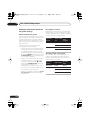
Playback
06
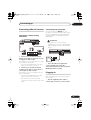
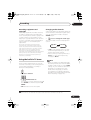
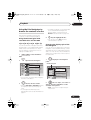
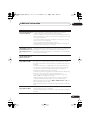
Playing CDs and WMA/MP3 discs
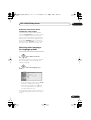
Playing Video CD/Super VCDs
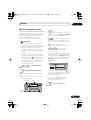
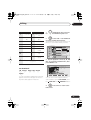
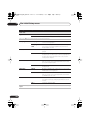
The table below shows the basic playback
controls for audio CDs1, and WMA/MP3
files.
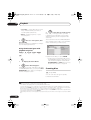
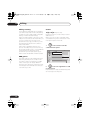
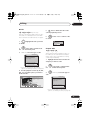
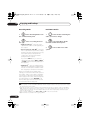
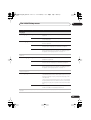
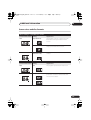
The table below shows the basic playback
controls for Video CD/Super VCDs.
Press to start playback.
PLAY
STOP
Press to stop playback.
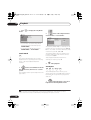
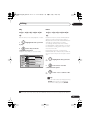
Some discs feature Playback Control (PBC
for short) menus. These discs show PBC in
the display when you load them and display
a menu on-screen from where you can select
what to watch.2
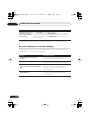
Press to start playback.
Video CD only: If RESUME is displayed on-screen, playback
starts from the place last
stopped.
PLAY
PAUSE
REV SCAN FWD SCAN
PREV
NEXT
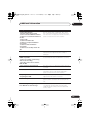
ABC
DEF
GHI
JKL
MNO
PQRS
TUV
WXYZ
CLEAR
CLEAR
ENTER
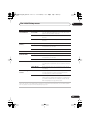
Pauses playback, or restarts
playback when paused.
Except WMA: Press to start
scanning. Press again to
increase the scanning speed.
(There are two scan speeds; the
current scan speed is shown
on-screen.)
Press to skip to previous/next
track (or folder for WMA/MP3
disc). (During playback you can
also use the front panel CH +/–
buttons.)
During playback, enter a track
number then press ENTER to
skip directly to that track.
Press CLEAR to clear a number
entry and start again.
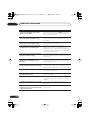
STOP
PAUSE
REV SCAN FWD SCAN
PREV
NEXT
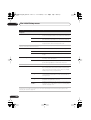
Press to stop playback.
Video CD only: You can resume
playback from the same point
by pressing PLAY. (Press
STOP again to cancel the
resume function.)
Pauses playback, or restarts
playback when paused.
Press to start scanning. Press
repeatedly to increase the scanning speed.
Press to skip to previous/next
track.
When a PBC menu is displayed, press to display the previous/next page. (During
playback you can also use the
front panel CH +/– buttons.)
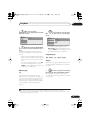
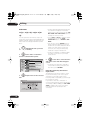
Note
1 If you want to play a DTS audio CD, make sure the recorder is connected to a DTS-compatible amp/receiver with
a digital connection. Noise will be output through the analog outputs. Also make sure that Stereo is selected
using the AUDIO button (see Switching audio channels on page 63).
2 When playing in PBC mode, some playback features, such as search, repeat and program play are not available.
You can play a PBC Video CD/Super VCD in non-PBC mode by starting playback using the Disc Navigator (see
Using the Disc Navigator with playback-only discs on page 58).
55
En