1
EVS Broadcast Equipment SA
Issue 14.00.A - June 2015
Command description
Command key
Increasing by 1 the ID of the audio source channel.
This is valid with audio channels with ID - embedded or
MADI - when the channel number is selected.
CTRL + ARROW UP
Decreasing by 1 the ID of the audio source channel.
This is valid with audio channels with ID - embedded or
MADI - when the channel number is selected.
CTRL + ARROW
DOWN
Individual Editing Actions in the Web-Based Interface
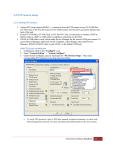
In the web-based application, click on the values you want to edit in the requested cell(s).
The available values are displayed in drop-down fields, which allow you to select the
requested value individually:
Modifying the Audio Gain and Mute Settings
Introduction
From the Advanced Audio Settings pages of the Channels tab, you can not only modify
the default routing of audio channels, but also do the following:
•
Adjust the audio gain for each audio mono channel individually;
•
Mute individual audio channels.
In the server-based application, the audio gain and audio mute information can be
displayed via the CTRL+G command, which allows you to toggle the display in the tables
to show the audio gain and mute information.
In the web-based interface, the audio gains can be displayed by selecting the Show gain
command below the advanced audio settings.
194
4. Multicam Configuration