1
INSTALLATION
Mechanics – Schmidt-Cassegrain
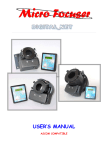
The Micro Focuser Analogic (MFA_PC) are designed to be compatible with most telescope with a
standard 2 inches barrel, like Schmidt-Cassegrain instruments. The threaded ring must be removed
by hand from the focuser and attached firmly to the telescope. Now the MFA_PC focuser can be
applied to the telescope, rotating it if needed and block it using the three thumbscrews near the
base of the focuser. Along with the MFA_PC two adapters RSWLRQDO, the first permits to insert
eyepieces and accessories with a diameter of 1 ”, the seconds is designed for 2” accessories.
Mechanics – Newton and BIG 35 Analogic_PC
This focuser supports the same accessories of the previous model, not a Micro Focuser BIG 35
Analogic_PC (subsequently appointed BIG35A). To mount the focuser to the telescope use the
supplied plate attaching it with screws at the same place of the previous focuser of the telescope.
Before mounting the MFA_PC it is mandatory to securely attach the plate to the base of the focuser
using the 4 thumbscrews supplied.
Electronics
The MFA_PC or BIG35A are supplied with a cable for the power supply marked by a yellow or
white stripe. Optionally it’s available a power supply with an universal input (110/240 Vac 50/60
Hz). The 8-pins cable between the controller and the focuser is approx. 2 meters long. The RS232
6-pins cable is 5 meters long (maximum length: 15 m) and must be connected between the
controller and the PC, using the DB9 adapter. We recommend to connect the all the cables before
turning on the focuser. If a different power supply is used then it’s mandatory to verify the following
specifications: minimum Vcc: 9 Volt, maximum: 14 V. At least 0.5 Ampere for the current.
CONTROLLER AND COMMANDS
• Power on: Press the central button (PWR)
• Manual power off: Keep pressed the button PWR until
all leds are off.
• Automatic power off: This function is enabled if the led
of the speed blinks (MOTOR SPEED %). To enable this
function press the button PWR until the led stars blinking.
When the focuser is controlled by the PC this function is
automatically disabled. To disable this function keep
pressed the button PWR until the led stops blinking.
• Calibration: This function brings the focuser to the half of
its run, a known position which will can be used as
reference. To enable this function power off the focuser
(keeping pressed the button PWR until all leds are off),
then power it on (always pressing the PWR button and
waiting until the speed leds are on) then press again
PWR while the leds starts going off.
• Speed selection: Press the button SPEED to change it,
the speed is indicated by the leds and it’s expressed as
percentage relative to the maximum.
2
NEW HAND CONTROLLER