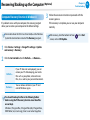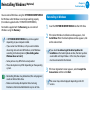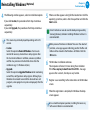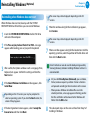
1
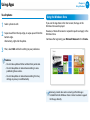
Using the Multimedia App (Optional)
S PhotoStudio and S Player+ enables you to take photos and make
videos and edit them to your preference.
S PhotoStudio
Edit photos that you took or selected to your
preference.
S Player+
Play music or video clips stored on the computer.
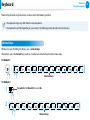
•• Depending on the version of the program, some functions
may not be provided or different functions may be
provided.
Chapter 3.
Using the computer
72
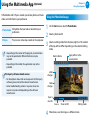
Using the PhotoStudio app
1 On the Start screen, select S PhotoStudio.
2 Select a photo to edit.
an editing mode from the lower-right bar. The content
3 ofSelect
the top-left bar differs depending on the selected editing
mode.
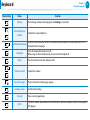
Back to Home
Apply effects to the
current photo
•• Depending on the model, the application may not be
provided.
Third-party software related services
•• For descriptions about and service requests for third-party
software, please contact the relevant manufacturer.
•• Some troubleshooting actions in response to service
requests may not work depending on the software
manufacturer.
Undo
changes
Redo
changes
Open a
new file
Save as
Share to SNS
Editing mode
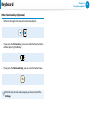
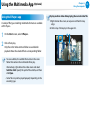
4 When done, save the image as a different name.