1
notice will be provided. Please check or download the latest version in our official
website of http://www.skyroam.com
� Section II: Overview
About Gmate device
The Gmate device described in the user’s manual are suitable for GSM, 850, 900,
1800 and 1900 networks after verification. Please consult your service supplier for
more information related to network.
When using various functions of Gmate device, please abide by various laws and
regulation and respect the local custom as well as others’ privacy and legitimate
rights and interests (including copyright).
When it is connected to other devices, please read this user’s manual to obtain
detailed safety description. Please never connect Gmate device to incompatible
products.
The installation of Gmate device requires the downloading of software on the official
website http://m.skyroam.com. You can find the specific installation steps in
http://www.skyroam.com.
Function of Gmate
The Gmate device can enable arbitrary network mobile phones the dual card standby function on
versions supported by Android.
Supported Version
A) Gmate device supports arbitrary network mobile phones with Android 2.0 or above.
B) Gmate device can only insert SIM card.
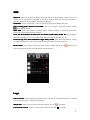
The diagrams in this user’s manual are according to the interface on MOTO X8. Interface on
mobile phones with other version may be different but does not affect the use.
Customer Service
You may obtain other data of the products of our company and download information
related to service, maintenance, etc by visiting http://www.skyroam.com
4