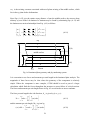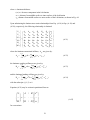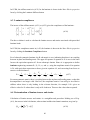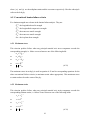
1
Step 1 Elastic properties
The calculation of elastic properties is as described in the previous section and will not be
repeated here. Navigate back to the Elastic Form. To change the material properties, use the
Database button to put the properties for AS/3501 in the material input boxes, and then use the
Elastic Properties button in the Change All tool to give the required laminate. Now reCalculate the elastic properties.
Step 2. Deformation analysis
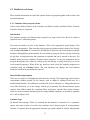
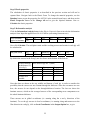
Click the Deformation Analysis button in the Elastic Properties form to invoke the deformation
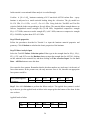
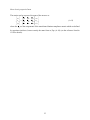
analysis form. Input the applied force Nx=0.05 MN/m (converting from mm to m)
Force resultants
applied to laminate
Nx
0.05
Ny
N xy
Mx
My
M xy
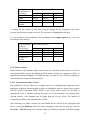
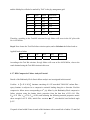
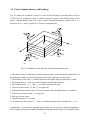
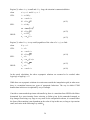
Now click Calculate. The mid-plane strain and the resulting stresses and strains in each ply will
be calculated as
Mid-plane strain
E0 x
2137
E0 y
–1485
Gamma xy K x
~0.
~0.
Ky
~0.
K xy
~0.
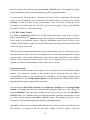
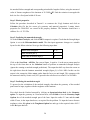
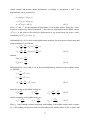
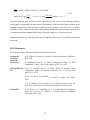
By default the stresses in the first ply are also shown at the bottom of the form as:
Location through
the thickness t of
selected ply
top
middle
bottom
Average over
laminate
Stress state for ply No. 1 (MPa)
Sigma_x
50.
50.
50.
50.
Sigma_y
0.
0.
0.
0.
Tau_xy
21.1614
21.1614
21.1614
0.
Note that data are shown at the top, middle and bottom of each ply in order to consider the
possibility that the stresses are not constant through the thickness. Since the curvatures are zero
here, the stresses do not depend on the through-thickness location. The last row shows the
laminate stresses, which are the averaged stresses of the corresponding stress components over
the whole laminate thickness.
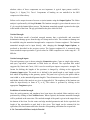
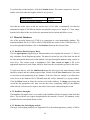
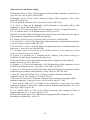
These stresses are in global co-ordinates (i.e. running along the x and y directions of the
laminate). To see the ply stresses in local co-ordinates (i.e. running along and transverse to the
fibre direction in each ply), click on Local Coordinates in the Output Option box, to give
22