1
Product Specification of MCU-1900
Networking & Communication
Confidential
6
7
8
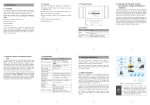
System Alert LED
System ID button
System Reset button
9
Power button
10
System HDD
Removable Rack
11
HDD Removable Rack
Reserve for advanced system faculty.
Reserve for advanced system faculty.
Press this button once to reboot the system.
Press this button once to shut down the system, and then
once to switch on.
The system HDD installed in this rack, and we don’t suggest
removing it for making sure the system could work properly.
This HDD rack leaves unused and it also useless to expand
HDD.
Rear panel
1
2
3
4
Item
1
Power Jack
2
PS/2 Keyboard/Mouse
Connector
3
USB Port
4
Serial Port
5
VGA Port
6
LAN Jack (Eth0)
7
LAN Jack (Eth1)
5
6
7
Description
Connect the power supply cord shipped with the system. Use
of other power supply cords may cause overloading.
The PS/2 allow user to connect keyboard and mouse for
operating the system.
The USB port allows users to connect an external USB device
to the unit, such as a USB ThumbDrive© or a USB mouse.
The serial port for sending and receiving signals.
A VGA output connector is offered for connecting to a VGA
monitor.
These RJ-45 ports support auto negotiating Gigabit Ethernet
10/100/1000Base-TX networks. That allows your system to be
connected to an Internet Access device, e.g. router, cable
modem, ADSL modem, through a CAT.5 twisted pair Ethernet
cable.
3.4 Environmental Specifications
Operating Temperature:
0 ~ 40 degree C
Operating Humidity:
0 ~ 90% (non-condensing)
3.5 Electrical Specifications
Input Voltage:
Filename: PS-MCU1900v1.0
100~240V AC, 50/60Hz, Max. 300W
Page 6 of 7
Printed on 2009/06/22