1
Hiper-GaGb-RevB_book.fm Page 3 Wednesday, October 10, 2007 4:26 PM
Powering Problems
For modem issues:
If “Modem-TPS cannot connect to the receiver,” see page 6-13.
Powering Problems
All receivers are preset in the factory to “Auto mode” for both
batteries. To check these settings, use the following procedure:
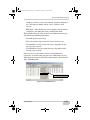
1. Connect your receiver and computer, and run PC-CDU (see
“Connecting the Receiver and a Computer,” on page 2-20).
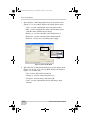
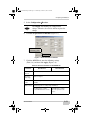
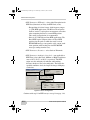
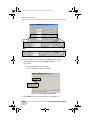
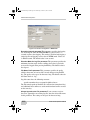
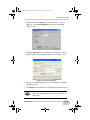
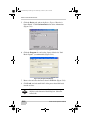
2. Once connected, click Configuration Receiver.
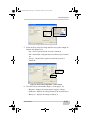
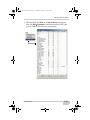
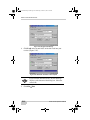
3. On the General tab, view the Power and Charger fields. These
fields should be set to Auto. If not, change them to Auto, and
click Apply.
TIP
Clearing the NVRAM returns the receiver to Auto
power mode (see “Clearing the NVRAM,” on
page 5-13).
The receiver does not power up
D
The receiver may be in Zero Power Mode.
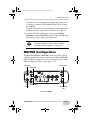
• Press the Reset key to return to Normal Mode
D
The batteries may be discharged.
• Connect/attach a fully charged battery and retry. See
“Powering the Receiver,” on page 2-14.
• Charge the batteries overnight. See “Powering the Receiver,”
on page 2-14.
D
If using an external power source, the cable may be
disconnected or damaged.
Check that the cable is securely connected and undamaged.
D
The receiver may have a defective charger or defective
batteries.
P/N 7010-0816
6-3