1
JPEG/TIFF
Editing with the Basic Adjustment Tool Palette
The Basic Adjustment tool palette makes basic adjustments to RAW
images. With this tool palette, you can adjust the image brightness, set
Picture Style, adjust the white balance, adjust the contrast, adjust the
color tone and saturation, adjust the dynamic range, apply the Auto
Lighting Optimizer and adjust the image sharpness.
Note that the only adjustments you can make to JPEG/TIFF images are
applying the Auto Lighting Optimizer and adjusting the image
sharpness.
Introduction
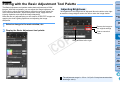
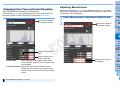
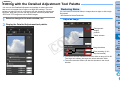
Adjusting Brightness
The brightness of an image can be adjusted. Move the slider to the right
to make the image brighter and to the left to make the image darker.
Contents
1
2
3
4
5
6
7
8
Downloading
Images
Viewing
Images
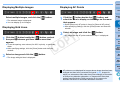
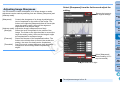
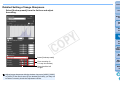
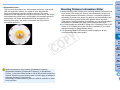
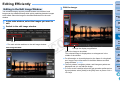
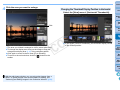
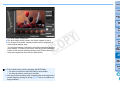
1 Select an image in the main window, etc.
2 Display the Basic Adjustment tool palette.
Reverts the image to
the original settings
Y
P
O
Enter a numerical
value
Drag the slider left or right
C
Sorting
Images
Editing
Images
Printing
Images
Processing
Large Numbers
of RAW Images
Remote
Shooting
Specifying
Preferences
Reference/
Index
The adjustment range is –3.0 to +3.0 (in 0.01-stop increments when
entering a value).
41