1
VIZIO Universal Remote Control User Guide
Chapter 2 - Remote Control Button Description
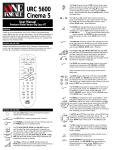
The VIZIO Universal Remote Control is a comprehensive remote that can be
used to control up to eight different components. For ease of use with minimal
room lighting, the VIZIO Universal Remote Control has a back light that
illuminates all of the buttons when any button is pressed. The light will
automatically go off a few seconds after the last button is pressed. The remote
control button functions are explained on the following pages.
2.1 - Key Remote Control Functions
1.
SETUP – This button starts all
programming sequences.
2.
Remote LED – Blinks when the
remote is being programmed or is
sending a signal to your plasma display.
3.
POWER – Press this key to turn the plasma display on from standby mode.
Press it again to return to the standby mode.
4.
TV – This button selects a
programmed TV.
5.
DVD – This button selects a
programmed DVD player.
6.
VCR – This button selects a
programmed VCR.
7.
TV2 – This button selects a second programmed TV.
8.
CBL/SAT – This button selects a programmed cable TV set-top box or
selects a programmed satellite TV set-top box.
9.
AMP – This button selects a programmed amplifier.
10. CD – This button selects a programmed CD player.
11. AUX – This button selects a programmed component.
12. Number Button Pad – These
buttons select a channel or
password.
13. MUTE – This button turns the
sound on and off.
14. 100/Enter – This button enters a
channel number greater than 100 in
TV mode. This button works as an
ENTER button in other video
modes.
Version 8/6/2004
3