1
VIZIO Universal Remote Control User Guide
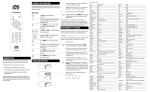
15. VOL – These buttons turn volume up or down.
16. LAST – This button recalls the previously
viewed channel.
17. SLEEP – This button turns on the sleep
timer for other V, Inc. devices. NOTE: This
button is NOT active for the VIZIO P46
model.
18. INPUT – This button changes the input source.
19. CH – These buttons change the channels up or down.
20. WIDE/GUIDE – This button cycles through standard and widescreen
viewing modes or accesses programming
guides, such as the one that comes with a
satellite dish. GUIDE does not work in TV
mode.
21. EXIT – This button exits the component,
guide or on-screen display (OSD) menus.
fedc – These buttons navigate the
OSD menus.
22. OK – This button works as the
“programmed device” button.
23. INFO – This button turns the image and system information display on or
off.
24. MENU – This button is used to select the OSD menu pages.
25. Reverse – This button rewinds the CD, DVD or VCR when the component
is activated with the remote control.
26. Play – This button plays the CD, DVD or
VCR when the component is activated
with the remote control.
27. Forward – This button forwards the CD,
DVD or VCR when the component is
activated with the remote control.
28. Record – This button records the CD, DVD or VCR when the component is
activated with the remote control.
29. Stop – This button stops the CD, DVD or VCR when the component is
activated with the remote control.
30. Pause – This button pauses the CD, DVD or VCR when the component is
activated with the remote control.
Version 8/6/2004
4