1
Monitoring the System
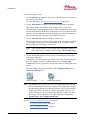
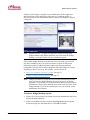
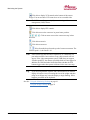
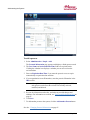
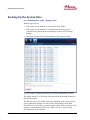
Click this to display VCR controls at the bottom of the camera
widget. You can use these VCR controls to review recorded video.
Note: The VCR icon will appear only if you are viewing a video
management (VMS) camera.
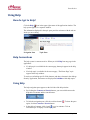
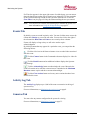
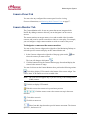
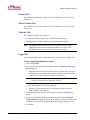
Click this to display PTZ controls.
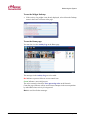
Click this to move the camera to its preset home position.
Click an arrow to move the camera one step in that
direction.
Click this to zoom in.
Click this to zoom out.
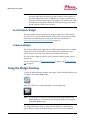
Select from this drop-down the speed of camera movement. The
slowest speed is 1; the fastest is 10.
Note: If the camera does not have these capabilities, or if the home, tilt,
pan and zoom URLs have not been set up, these controls will not
appear. If the video management system (VMS) does not support
variable speed PTZ, the camera speed drop-down will not appear. In
addition, the VMS and other factors determine whether the PTZ
buttons toggle rather than operate with one click to move one step.
Tip:
If you are using Internet Explorer and a monitor that is too small to
display all camera views, increasing the size of the widget and then
using its scroll bars may cause the display to begin flashing. If this
happens, press F11 on the keyboard.
See also: Using the Monitoring Desktop on page 19
Using the Widget Desktop on page 22
233192 AX4 Linear LLC
38
May 2014