1
Application Guide
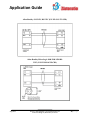
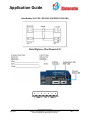
DH+
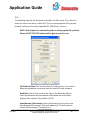
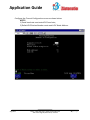
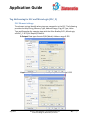
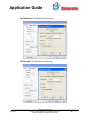
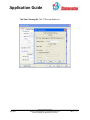
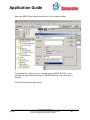
The following describe the attributes that define the DH+ setup. This is found in
under the menu item Setup > Select PLC. Click on the appropriate PLC type and
protocol and then click on the View/Edit PLC COM Setup... button.
NOTE: Tech-Support has a wonderful guide on setting up the DH+ protocol.
Please call 877-774-3279 and we will be glad to send it to you.
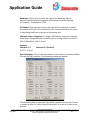
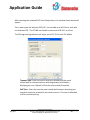
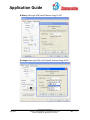
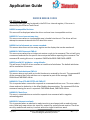
PLC Editor Revision: This lists the latest PLC code revision. It is useful in
determining whether or not you have the latest PLC code software.
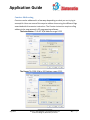
Baud Rate: Click on the arrow to the right of the baud rate field to
select the attribute that corresponds to the baud rate of the Data
Highway Plus network. The default is 57.6K.
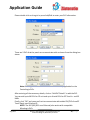
Panel Number (Octal values): Enter the address for the Panel on the
Data Highway Plus network. The node address (0–77 octal) must be
unique on the network. The default is 1.
Aug 2014
Phone: 1-563-359-7501 • www.ezautomation.net
4140 Utica Ridge Rd, Bettendorf, IA 52722
17 | P a g e