1
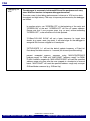
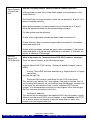
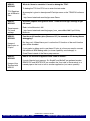
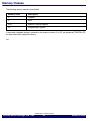
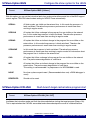
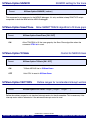
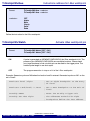
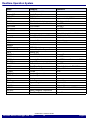
The MPC5xx family provides the follwing on-chip breakpoints:
MPC5xx
4 Instruction,
2 Read/Write
4
4 single I-bus
breakpoints or 2
I-bus breakpoint
ranges
2
2 single L-bus
breakpoints or 1
L-bus
breakpoint
ranges
2
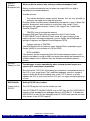
ON (default)
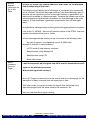
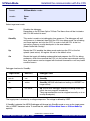
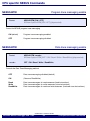
If all resources for the on-chip breakpoints are already used and if the user
wants to set an additional on-chip breakpoint, TRACE32 converts an on-chip
breakpoint set to a short address range (max. 4 bytes) to a single address
breakpoint to free additional resources.
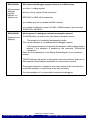
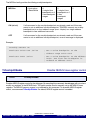
OFF
If all resources for the on-chip breakpoints are already used and if the user
wants to set an additional on-chip breakpoint, an error message is displayed.
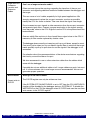
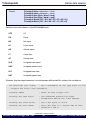
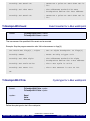
Example:
TrOnchip.Convert ON
Break.Set 0x100++0x4 /Write
; Set a write breakpoint to the
; address range 0x100++0x4
Break.Set 0x800 /Write
; Set a write breakpoint to the address
; 0x800. The first set breakpoint is
; reduced to address 0x100
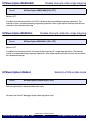
TrOnchip.DISable
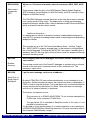
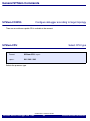
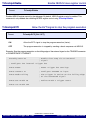
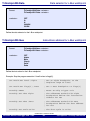
Format:
Disable NEXUS trace register control
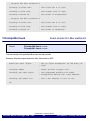
TrOnchip.DISable
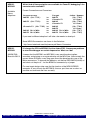
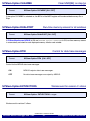
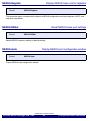
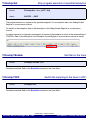
Disables NEXUS register control by the debugger. By executing this command, the debugger will not write or
modify any registers of the NEXUS block. This option can be used to manually set up the NEXUS trace
registers. The NEXUS memory access is not affected by this command. To re-enable NEXUS register
control, use command TrOnchip.ENable. Per default, NEXUS register control is enabled.
©1989-2015 Lauterbach GmbH
MPC56x NEXUS Debugger and Trace
59
CPU specific TrOnchip Commands