1
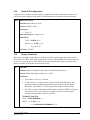
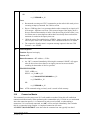
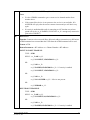
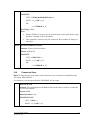
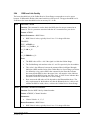
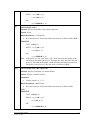
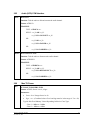
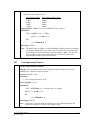
0 the PIN stored using the ATSP command will automatically be used during PIN exchanges. If set to 1 the prompt “PIN REQUEST” will be output by the radio and the user will need to manually enter a PIN using the ATPR command. Format: ATSSW,6,<Mode> Parameters: Mode: 0 = Automatic PIN Request Handling 1 = Manual PIN Request Handling Factory Default: 0 EXAMPLE: TYPE : ATSSW,6,1<cr> REPLY: <cr_lf>OK<cr_lf> OR <cr_lf>ERROR<cr_lf> Read Using: ATRSW,6 Note: Requires a reset for change to take affect. RSW,6 READ PIN REQUEST HANDLING MODE Function: Reads the PIN request handling mode. Format: ATRSW,6 Return Parameters: <Mode> EXAMPLE: TYPE : ATRSW,6<cr> REPLY: <cr_lf>OK<cr_lf> <cr_lf>00<cr_lf> Set Using: ATSSW,6 SP SET PIN Function: Sets the PIN to be used with automatic PIN request handling. **Warning** Be careful when entering a new PIN. There is no way to obtain PIN status after it is changed. If the PIN is changed after two units have already authenticated and connected you will have perform a software or hardware reset for the devices to use the new PIN‟s if not the two units will still connect using the old stored PIN. Format: ATSP,<New PIN>,<Old PIN> Parameters: New PIN: 16 alphanumeric characters MAX (Caps Sensitive, includes spaces) 5913 AT Command Appendix November 21, 2007 25