1
The SCANSCSI Program
PURPOSE: To get the host adapter and tape drive numbers for the tape drives(s) installed on your PC.
FEATURES: SCANSCSI displays information in an easy to read format about tape drives on your system.
SCANSCSI will search host adapter cards numbered from 0 through 6. This means that you may install up to 7
SCSI adapters in your computer. In addition, SCANSCSI will check ID’s 0 through 6 on each card for a tape
drive. Your must set the ID of your tape drive ID somewhere between 0 and 6.
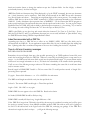
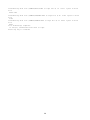
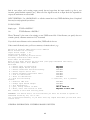
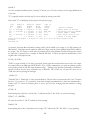
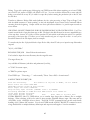
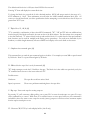
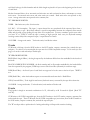
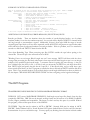
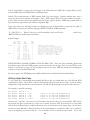
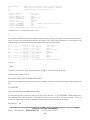
Simply type <SCANSCSI> at the prompt or double-click the file SCANSCSI.EXE in Windows 95/98/ME
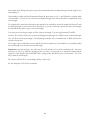
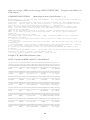
explorer. The program will display a message indicating that it is scanning for tape drives. If no tape drives are
found, the program reminds you to make sure your drives have been powered up before booting your
computer.
The TACO Program
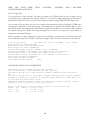
PURPOSE: TACO (TApe COnfiguration) allows the user to easily reconfigure the default hardware-specific
values used by the Electrovalue tape drive software.
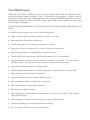
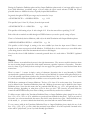
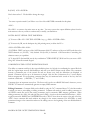
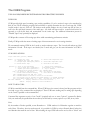
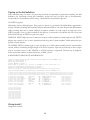
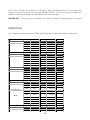
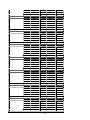
FEATURES: TACO lets you set the way the tape drive software uses certain hardware resources. You can:
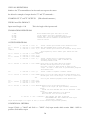
Setting the Host adapter card ID number.
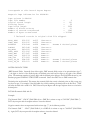
If you have only one SCSI host adapter card, this number will be 0. SCANSCSI will tell you the number of your
host adapter card.
Setting the SCSI drive ID number.
This is the ID of your drive. It may be configured through the front panel or through switches in the drive..
SCANSCSI will tell you the ID number the drive.
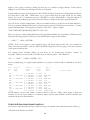
Setting the default write density for your drive.
Set this to the write density you will use. This setting does not affect the read density. All drives Electrovalue
sells automatically select the proper read density.
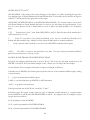
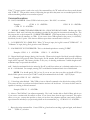
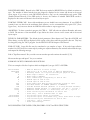
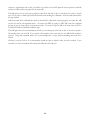
You can use the DENSITY program to change the density without affecting any other software parameters. If
you use more than one write density, you may make multiple copies of the software and configure each copy for
a different write density.
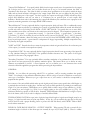
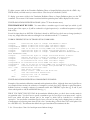
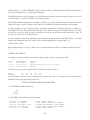
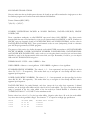
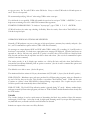
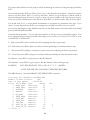
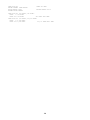
This discussion assumes that you have already copied all the tape drive programs into a single subdirectory on
your hard drive. Note that TACO will process only the programs that actually access the tape. Thus FXED,
LRL, DENSITY, and SCANSCSI need not be present although there’s no harm if they are. TACO looks for
tape drive control programs (‘exe’ files) in the current directory.