1
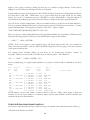
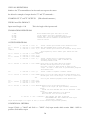
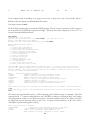
(xx)M - (M)ultiple. Repeat [M] commands xx times. M alone resets.
Some commands may be automatically repeated a multiple number of times. The commands which qualify for
multiple execution are identified in the menu and in the KEYS chapter. The multiple counter is set by preceding
the M command with a decimal number, e.g. "999M " sets the counter to 999. For example, if "999M" is
followed by "W", KEYS will write 999 blocks on tape.
Some Typical Uses of "M"
Write Deskew: Set the buffer size to a large number, e.g. "55555S". Fill the buffer with all "1" bits, i.e. "255P".
Set the multiple counter to a large number, e.g. "44444M". Then hit "W" to start the drive writing all 1's. Scope
the appropriate point(s) while adjusting the write deskew pots until optimum write deskew is achieved.
Checking for an intermittent read or write problem in a cable or subassembly: Set the write buffer to a small
size, e.g. "80S". Set the multiple counter to a large number and execute the "T" command (see below). While
the test proceeds, abuse the suspected cable or component (wiggle, rap, heat, spray cool etc.) while listening for
the beep that occurs each time a read error is detected. When you can make the beep come or go you've
identified the perpetrator.
Scoping for whatever purpose: Multiple mode can be used to follow a signal with an oscilloscope. Set up to
write small blocks a bunch of times or, if you want to follow a read signal, use the M mode to write the tape first,
then rewind it and do a multiple "R".
Adjusting ramp times: Set the block size small and the multiple counter high and initiate a series of writes while
checking and adjusting the start and stop ramp times with a scope.
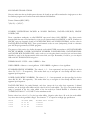
STOPPING & RESETTING "M" MODE:
The F1 key will abort any operation in progress and take you back to the prompt.
When you're at the keys prompt, hitting M alone will reset multiple mode.
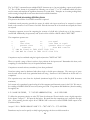
Reflective Markers: Hitting end of tape (EOT) or beginning of tape(BOT) markers during a multiple operation
will abort the operation in progress and take you back to the prompt. Multiple mode will remain in effect.
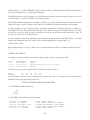
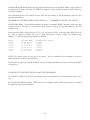
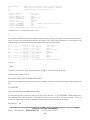
(-)(xx)N - Display buffer in Numeric mode.
More economical and faster than "D" since you get 20 decimal numbers or 40 HEX numbers per line in this
mode. You select decimal or HEX with the CTRL-N command. If print mode is active (see the * command) a
copy of the display will be sent to the printer (LPT1). If 'xx' is specified, e.g. 123N, KEYS will force a new
display line (output an actual CR/LF) every xx bytes.
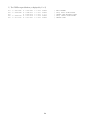
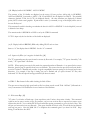
If "-N" is input only the last few lines of the buffer are displayed. The '-' and 'xx' options should not be mixed.
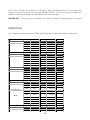
CTRL-N - Toggle back and forth between DECIMAL and HEX modes. Affects "D", "N".
78