1
ROAD HOG™Playback & Programming Wing
Quick Start Guide
This document describes Wing hardware setup and configuration.
Refer to the Wholehog User Manual (http://www.flyingpig.com/
support/hog3/manuals) for detailed Wholehog software
instructions. Section 12.4 details software configuration
of Playback and Programming Wings.
The User Manual is available in several
languages andcan be accessed within the
Wholehog software by pressing the Help key located
within most windows and in the upper left corner of the right
touchscreen.
Setting Up a Road Hog Wing
Unpacking
A Road Hog Wing ships in a custom packing box
with these components:
• Road Hog Wing, with one LED desklight and desk
cover
• European and Edison power cords
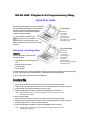
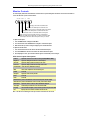
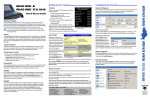
Playback Wing
LED Desk Light
Screen Controls
12" Touchscreen
10 Playback Controls
Central Playback Keys
Rear Expansion Port for Super Widget
Blue LED Marker Lights
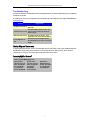
Programming Wing
LED Desk Light
Screen Controls
12" Touchscreen
Central Playback Keys
Programming Keys
Four Encoders
Illuminated Trackball
Rear Expansion Port for Super Widget
Blue LED Marker Lights
• Six foot VGA cable
• Six foot USB cable
If you find components missing or damaged, notify boththe shipping agent and the sales agent immediately. Before sending anything to
the factory, call your High End Systems dealer/distributor for a Return Material Authorization (RMA) number.
The factory cannot accept any goods shipped without an RMA number.
Connecting the Wing
To connect a Playback Wing:
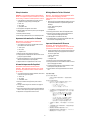
1. Connect the VGA and USB cables from the Wing to the console; then power up the console and the Wing.
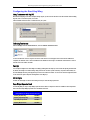
2. Configure the external monitor and calibrate the touchscreen in the Setup/Control/Displays panel section of the console.
3. Configure the Wing in the Setup/Control Panel/Wings section of the console.
4. Configure the Super Widget (if installed) in the Setup/Control Panel/Widgets section of the console.
Note: Detailed instructions for the control panel functions can be found in the
Wholehog User Manual.
To connect a Programming Wing:
1. Connect the VGA and USB cables from the Wing to the console; then power up the console and the Wing.
2. Configure the external monitor and calibrate the touchscreen in the Setup/Control/Displays panel section of the console.
The programming portion does not require any software configuration.
3. Configure the Super Widget (if installed) in the Setup/Control Panel/Widgets section of the console.
Note:
Detailed instructions for the control panel functions can be found in the
Wholehog User Manual.