1
On-Chip Peripheral Components
C540U / C541U
6.4.2.3
Dual Buffer Mode
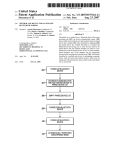
In dual buffer mode, both USB memory pages (page 0 and page 1) are used for data transfers. The
logical assignment of the memory pages to CPU or USB is automatically switched. The following
two figures show the buffer handling concept in dual buffer mode for the USB read access and USB
write access.
USB Buffer Handling
CPU Buffer Handling
CPU Page is empty : CBF = 0
CPU write Access Enabled
USB Page is full : UBF = 1
USB read Access Enabled
CPU writes 1 Byte
USB read
Request?
NO
NO
YES
CPU Buffer
full?
USB reads Buffer
YES
USB Buffer is empty: UBF = 0
USB read Access Disabled
CPU Buffer is full : CBF = 1
CPU write Access Disabled
SOD = 1
EOD = 1
NO
CPU Page
full?
USB Page
empty?
NO
YES
YES
Pages are swapped (CBF = 1 and UBF = 0)
MCB03405
Figure 6-32
USB Read Access in Dual Buffer Mode - Buffer Handling
Semiconductor Group
6-40
1997-10-01