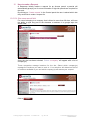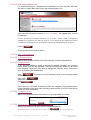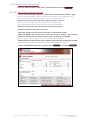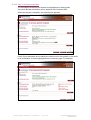
1
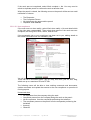
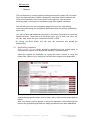
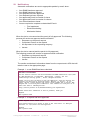
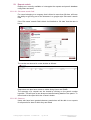
The Web-based Permit to Work Solution Requestor manual Release 3.1 October 2012 CONFIDENTIAL Contents 1 2 3 4 5 6 7 8 9 10 11 12 13 14 System overview Roles 02.01.01 System administrators 02.01.02 Requestors 02.01.03 Authorised persons 02.01.04 Observer Opening the software Login Session length Home page – your requests Home page - e-permits today, F.Y.A – Unmanned Sites 07.01.01 Approved Permits 07.01.02 Open permits Home page - e-permits today, List view Home page - e-permits today, Graphical view 09.01.01 F.Y.A – Unmanned Site Statistics Home page - Control panel 10.01.01 Data admin How to add a User 11.01.01 Information tab 11.01.02 Competencies tab 11.01.04 Inductions tab 11.01.05 Cradles tab 11.01.06 High voltage tab 11.01.07 Permissions tab 11.01.08 Approvals tab RAMS admin How to submit RAMS 13.01.01 RAMS Details 13.01.02 What and where information 13.01.03 Location information 13.01.04 Attachments How to progress chase RAMS 14.01.01 RAMS awaiting approval 14.01.02 RAMS approved 14.01.03 RAMS under review Training program - Requestors - v3.1 FINAL.doc Pg 2 of 43 pg 4 4 4 4 4 4 4 5 6 6 7 7 7 8 9 9 10 10 11 11 12 13 13 13 14 14 14 15 15 16 16 16 17 17 17 17 2012 Banyard Solutions Ltd CONFIDENTIAL Contents pg 15 16 17 18 19 20 21 22 23 How to make a Request 15.01.01 Site name search field 15.01.02 Site name dropdown list 15.01.03 Step 1: who and when 15.01.04 Work order number 15.01.05 Company name 15.01.06 Competent person 15.01.07 Other personnel to work with competent person 15.01.08 When will the work be done? 15.01.09 Step 2: where, what, why and how 15.02.0 Step 3: Summary and submit High-risk permits 16.01.01 Hot works 16.01.02 Fire system impairments 16.01.03 Work in confined spaces 16.01.04 Work at height 16.01.05 Work on / test* electrically isolated equipment 16.01.06 Isolation / Energisation permit requests 16.01.07 Work on / test* essentially live equipment 16.01.08 Energisation / Isolation permit requests 16.01.09 Mechanical permit requests Generating permits – Unmanned Sites Issuing permits – Unmanned Sites Tracking requests Closing permits – Unmanned Sites 20.01.01 Non-compliance Duplicating requests Notifications Reports admin 23.01.01 Site name search field 23.01.02 Observer Training program - Requestors - v3.1 FINAL.doc Pg 3 of 43 18 18 19 19 19 19 19 19 20 20 21 22 22 24 26 27 28 29 30 32 33 34 36 37 38 39 40 41 43 43 43 2012 Banyard Solutions Ltd CONFIDENTIAL 1. System overview The e-permits application is a web-based Permit-to-work solution designed to reduce the risk of injury and damage on-site during maintenance and to improve productivity and management control, beyond the levels possible with a paperbased system. e-permits ensures that every permit takes account of client and legal safety criteria and is only issued when it is safe. The system ensures the … Right people with the Right skills work to the Right method statement in the Right place at the Right time 2. Roles The participants in the e-permits process fall into 4 basic categories: 02.01.01 System administrators - that input initial Site and User data during system setup and maintain the integrity of the data thereafter. 02.01.02 Requestors - raise and submit requests for permits and RAMS. 02.01.03 Authorised persons - assess, approve and issue permits and RAMS 02.01.04 Observer Running reports to be able to see permit requests that the user is not involved in. This document is for use by Requestors. 3. Opening the software In the address field of your browser, type “https://<client>live.e-permits.co.uk” and press Go. The application will take you to the Login page Training program - Requestors - v3.1 FINAL.doc Pg 4 of 43 2012 Banyard Solutions Ltd CONFIDENTIAL 4. Login Enter your email address and Password and click . If you have not been set up as a User you will not have a PASSWORD and you cannot start a session. Ask your system administrator to set you up as a User and you will be emailed a temporary password. On entering this password you will be taken to a screen to change your password and select a memorable question and answer (this question is used when you use the forgotten password options) . If you have forgotten your PASSWORD, click on, type in your email address and submit. Your PASSWORD will then be emailed to your shortly after, suggesting that you change it to one only you will remember. You can also use the ‘change password’ button within your control panel, the process is as below, and you are asked for your old password, your new password and to answer your previously selected memorable question. Training program - Requestors - v3.1 FINAL.doc Pg 5 of 43 2012 Banyard Solutions Ltd CONFIDENTIAL 5. Session length Sessions will automatically time-out after 20 minutes of inactivity. Any interaction with the server will start a new 20-minute session for you. If your session timesout you will lose any unsaved data so you are advised to save changes regularly. The time remaining in your session is displayed in the top right hand corner of the page. During the final 2 minutes of a session, the countdown changes from minutes to seconds and a message invites you to reset your session. 6. Home page – your requests The left hand tool bar shows all or some of the following, depending on the User permissions: Draft requests (0) Await. Isolations (0) Unappr. RAMS (0) Unappr. requests (0) Approved permits (0) Open permits (0) i.e. Isolation permits awaiting approval i.e. RAMS awaiting approval i.e. Permit requests awaiting approval i.e. approved permits i.e. Issued permit requests The number(s) relate to your personal e-permits statistics rather than site or system statistics, so the numbers will relate to: Your draft requests Your await. Isolations Your unappr. RAMS Your unappr. Requests Your approved permits Your open permits By clicking on the count (1) the user is taken to the relevant page to view and progress the selection. Training program - Requestors - v3.1 FINAL.doc Pg 6 of 43 2012 Banyard Solutions Ltd CONFIDENTIAL 7. Home page - e-permits today, F.Y.A – Unmanned Sites These statistics are displayed if your company has access to unmanned sites and relate to permits that are for your attention and need to printed, issued and closed. The left hand tool bar shows the following: - depending on the User permissions: • Approved permits (0) i.e. Approved permit requests for your attention to print and issue. • Open permits (0) i.e. Issued permits which are for your attention to close. The number(s) relate to your personal and company e-permits statistics rather than site or system statistics, so the numbers will relate to: 07.01.01 Approved Permits for your attention to print and Issue All the Requestors from the company doing the work and the CP on the permit, as well as Issuers, will see ‘Approved’ permits for their attention and be able to print and issue their own Company's permits. Requestors from the company doing the work and the CP will not be able to print or issue Isolation permits from other companies associated with their permits. All the Requestors from the companies performing the Isolations and the CP on the Isolation permit, as well as the Issuers, will see Approved Isolation permits for their attention and be able to print and issue their own company's Isolation permits. 07.01.02 Open permits for your attention to close All the Requestors from the company doing the work and the CP on the permit, as well as Issuers, will see ‘Open permits’ for their attention and be able to close their own company's permits. Requestors from the Company doing the work and the CP will not be able to close Isolation permits from other companies associated with their permits. All the Requestors from the companies performing the isolations and the CP on the Isolation permit, as well as the Issuers, will see open Isolation permits for their attention and be able to close their own company's Isolation permits. By clicking on the Count (1) the user is taken to the relevant page to view and progress the selection Training program - Requestors - v3.1 FINAL.doc Pg 7 of 43 2012 Banyard Solutions Ltd CONFIDENTIAL 8. Home page - e-permits today, List view These statistics are Site specific and relate to things you have initiated. It provides a quick indication of how your requests are progressing. By clicking on the (1), the user is taken to the relevant page to view and progress the selection. From the e-permits non-graphical mode, Requestors, Competent persons and Issuers will be able to print, issue and close the following for unmanned sites: • Approved permits • Open permits Training program - Requestors - v3.1 FINAL.doc Pg 8 of 43 2012 Banyard Solutions Ltd CONFIDENTIAL 9. Home page - e-permits today, Graphical view If your company is linked to multiple sites, you will have the ability to display a graphical option instead of a list of all sites. The e-permits today page will display a tick box option to switch to a graphical view to show a lateral bar chart which summarises the statistics for the all the sites that your company is linked to. The following statistics for all linked sites will be displayed: • RAMS awaiting approval • Draft requests • Requests awaiting isolations • Requests awaiting approval • Approved • Overdue for issue • Open permits • Open high-risk permits • Overdue for closure By clicking on the lateral bar, the user is taken to the relevant page to view and progress the selection. I.e. By clicking on the lateral bar for ‘RAMS awaiting approval’, the user will be taken to RAMS administration page. 09.01.01 F.Y.A – Unmanned Site Statistics From the e-permits graphical mode, Requestors, Competent persons and Issuers will be able to print, issue and close the following for unmanned sites. • Approved permits • Open permits Training program - Requestors - v3.1 FINAL.doc Pg 9 of 43 2012 Banyard Solutions Ltd CONFIDENTIAL 10. Home page - Control panel The left hand tool bar shows all or some of the following, depending on your User permissions: • • • • • • Create request Duplicate request Data Admin RAMS admin Reports admin Change PASSWORD These are explained in detail in the following sections. 10.01.01 Data admin Depending on your user permissions, if the user clicks on ‘data admin’ this could display the following: • Tier 1 data admin Site administration New ‘Is Manned’ setting: The existing field ‘Permits issued from site’ has been changed to, ‘Is Manned’. This will record the following: • Yes - This indicates the site is manned and permits are normally issued from the site. • No – This indicates the site is a mobile site and permits are not normally issued from site. A new field, ‘Helpdesk email address’, can be used to store an email address for a helpdesk (or other 3rd party) who need to be notified when a permit(s) is been closed. o o o o o Zone administration Location administration Service administration Activity administration Permit administration • Tier 2 data admin o Location administration o Item administration o Key administration • Company administration o Company administration • User administration o User administration If the user is set up for a specific permission ‘User admin’ and clicks ‘data admin’ on the control panel, the user is taken straight to the relevant page ‘User administration’ If the user is set up for multiple permissions and clicks the ‘data admin’ on the control panel, the user is taken to the ‘data admin’ page which will display the list of options with an ‘add/edit/delete’ button(s). By clicking on the ‘add/edit/delete’ button which is displayed next to the option, the user will be taken to the relevant page. Training program - Requestors - v3.1 FINAL.doc Pg 10 of 43 2012 Banyard Solutions Ltd CONFIDENTIAL 11. How to add a User Before you can make a request, you need to have registered some Users as Competent persons or other operatives. In the left hand task bar, click on ‘data admin’ and then click on . 11.01.01 Information tab Company name Auto-populates Required First name Enter User’s first name Required Last name Enter User’s last name Required Initial Enter middle name initial Optional Email address If the User requires access to the system enter the user’s email address. This must be unique. Optional If the User is a person who can be named as the Competent person on a permit, and they have a unique email address, enter it here so that they receive email notifications about permits they are named on. However this is optional and can be left blank. Born after …. Select ‘Yes’ if the person is under 18 years old Required Telephone number Type their landline contact number. This is helpful in case of emergency Optional Mobile no Type their mobile phone contact number. This is helpful in case of emergency. If the person is a named as the Competent person on a permit, this number will print next to their name. Optional Fax no Type their fax number. This is helpful in case of emergency Optional Eligible to work in the UK Select ‘Yes’ if the User is entitled to work legally in the UK under current legislation Required Is current Select ‘Yes’ if the User is entitled to access the e-permits system or be included on a permit request Required If the User no longer works for your company, set this to ‘No’ Training program - Requestors - v3.1 FINAL.doc Pg 11 of 43 2012 Banyard Solutions Ltd CONFIDENTIAL 11.01.02 Competencies tab 11.01.03 General tab CSCS / skills card number Enter the number shown on the User’s CSCS card Optional Competent person Select ‘Yes’ if the User has been authorised by their employer to supervise the work of others or work alone, unsupervised Optional First aider Select ‘Yes’ if the User holds a recognised First aid qualification and is authorized by their employer to give First aid to colleagues Optional Apprentice Select ‘Yes’ if the User is in training and should not be allowed to work unaccompanied Required CRB Select ‘Yes’ if the User holds a ‘clean CRB disclosure’ Required Security cleared Select ‘Yes’ if the User holds current clearance to work in secure premises Optional Qualified electrician Select ‘Yes’ if the User is deemed by their employer to have adequate training and experience to undertake electrical work competently and safely Required Trained in work at height Select ‘Yes’ if the User has been adequately trained to select, check and use suitable safety equipment, understand the hazards and the safety precautions necessary to work at height safely Required Trained in confined spaces Select ‘Yes’ if the User has been adequately trained to select, check and use suitable safety equipment, understand the hazards and the safety precautions necessary to work in a confined space safely Required Trained in hot works Select ‘Yes’ if the User has been adequately trained to undertake hot works, i.e. welding, brazing, grinding etc. observe and conduct a fire watch. The user should understand the hazards, the equipment and the precautions required to undertake the hot works safely Required Corgi / ACOPS date Enter the date that the user qualified to the appropriate ACS standard Optional You must save the record before you can enter dates in the following tabs. Once you have saved the record, the user will be shown in the ‘user administration’ screen, Select ‘View’ against the User name, then select the required tab to enter the details Training program - Requestors - v3.1 FINAL.doc Pg 12 of 43 2012 Banyard Solutions Ltd CONFIDENTIAL 11.01.04 Inductions tab H&S induced date Enter the date that the user went through a health & safety induction specific to the properties where the work will take place Optional If you do not have this date(s), then these can be left blank. When the User is named on a permit, the system will provide notification of this. The user will need to have their induction at the site before work commences When the induction is completed on site, and a permit issued for the User, the system will automatically update the date. If your company is; linked to more than 20 sites, the following message will display: ‘There are more than 20 sites, click here to edit the Health and Safety inducted dates in a separate window’ Click the hyperlink ‘here’, a separate window is populated with a list all the sites linked to your company. Enter the date as appropriate for each site or leave blank.. 11.01.05 Cradles tab Cradles Enter the date per site when the user was trained in the use of cradles. Optional If your company is linked to more than 20 sites, the following message will display: ‘There are more than 20 sites, click here to edit the cradle training dates in a separate window’ Click the hyperlink ‘here’, a separate window is populated with a list all the sites that your company is linked to. Enter the date as appropriate for each site or leave blank. 11.01.06 High voltage tab High Voltage qualified or last reviewed date Enter the date when the user was HV qualified or last reviewed. Optional High Voltage authorised date per site Enter the date per site when the user was HV authorised Optional If your company is linked to more than 20 sites, the following message will display: ‘There are more than 20 sites, click here to edit the HV authorised dates in a separate window’ When the user clicks the hyperlink ‘here’, a separate window is populated with a list all the sites that the user is allowed to visit with date fields. Training program - Requestors - v3.1 FINAL.doc Pg 13 of 43 2012 Banyard Solutions Ltd CONFIDENTIAL 11.01.07 Permissions tab You cannot pass on permissions you do not hold yourself. Add users Select ‘Yes’ if the User has been authorised by their employer to add users Optional Edit users Select ‘Yes’ if the User has been authorised by their employer to edit users’ details Optional Delete users Select ‘Yes’ if the User has been authorised by their employer to delete users Optional Modify competencies Select ‘Yes’ if the User has been authorised by their employer to modify the competencies of other users Optional Make requests Select ‘Yes’ if the User has been authorised by their employer to make and submit requests for permits Optional Complete requests from others to switch Select ‘Yes’ if the User has been authorised by their employer to complete isolation draft requests submitted by others. Optional Run reports Select ‘Yes’ if the User has been authorised by their employer to run reports Optional Observer Select ‘Yes’ if the user has been authorised by their employer to run reports and see permits which they are not involved in Optional electrical circuits, Turn on/off mechanical valves or Impair fire systems Selecting Observer = Yes, will change the Reporting permission to Yes. It will not be possible to deselect Reports if Observer = Yes The permission to Observe should only be granted by other Observers and System Administrators. 11.01.08 Approvals tab This section is not relevant for Requestors 12. RAMS admin This area allows you to view your company’s approved and rejected RAMS and those awaiting approval. It also allows a User to submit new RAMS.. RAMS should be linked to Service / Activity combinations so that it is available when making a request. Risk and COSHH assessments, RAMS and drawings can be attached to the submission. These can be viewed when making or assessing a request and printed with the permit if required.. Training program - Requestors - v3.1 FINAL.doc Pg 14 of 43 2012 Banyard Solutions Ltd CONFIDENTIAL 13. How to submit RAMS Before you can make a request, you need to have submitted RAMS and had it approved. In the left hand task bar, click on ‘RAMS admin’ and then click on This will open a blank sheet to complete as follows: . 13.01.01 RAMS Details Title Use this field to record what the RAMS is for. It is useful to detail what the RAMS is for, e.g. PPM, Callout, Installation, then what the service is and whether the RAMS is location specific. This will make the MS easier to recognise, e.g. PPM – FCU (high level) Required Reference no Enter the document number. This will be a number your company uses to recognise it Required Site Select the site the RAMS relates to Required Contractor This field will auto–populate after Site is selected Required Company…to assess the RAMS Select the company in the dropdown field that you want to send the documents to for review. Required Training program - Requestors - v3.1 FINAL.doc Pg 15 of 43 2012 Banyard Solutions Ltd CONFIDENTIAL Does this replace an When field is selected to ‘Yes’, an additional table Optional is displayed underneath with the following filters: existing RAMS? • Filter Service • Filter Activity • Select RAMS to replace Use the filters to find the RAMS you want to replace. The system will not overwrite the original, but will set it to Non-current and create a link between the two RAMS. 13.01.02What and where information Service Select the Service that the RAMs relates to Required Activity Select the Activity that the RAMS relates to Required If the RAMS relates to more than one Service and/or Activity, enter this in Service and Activity 2 and Service and Activity 3. 13.01.03 Location information Zone Select a specific zone that the RAMS relate to Optional Location type Select a specific location type that the RAMS relate to Optional Location Select a specific location that the RAMS relate to Optional 13.01.04 Attachments Attach the document(s) for assessment by browsing to the file(s) and selecting ‘Open’. The attachments should include a Risk assessment, COSHH assessment, Method Statements, associated drawings and any other relevant file. Acceptable formats include the following: • Word documents (doc), (docx) • Excel spreadsheets (xls (xlsx)Adobe files (pdf), • Drawing files (dwg), (bmp), (jpg), (gif) You can upload up to 5 files. The maximum size for each file is 3MB. Note: Check that your filename does not contain the ‘&’ sign before submitting. If it does, replace this with the word ‘and’ When your submission is complete, click . Persons authorised to assess the RAMS in the Company you have selected will be notified automatically. Once the RAMS are approved or rejected, you will receive an email with the decision. If the RAMS are rejected, you will be given a reason why. Training program - Requestors - v3.1 FINAL.doc Pg 16 of 43 2012 Banyard Solutions Ltd CONFIDENTIAL 14. How to progress chase RAMS The user will have the ability to track the progress of their submitted RAMS. This can be done by following the steps below Click on the ‘RAMS admin’ on the control panel If the submitted RAMS is under review by the RAMS approver, the ‘user name, date and time’ will be displayed in the ‘Under review by’ column’ Click on the awaiting approval RAMS When the user views the submitted RAMS, they will see an approval table with 2 columns ‘Requires assessment by’ and ‘Approved by’. The ‘Requires assessment by’ column will display the RAMS approvers in the format ‘User name, Company and phone number’. The ‘Approved by’ column will display the status of the RAMS. 14.01.01 RAMS awaiting approval If the RAMS is still awaiting approval, a message will be displayed at the top of the ‘Approved by’ column ‘Still awaiting approval’ 14.01.02RAMS approved If the RAMS has been approved, a message will be displayed in the Approved by column ‘User name on date’ 14.01.03 RAMS under review If the RAMS are under review by a RAMS approver, the following message will be displayed. ‘Already under review by Username, date and time’ Training program - Requestors - v3.1 FINAL.doc Pg 17 of 43 2012 Banyard Solutions Ltd CONFIDENTIAL 15. How to make a Request A Requestor initially makes a request for an Access permit. e-permits will automatically prompt you for more information if high-risk permits are required for the work. By clicking on ‘Create request’ in the Control panel the user is asked which site they would like to make a request for. 15.01.01 Site name search field For users belonging to a company that is linked to more than 20 sites, will have the ability to type any part of the sitename or address in a google style site search field. Once the site has been selected, ‘Select a company’ will appear with a list of company(s). These companies manage locations for the site. Select which company(s) manage the locations you want to work in. Your selection will determine the list of locations available to you and which company(s) will assess your request. Click on Training program - Requestors - v3.1 FINAL.doc Pg 18 of 43 2012 Banyard Solutions Ltd CONFIDENTIAL 15.01.02 Site name dropdown list For users belonging to a company that is linked to less than 20 sites, will have the ability to select their sites from a site name dropdown list. Once the site has been selected, ‘Select a company’ will appear with a list of company(s). These companies manage locations for the site. Select which company(s) manage the locations you want to work in. Your selection will determine the list of locations available to you and which company(s) will assess your request. Click on There are then three steps to follow: 15.01.03 Step 1: who and when 15.01.04 Work order number Enter a Work request number from your company’s numbering sequence 15.01.05 Company name If the user has access to create a request for another company, the company name search field will be available. This will automatically default to the users own company name but if they wish to change the company name, this can be done by following the steps below. Click Type any part of the company name in the company name search field Click verify Select the company Click If the user can only make requests for their own company, the company name field will default to the users own company name and the user will not be able to search for other companies. 15.01.06 Competent person Select a Competent person to work alone or be responsible for a team 15.01.07 Other personnel to work with competent person Select other personnel to work with the competent person tip: If the personnel you need are not on-screen, click Training program - Requestors - v3.1 FINAL.doc Pg 19 of 43 and add them as a user 2012 Banyard Solutions Ltd CONFIDENTIAL 15.01.08 When will the work be done? Enter the date and time for the work to start and finish and click . 15.01.09 Step 2: where, what, why and how If you know the Location, select it, or filter down using Zone and Location type tip: You can select multiple Locations by leaving locations blank i.e. Roof, M&E plant rooms tip: Wide selections of Locations increase the chance of clashes and rejection Select a Service from the drop-down and then Items to work on tip: You can select multiple Items on the Service by leaving Items blank tip: Wide selections of Items increase the chance of clashes and rejection Select the Activity type that will be done from the drop-down Describe the task to be done in free text Select the reason why the work will be done or add another reason Approved RAMS are offered that match the Service, Activity and Location selections. Select one by its title and then View it to ensure it is suitable tip: If you need to submit a new MS, close your draft and select RAMS admin Selecting Special risks focuses on the specific high risks associated with the task tip: Some selections automatically trigger high-risk permits and additional questions If there are additional tasks for the permit select Training program - Requestors - v3.1 FINAL.doc Pg 20 of 43 or otherwise . 2012 Banyard Solutions Ltd CONFIDENTIAL 15.02.0 Step 3: Summary and submit The last page summarises the request and highlights any missing data Any other relevant information can be added in the Comments field When the request is complete, the submit button appears If any of your selections do not satisfy the criteria set for the property or the work to be undertaken, it will be highlighted on the summary page. For example: Training program - Requestors - v3.1 FINAL.doc Pg 21 of 43 2012 Banyard Solutions Ltd CONFIDENTIAL 16. High-risk permits e-permits generates the following high-risk permits, when required: • • • • • • • • • • Hot works Fire system impairments Work in confined spaces Work at height Work on / test* electrically isolated equipment Work on / test* essentially live equipment Electrical isolation Electrical Energisation Mechanical Isolation Mechanical Re-instatement 16.01.01 Hot works If the work to be done involves grinding, welding or brazing and you should select the Special risk within your Access request, to generate a Hot works permit. If the Hot works requires a Fire system to be isolated, you will also require a Fire system impairment permit and should also select that Special risk. When you get to step 3 of your request for the Access permit, you will be asked: ‘Do you need to isolate fire systems?’ If the answer is ‘yes’, a draft request will then be generated for the company that is designated to isolate fire systems. If that is not your company your involvement in the Fire system impairment permit ends there, however your request will not be assessed by the Authorised persons (APs) until the fire system contractor has submitted their request to impair the fire system. your request for Access, you will be taken to the summary When you page of your Hot works permit request. You will be asked ‘when’ during the period of Access, the Hot works will take place. You will only be offered dates within the period of access and you should select times that fall within the period of access and conform to the maximum period allowed on that site. If you stated that fire system(s) required isolation, you should then select which fire systems(s) require isolation, the company that will do the isolation(s) and the current status of those fire system(s). Below this you will find a series of supplementary questions about the precautions that will be taken for the Hot work to be done safely. The precautions relate to Fire protection, equipment and precautions within 10m of the work. Training program - Requestors - v3.1 FINAL.doc Pg 22 of 43 2012 Banyard Solutions Ltd CONFIDENTIAL You can then your request for the Hot works permit. Training program - Requestors - v3.1 FINAL.doc Pg 23 of 43 2012 Banyard Solutions Ltd CONFIDENTIAL 16.01.02 Fire system impairments If the work to be done requires a Fire system to be isolated and you have selected this Special risk within your Access request, a Permit to impair a Fire system will be required. When you click to go to step 3 of your Access request, you will be taken to the summary page of your Access permit request where you should select which fire system(s) require isolation, the company that will do the isolation and the current status of those fire system(s). You can then your request for the Access permit. If you are from the company that isolates fire systems and are notified by email, about a draft Fire system permit request for completion, open the draft request and look at the related permits to understand why you are being asked to isolate the Fire system. If you are not sure what you are required to do, contact the Company associated with the Access permit request to find out. Select the Competent person to do the Fire system impairment and other . Select the Location where you will be persons if appropriate and click working using the Zone and Location type filters and select the Item from within the Service. Then select the Activity of ‘Impairing / re-instating’. The Description of the work and the Reason why have been auto-populated but you can add further detail. Select your RAMS from the list and click to check it is the appropriate one. If it is not, save and close the draft request and submit a new RAMS for approval. Training program - Requestors - v3.1 FINAL.doc Pg 24 of 43 2012 Banyard Solutions Ltd CONFIDENTIAL Select any Special risks associated with the work to be done and click Add any last comments to the request in step 3 and click Training program - Requestors - v3.1 FINAL.doc Pg 25 of 43 . 2012 Banyard Solutions Ltd CONFIDENTIAL . 16.01.03 Work in confined spaces If the work is to be done in a confined space you should select this Special risk to generate a Permit to work in confined spaces. When you your request for Access, you will be taken to the summary page of your Confined space permit request. You will be asked ‘when’ during the period of Access, the work in the confined space will take place. Below this you will find a series of supplementary questions about the precautions that will be taken for the work in confined spaces to be done safely. You can then your request for the Confined spaces permit. Training program - Requestors - v3.1 FINAL.doc Pg 26 of 43 2012 Banyard Solutions Ltd CONFIDENTIAL 16.01.04 Work at height If the work is to be done at height or there is a risk of falling you should select the Special risk ‘Risk of falling’ to generate a Permit to work at height. When you your request for Access, you will be taken to the summary page of your Permit to work at height request. You will be asked ‘when’ during the period of Access, the work at height will take place. Below this you will find a series of supplementary questions about the precautions that will be taken for the work at height to be done safely. You can then your request for the Work at height permit. Training program - Requestors - v3.1 FINAL.doc Pg 27 of 43 2012 Banyard Solutions Ltd CONFIDENTIAL 16.01.05 Work on / test* electrically isolated equipment If the work to be done requires electrical circuits to be switched off at a distribution board, rather than a local isolator you should select the Special risk ‘Switching circuits’ to generate a Permit to work on / test electrically isolated equipment and two Permits to Switch circuits. When you get to step 3 of your request for the Access permit, you will be asked: ‘Who will be switching the circuits?’ and ‘What is the current status of the circuit?’ You can then your request for the Access permit. Two draft requests will be generated for the company that is designated to switch electrical circuits. If that is not your company, your involvement in the electrical circuit switching permits ends there, however your request will not be assessed by the Authorised persons (APs) until the electrical contractor has submitted their requests to switch the circuits. The Permit to work on / test electrically isolated equipment will be generated for the Electrical contractor isolating the circuit and will be presented to you once you have witnessed the circuit is dead and safe to work on. Training program - Requestors - v3.1 FINAL.doc Pg 28 of 43 2012 Banyard Solutions Ltd CONFIDENTIAL 16.01.06 Isolation / Energisation permit requests If you are notified by email, about draft Access permit requests for completion, to isolate and energise circuits, first complete the isolation permit by selecting draft requests (2) shown in e-permits today and clicking on . Look at the Related permits in step 1 to understand why you are being asked to switch the circuits. If you are not sure what you are required to do, contact the Company associated with the Access permit request to find out. Select the Competent person to do the work and other persons if appropriate . Note, the time information on the Access permit to switch off and click the circuit, has been auto-populated with the first hour of the other contractor’s Access permit, so that they can witness the isolation. This time can be amended. Select the Location of the distribution board using the Zone and Location type filters and select the Item (dist board) from within Service (Electrical – LV or HV). Then select the Activity of ‘Switching / Turning - on or off’. The Description of the work and the Reason why have been auto-populated but you can add further detail. Select your RAMS from the list and click to check it is the appropriate one. If it is not save and close the draft request and submit a new RAMS for approval. Select any Special risks associated with the work to be done and click . You will then be presented with the summary of your access permit to switch electrical circuits. Add any last comments to the request. You will then find a series of supplementary questions about the precautions that will be taken for the isolation to be done safely. Training program - Requestors - v3.1 FINAL.doc Pg 29 of 43 2012 Banyard Solutions Ltd CONFIDENTIAL You can then your request for switching electrical circuits permit. Then complete the draft Energisation permit request in the same manner. Note, the Description includes Safety precautions to be taken and the default duration is the hour after the other contractor’s Access permit closes. Authorised Persons will not receive any requests for assessment until all the Related requests have been submitted. 16.01.07 Work on / test* essentially live equipment If it is essential that work is done while equipment is Live, you should select the Special risk ‘Essential to work on live equipment’ to generate a Permit to work on / test essentially live equipment as well as your Access permit. If the circuits need to be energised before they can be worked on live, you should select the Special risks ‘Essential to work on live equipment’ and ‘Switching circuits’ to generate the Access permit, a Permit to work on / test essentially live equipment and the Energisation and Isolation permits. When you get to step 3 of your request for the Access permit, you will be asked: ‘Who will be switching the circuits?’ and ‘What is the current status of the circuit?’ Training program - Requestors - v3.1 FINAL.doc Pg 30 of 43 2012 Banyard Solutions Ltd CONFIDENTIAL You can then your request for the Access permit. Two draft requests will be generated for the company that is designated to switch electrical circuits. If that is not your company, your involvement in the electrical circuit switching permits ends there, however your request will not be assessed by the Authorised persons (APs) until the electrical contractor has submitted their requests to switch the circuits. The Permit to work on / test essentially live equipment will be generated for the Electrical contractor energising the circuit and will be presented to you once you have witnessed the circuit is live and safe to work on. Training program - Requestors - v3.1 FINAL.doc Pg 31 of 43 2012 Banyard Solutions Ltd CONFIDENTIAL 16.01.08 Energisation / Isolation permit requests If you are notified by email, about draft Access permit requests for completion, to energise and isolate circuits, first complete the energisation permit by selecting draft requests (2) shown in e-permits today and clicking on . Look at the Related permits in step 1 to understand why you are being asked to switch the circuits. If you are not sure what you are required to do, contact the Company associated with the Access permit request to find out. Select the Competent person to do the work and other persons if appropriate . Note, the time information on the Access permit to switch on and click the circuit, has been auto-populated with the first hour of the other contractor’s Access permit, so that they can witness the energisation. This time can be amended. Select the Location of the distribution board using the Zone and Location type filters and select the Item (dist board) from within Service (Electrical – LV or HV). Then select the Activity of ‘Switching / Turning - on or off’. The Description of the work (including Safety precautions) and the Reason why have been auto-populated but you can add further detail. Select your RAMS from the list and click to check it is the appropriate one. If it is not save and close the draft request and submit a new RAMS for approval. Select any Special risks associated with the work to be done and click . Add any last comments to the request. You will then find a series of supplementary questions about the precautions that will be taken for the your request for the energisation to be done safely. You can then Access permit. Then complete the draft Isolation permit request in the same manner. Note: the Description includes Safety precautions to be taken and the default duration is the hour after the other contractor’s Access permit closes. Note: If the equipment is to remain live after the work has been done, delete the draft Isolation permit. Authorised Persons will not receive any requests for assessment until all the Related requests have been submitted. Training program - Requestors - v3.1 FINAL.doc Pg 32 of 43 2012 Banyard Solutions Ltd CONFIDENTIAL 16.01.09Mechanical permit requests If the work to be done requires opening/closing valves, you should select the special risk ‘Opening/Closing valves’ to generate a Mechanical Re-instatement permit, mechanical isolation permit as well as your Access permit When you get to step 3 of your request for the Access permit, you will be asked: ‘Who will be opening/closing valves? and ‘What is the current status of the valves?’ You can then your request for the Access permit. Two draft requests will be generated for the company that is designated to opening/closing valves. If that is not your company, your involvement in the mechanical permits ends there, however your request will not be assessed by the Authorised persons (APs) until the Mechanical contractor has submitted their requests to opening/closing valves. The ‘Mechanical Re-instatement permit’ and ‘Mechanical Isolation permit’ will be generated for the mechanical contractor and will be presented to you once you have witnessed the opening/closing valve is safe to work on. Training program - Requestors - v3.1 FINAL.doc Pg 33 of 43 2012 Banyard Solutions Ltd CONFIDENTIAL 17 Generating permits – Unmanned Sites When the site is not manned and the permit is fully approved, the following persons will be able to print, permits for their own company: • All requestors from the company doing the work • Competent person from the company doing the work on the permit • Issuer(s) Requestors from the Company doing the work and the CP will not be able to Print, Isolation permits from other Companies associated with their permits. When the site is not manned and the Isolation permit is fully approved, the following person(s) will see the approved isolation permits for their attention and be able to print permits: • All the requestors from the companies performing the isolations • The competent person on the permit from the companies performing the isolations • Issuers To generate permits for unmanned site permits you will need to click the Approved Permits F.Y.A. and Click next to the permit you need to print and it will open a summary page detailing the first task. Check it is the correct one, select whether you want to print the RAMS documents as well, tick the box and then click . The generate permit button will provide links below to open the permit in a pdf format. Training program - Requestors - v3.1 FINAL.doc Pg 34 of 43 2012 Banyard Solutions Ltd CONFIDENTIAL By clicking the link ‘Permit01234.pdf’ link, the document will open in a pdf format. You will be able to print and email the pdf from within the functionality offered by Adobe and also be able to save the permit to the file destination of your choice. If you do not have adobe pdf functionality installed on your machine, you will be able to download Adobe Reader via a link next to the generate permit button called ‘Download Adobe reader free’ This will open a separate internet page directing to the adobe reader download page for free via adobe website. The generate button will also display links for any associated RAMS, which will be displayed under the Permit pdf link. By clicking the link this will open the document in the format that the RAMS were uploaded originally. You can then select either or . On a page displaying approved requests for your attention, those that have been printed will have an icon of a printer next to them. Training program - Requestors - v3.1 FINAL.doc Pg 35 of 43 2012 Banyard Solutions Ltd CONFIDENTIAL 18 Issuing permits – Unmanned Sites When the site is not manned and the permit is fully approved and printed, the following persons will be able to Issue permits for their own company: • All requestors from the company doing the work • Competent person from the company doing the work on the permit • Issuer(s) Requestors from the Company doing the work and the CP will not be able to issue, Isolation permits from other Companies associated with their permits. When the site is not manned and the Isolation permit is fully approved and printed, the following person(s) will see the approved isolation permits for their attention and be able to Issue • All the requestors from the companies performing the isolations • The competent person on the permit from the companies performing the isolations • Issuers The system should then be updated to reflect that the physical permit has been issued. By selecting approved (1) permits for your attention within the e-permits today page it will display the permits for issuing. Click next to the permit if you need to check it is the correct one to issue, and then select . To register that you have issued the permit, . The permits can be issued in sequence with the Access permit first, click then the high-risk permits. Issued permits display an icon . If the wrong competent person arrives on site or a team member is not listed on the permit, the permit should not be issued. Ask the Requestor to create a duplicate of the incorrect permit, change the names and submit the permit for approval. • The following warning statement will be printed on access permits for sites which are not manned: WARNING - Your work requires Isolations to be in place. Do not commence work that relies on isolations being in place until they have been proven to you. Training program - Requestors - v3.1 FINAL.doc Pg 36 of 43 2012 Banyard Solutions Ltd CONFIDENTIAL 19. Tracking requests Your e-permits today page displays the number of requests for each site that are: awaiting your approval; have been approved, are overdue for issue, open or overdue for closure. By clicking on the statistic and Request of interest you can view the Request and monitor its progress. By viewing an unapproved Request you can see who still has to assess it. Next to the AP’s name you will find contact details for progress chasing approval. On approved permits that are overdue for issue; you can see the Company, the Competent person and the date/time they were due to collect their Permit. The Competent person may need to be contacted or the work re-scheduled and a duplicate request raised. You can see how many Permits are currently open and how many of them are high-risk Permits. You can also view a summary of each one. A Permit overdue for closure indicates that the work may have overrun which will require a duplicate request to be raised. It could indicate that an engineer requires help or it may be that the Permit has not been returned to the Permit Office for closure. The Competent person should be contacted to ascertain the true situation. Training program - Requestors - v3.1 FINAL.doc Pg 37 of 43 2012 Banyard Solutions Ltd CONFIDENTIAL 20. Closing permits – Unmanned Sites When the site is not manned and the permit is fully approved and printed, the following persons will be able to close permits for their own company: • All requestors from the company doing the work • Competent person from the company doing the work on the permit • Issuer(s) Requestors from the Company doing the work and the CP will not be able to issue, Isolation permits from other Companies associated with their permits. When the site is not manned and the Isolation permit is fully approved and printed, the following person(s) will see the approved isolation permits for their attention and be able to close • All the requestors from the companies performing the isolations • The competent person on the permit from the companies performing the isolations • Issuers The system should then be updated to reflect that the physical permit has been closed. By selecting open permits (1) for your attention within the e-permits today page it will display the permits for closure. They should be closed in sequence starting with the high-risk permits. Clicking on will display a summary of the Task and allow you to log whether the work was completed and whether the work was done safely. If it was, set both selections to yes and click . Training program - Requestors - v3.1 FINAL.doc Pg 38 of 43 2012 Banyard Solutions Ltd CONFIDENTIAL If the work was not completed, select Work complete = No. You may need to submit a duplicate permit to continue the work at another time. When the permit is closed, the following users on the permit will be sent an email notification of closure: • • • • The Requestor The Competent Person All Authorisers who approved the permit Helpdesk email address 20.01.01 Non-compliance If the work was not done safely, select Work done safely = No and detail which of the risks were unacceptable. Then select what aspect of the work was noncompliant, the wrong who, when, where, what or how. If the acceptable risk or non-compliance has been set to yes, adding details to the further information box is a mandatory field. You will be also able to attach the document by clicking on the browse button. These can be in document types - jpg, gif, bmp, doc, docx, pdf, xls, xlsx, dwg, which are up to a maximum file size of 3mb The following users will be able to view existing comments and documents, update comments and upload documents to the non-compliance on permits via running reports Unmanned sites: • All requestors from the company doing the work • Competent person from the company doing the work on the permit • All the requestors from the companies performing the isolations • The competent person on the permit from the companies performing the isolations • Issuer(s) • Observer Training program - Requestors - v3.1 FINAL.doc Pg 39 of 43 2012 Banyard Solutions Ltd CONFIDENTIAL Manned sites: • Issuer(s) • Observer This can be done by running reports including permits with a status ‘All Inc closed’. Once the report has been created it displays on a separate Internet explorer tab Click on the hyperlink on the closed permit on the report to view the permit summary page, to view the non-compliance page Click update comments This will take you to the non-compliance page where you can view existing comments and existing non-compliance documents which have been uploaded by other users. You will can also add additional comments in the further information box and also upload document. These can be in document types - jpg, gif, bmp, doc, docx, pdf, xls, xlsx, dwg, which are up to a maximum file size of 3mb By clicking the Save button, this will save the comments and upload the document(s). 21. Duplicating requests The Duplicate requests option should be selected from the Control panel to repeat similar requests or to amend and resubmit a rejected request. Select the request for duplication by typing the permit number or using the history filter. Select view to verify that it is the correct request to be duplicated. Amend the appropriate details such as when, who or Special risks and submit as before. Note, only Access permits appear in the list for duplication. Associated high-risk permits are generated again after the Safety precautions have been addressed. Training program - Requestors - v3.1 FINAL.doc Pg 40 of 43 2012 Banyard Solutions Ltd CONFIDENTIAL 22. Notifications Automatic notifications are sent to appropriate parties by email, when: • • • • • • • • Your RAMS has been approved Your RAMS has been rejected Your Request has been approved Your Request has been rejected Your approved Permit is overdue for issue Your approved Permit is overdue for closure Your Permit has been closed You are required to complete a related draft Permit o Fire Impairment o Electrical switching o Mechanical Valves When the site is not manned and the permit is fully approved. The following persons will receive an approved email notification: • Requestor on the permit request • Competent Person on the request • All requestors in the requesting company • Issuers When the site is manned and the permit is fully approved. The following persons will receive an approved email notification: • Requestor on the permit request • Competent Person on the request • Issuers The emails contain basic information drawn from the request and a URL that will take the user to the appropriate page. Example 1 - a new RAMS has been submitted NEW RAMS FOR ASSESSMENT You are asked to review a new Risk assessment and RAMS submitted on 18/11/2005 by 'ABC Banyard Ltd' to undertake ''Maintaining / testing' the 'Air conditioning & heating system'', within 'Malaysia Airlines'. Please click on the link below to open the register your decision by selecting either select 'Reject' please provide your reason Banyard Ltd' in revising their submission. email sent back to 'ABC Banyard Ltd'. submission, read the contents and 'Approve' or 'Reject'. If you in the Comment box to assist 'ABC Your comment will form part of an http://allen.e-permits.co.uk/methodstatements_view.aspx?msid=23 Please assess this submission as soon as possible, thank you. Regards The e-permits team Example 2 - a request has been approved PERMIT REQUEST STATUS CHANGE V6062 Your request 000120 for a Permit to work on the 'Hose reels' at 'Malaysia Airlines' on '14/11/2005' has been approved. Regards The e-permits team Training program - Requestors - v3.1 FINAL.doc Pg 41 of 43 2012 Banyard Solutions Ltd CONFIDENTIAL Example 3 - a request has been rejected PERMIT REQUEST STATUS CHANGE ABC 169 The request 000134 to work on the 'Air conditioning & heating system' at 'Malaysia Airlines' on '22/11/2005' has been rejected by 'Howard Albery' from 'ABC Banyard Ltd'. The reason given by 'Howard Albery' was; "Not convenient to work in office areas during normal hrs because of meetings." If you have any questions then please contact the person mentioned above. If your Request has been rejected, read the reason given, create a duplicate Request and amend the detail to make it acceptable to the APs. Training program - Requestors - v3.1 FINAL.doc Pg 42 of 43 2012 Banyard Solutions Ltd CONFIDENTIAL 23. Reports admin Reports are currently available to interrogate the request and permit database using filters and sorts. 23.01.01 Site name search field For users belonging to a company that is linked to more than 20 sites, will have the ability to type any part of the sitename in a google style ‘Site name’ search field. If the ‘Site name’ search field is blank it will default to ‘All sites’ that the user is link to. The results are returned in a new window as follows: Requestors can also have access to tables listing Users and RAMS. The summary of a request can be viewed by clicking on the permit number hyperlink. This will open a new browser window showing details of the permit. To return back to the report click the <Cancel> button. 23.01.02 Observer Users who have been granted observer permissions will be able to run reports for all permits for sites to which they are linked Training program - Requestors - v3.1 FINAL.doc Pg 43 of 43 2012 Banyard Solutions Ltd CONFIDENTIAL