1
Setup of Debugger
1
1. Features
3
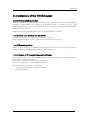
1.1 Real-Time RAM Monitor Function...............................................................................................3
1.1.1 RAM Monitor Area ............................................................................................................3
1.1.2 Sampling Period ................................................................................................................4
1.1.3 Related Windows ...............................................................................................................4
1.2 Break Functions............................................................................................................................5
1.2.1 Software Breaks Function.................................................................................................5
1.2.2 Hardware Break ................................................................................................................5
1.3 Real-Time Trace Function ............................................................................................................6
1.3.1 Trace Area..........................................................................................................................6
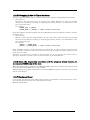
1.4 GUI Input/Output Function .........................................................................................................7
2. Before starting the debugger
8
2.1 Communication method by emulator ...........................................................................................8
2.1.1 USB Interface ....................................................................................................................8
2.2 Download of Firmware..................................................................................................................8
2.3 Setting before emulator starts......................................................................................................9
2.3.1 USB communication with the Emulator ..........................................................................9
3. Preparation before Use
10
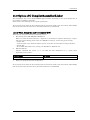
3.1 Workspaces, Projects, and Files .................................................................................................10
3.2 Starting the High-performance Embedded Workshop ..............................................................11
3.2.1 Creating a New Workspace (Toolchain Used) ................................................................12
3.2.2 Creating a New Workspace (Toolchain Not Used) .........................................................17
3.3 Starting the Debugger ................................................................................................................22
3.3.1 Connecting the Emulator ................................................................................................22
3.3.2 Ending the Emulator.......................................................................................................22
4. Setup the Debugger
23
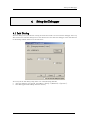
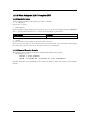
4.1 Init Dialog....................................................................................................................................23
4.1.1 MCU Tab..........................................................................................................................24
4.1.2 Debugging Information Tab ............................................................................................26
4.1.3 Script Tab.........................................................................................................................27
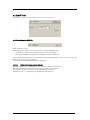
4.2 Setting of the Communication Interface....................................................................................28
4.2.1 Setting of the USB Interface ...........................................................................................28
4.3 Setup the Debugger for 740 ........................................................................................................29
4.3.1 Map Command.................................................................................................................29
4.4 Method of making MCU file .......................................................................................................30
4.4.1 Method of making MCU file(the 740 Debugger) ............................................................30
Tutorial
31
5. Tutorial
33
5.1 Introduction.................................................................................................................................33
5.2 Usage ...........................................................................................................................................34
5.2.1 Step1 : Starting the Debugger ........................................................................................34
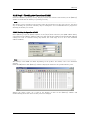
5.2.2 Step2 : Checking the Operation of RAM.........................................................................35
5.2.3 Step3 : Downloading the Tutorial Program ...................................................................36
5.2.4 Step4 : Setting a Breakpoint ...........................................................................................38
5.2.5 Step5 : Executing the Program .......................................................................................39
i