1
A Input file formats
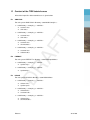
A description of the input file formats of the subsystems ANALYSIS, PREDICT, HILOW and
ASCON. For FOURIER no input file format need to be described.
ANALYSIS
ANALYSIS needs input data from two files, the input data file (with the required extension
<ina>) and the file with observations (with the required extension <obs>).
T
Input may often be entered in free format, but must sometimes be entered in fixed format.
Free format means that it makes no difference where you put the input on the line, taking into
account the order. Fixed format means that the input should be placed in a certain column
range (column fields). Text format means that you may enter any text, but left justified on the
input line (start in column 1). Pay attention to the maximum number of characters on input,
which may vary per input record.
In the input file several date-time groups for start and end of time periods have to be entered.
A date-time group consists of a date, followed by the time and separated by two blanks. The
date should be entered in a yymmdd format and the time in a hhmmss format. So, the complete
format for the date-time group is: yymmdd hhmmss.
DR
AF
A.1
A date-time group should always be entered left justified on the input line, like text input. For
example, for a time-series starting at October 20, 1989, 14:55:00 you should specify on the
input line:
891020 145500
The input is subdivided into a number of separate items. For each item the number of required
input lines will be specified, providing you with just that extra bit of information necessary for
a complete understanding of the input description.
The input description will be understood more easily if you consult the input example at the
end of this section from time to time.
Below we give a systematic, record for record, explanation for the input data file. The input
parameters are printed in bold type, immediately followed by an explanation. If needed, the
limitation of the sub-system with respect to input parameters is indicated.
Header lines (1 ≤ number of lines ≤ 20)
It is advised to start the input data file with header lines in which you can include some
relevant information for this analysis run. Relevant information may be the time period of
the observations, the name of the tidal station, the geographical position of the tidal station,
etc. Header lines are recognised by the system by the first character of a record. The first
character of a header line has to be ’+’ or ’∗’.
If the first character of a header line is ’+’, this header line will be copied to the output files. If
the first character of a header line is ’∗’, this header line will not be copied to the output files.
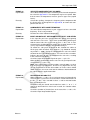
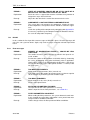
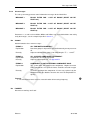
For example in case of ANALYSIS the ’plus header lines’ on the <∗.ina> file will include
relevant notes on the tidal analysis, the origin of applied set of components, coupling of components, etc.
Deltares
59 of 100