1
Lightwork
15 of 85
http://127.0.0.1:2944/help/advanced/print.jsp?topic=/nz.ac.massey.ligh...
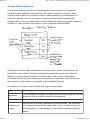
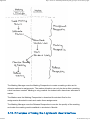
marking) Lightwork provides some additional transitions between the statuses of
assignments (these transitions are not shown in the diagram).
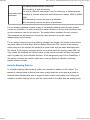
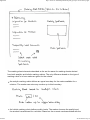
The marking manager can de-activate marking that has been put into the 'In Review'
status.
The marking manager can reallocate marking that has 'In Marking' status. In this case
the newly allocated marker starts with an empty marking sheet.
The marking manager can reallocate marking that has 'Marking Finished' status. In this
case the newly allocated marker continues with the data already entered in the marking
sheet by the previous marker.
Lightwork keeps the history information for each assignment and its marking status
changes.
Marking with Lightwork is based on recommendations found in the literature on
assessment. Marking rubrics are at the centre of these recommendations. Emphasis is put
on providing formative feedback to students that helps students to understand what is
good or not so good about their work and shows them ways towards improvement.
Marking should be consistent, both within a marker and across the members of a marking
team.
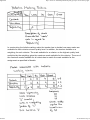
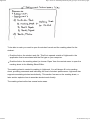
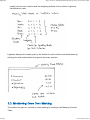
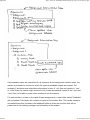
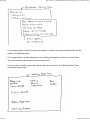
The first step for marking in Lightwork consists of creating a marking rubric (some people
use the terms marking scheme or marking schedule). A marking rubric defines the criteria
by which to assess student work. A marking rubric is linked to a specific assignment and
has to be defined before marking can commence.
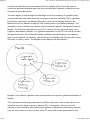
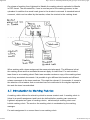
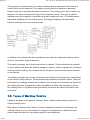
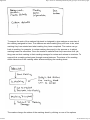
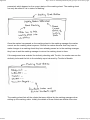
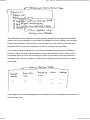
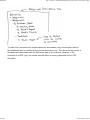
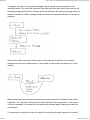
The purpose of a marking rubric is to show students what is expected of their work and
how this work will be assessed. The marking rubric guides the markers in assessing
student work and in providing feedback to students. The marking rubric can be seen as a
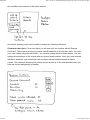
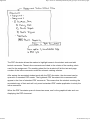
template. For each student a copy of this template is made. This copy is called a marking
sheet and is specific to a student and their assignment work. The marker enters marks and
feedback into the marking sheet.
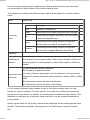
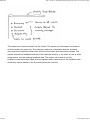
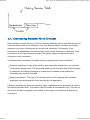
In addition to filling out a marking sheet for each student the marker can annotate student
work directly with inline comments. Lightwork supports this by facilitating the creation of a
copy of the student work and by automatically uploading annotated student work to
Moodle for return to the student. The annotation of the student work can be done either in
a program external to Lightwork, such as a word processor, or in Lightwork's own PDF
Annotator.
22/12/2010 2:01 p.m.