1
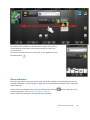
To clear the Call log, press Menu
and then tap Clear call log.
Dialing a number from the Contacts list
To make a phone call using the Contacts list:
1. In the Launcher, tap Contacts, or tap the Phone icon
Contacts tab.
on the Home screen and then tap the
2. Tap the required contact to call.
Messaging
Use Messaging to send and receive text messages (SMS) and multimedia message (MMS).
Sending a text or a multimedia message
1. Make sure that a SIM card is installed. See Inserting and removing the SIM card, page 16.
2. Make sure that the phone is turned on. See Turning on and turning off the integrated radios,
page 30.
3. Tap the Messaging icon
in the Launcher. The Messaging window opens, where you can
create a new message or open an ongoing message thread.
4. Tap New message to start a new text or multimedia message (or tap an existing message
thread to open it).
5. For a new message, do one of the following:
l
l
enter a phone number in the To field. As you enter the number, matching contacts
appear. You can tap a contact to select it or continue to enter the number.
start to type the name of a contact in the To field. As you type, matching contacts appear.
Tap a contact to select it.
6. Tap the composition text box, and enter your message using the on-screen keyboard.
7. For a multimedia message, press Menu
attach to the message.
and then tap Attach to select the media file to
8. Tap Send or Send MMS.
Deleting a message thread
Tap and hold the message thread, then tap Delete thread in the menu that opens; or, press Menu
and then tap Delete threads to delete all message threads from the window.
Replying to messages
If you are working in a message window, messages that you receive are displayed in it. Otherwise,
you receive a new message notification and a new message icon appears in the Status bar. See
Trimble Juno T41 User Guide
27