1
Setting the Image Quality
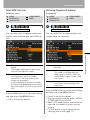
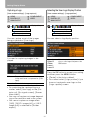
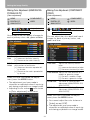
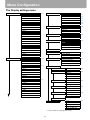
Making Color Adjustment (HDMI/DIGITAL
PC/ANALOG PC)
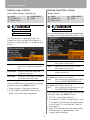
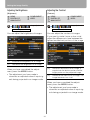
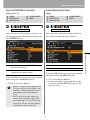
Making Color Adjustment (COMPONENT/
VIDEO)
[Color adjustment]
[Color adjustment]
HDMI
DIGITAL PC
ANALOG PC
COMPONENT
VIDEO
HDMI
DIGITAL PC
ANALOG PC
Image adjustment
Image adjustment
Color adjustment
Color adjustment
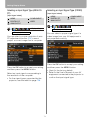
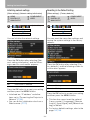
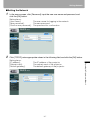
You can adjust the color quality of images for
each of primary colors, red, green and blue.
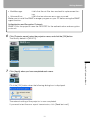
R/G/B
Gain
Adjust the intensity of each color.
[>] Increases the color intensity.
[<] Decreases the color intensity.
R/G/B
Offset
Adjusts the color reproducibility of
dark portions of each color.
[>] Increases the color reproducibility of color.
[<] Decreases the color reproducibility of color.
COMPONENT
VIDEO
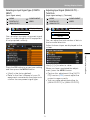
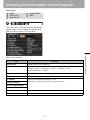
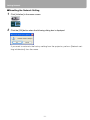
You can adjust the color depth and hue of
images for each of primary colors, red,
green and blue.
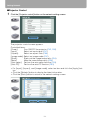
Color level
Adjusts the intensity of each
color.
[>] Increases the intensity of color.
[<] Decreases the intensity of color.
Color balance Adjusts the color balance of a
reddish or greenish image.
[>] Corrects a reddish image.
[<] Corrects a greenish image.
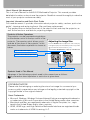
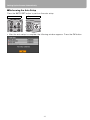
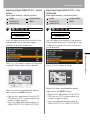
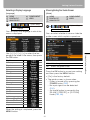
When you have completed the adjustment, press the MENU button.
R/G/B Gain
• The adjustment you have made is
stored as an adjusted value of input signals being projected in an image mode.
• Adjusting a color makes
mark shown
in [Color adjustment] in the menu.
The same as “Making Color
Adjustment (HDMI/DIGITAL PC/
ANALOG PC)”.
R/G/B Offset The same as “Making Color
Adjustment (HDMI/DIGITAL PC/
ANALOG PC)”.
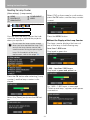
When you have completed the adjustment, press the MENU button.
• You cannot adjust the color balance in
[Video] except NTSC.
• The adjustment you have made is
stored as an adjusted value of input signals being projected in an image mode.
88